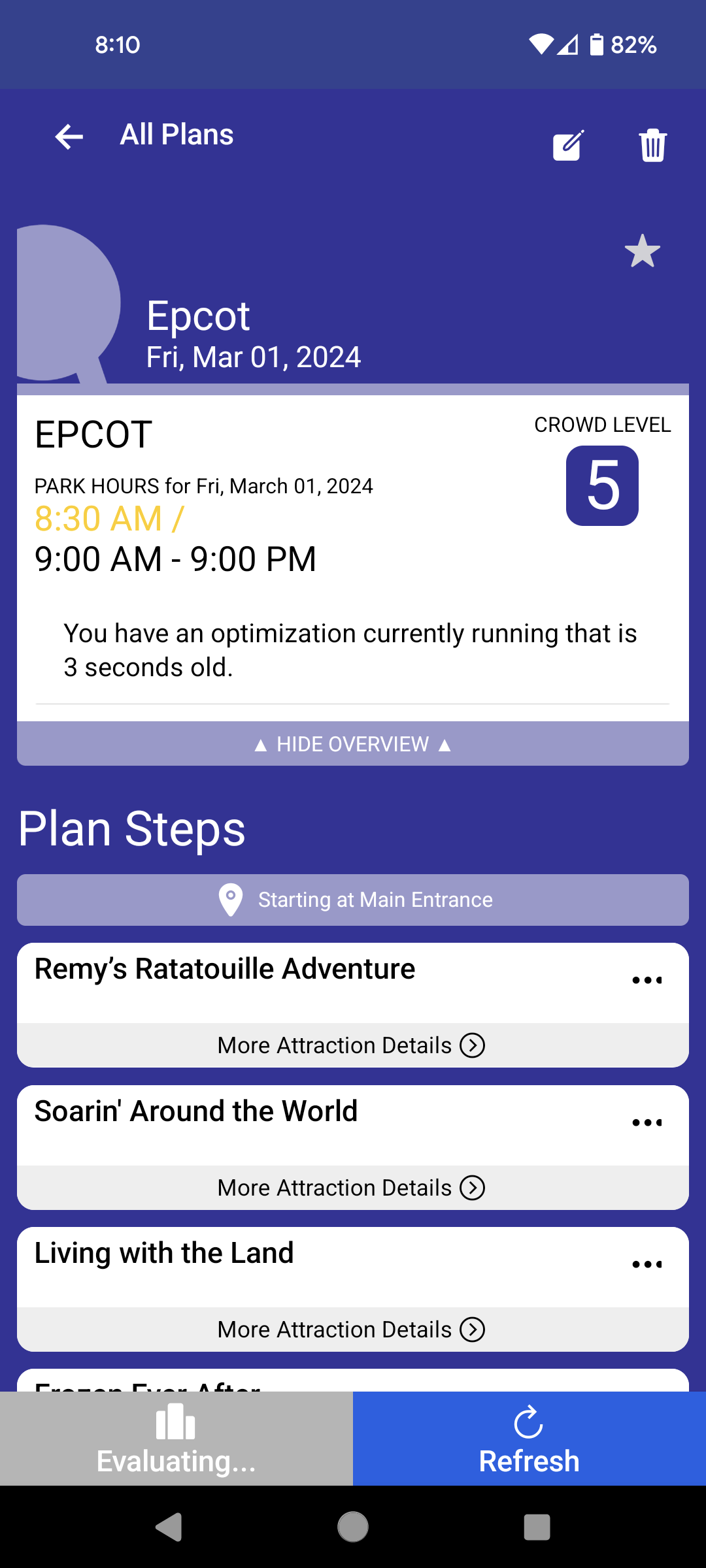
This is something I thought was a fluke … But when I evaluate a plan in the app, it never “finishes” on its own. It will sit indefinitely on this screen…
I thought in the new interface I wasn’t supposed to have to manually get it to load the evaluations…which is confusing because the Refresh button makes it seem like it would REevaluate.
Yes - mine is separate, but I don"t remeber if I originally chose the parks in the app or on the website or maybe both!. If I chose them in the app, that would explain it.
Agree wholeheartedly. Choices about colors and overall look and feel should be made after or parallel with the information architecture decisions. And those need to be made after many tests to be sure that the user can find things. That’s why us HCI peeps use low-fi prototypes for testing.
Pretty is great. I love pretty websites. Usability is better.
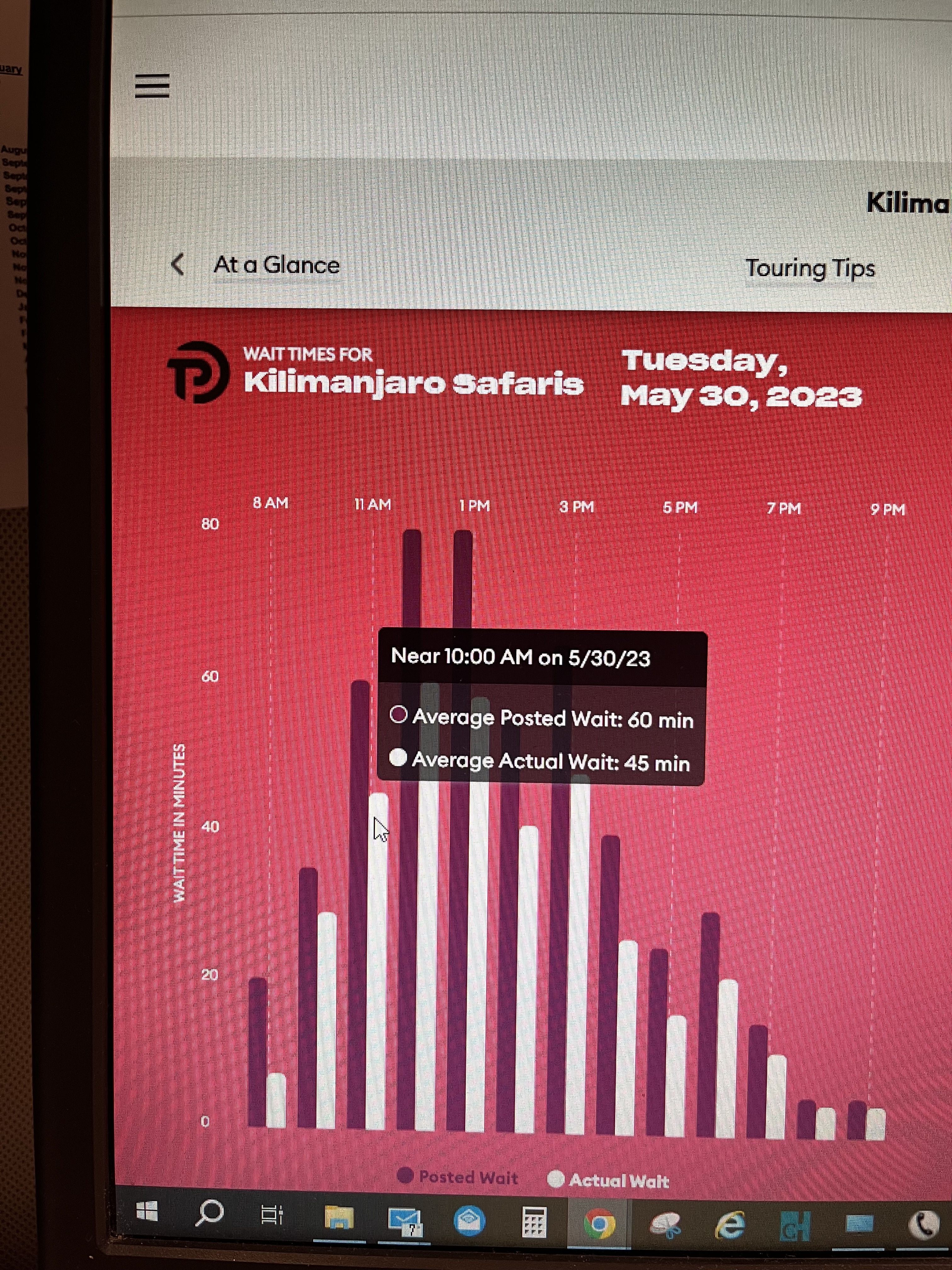
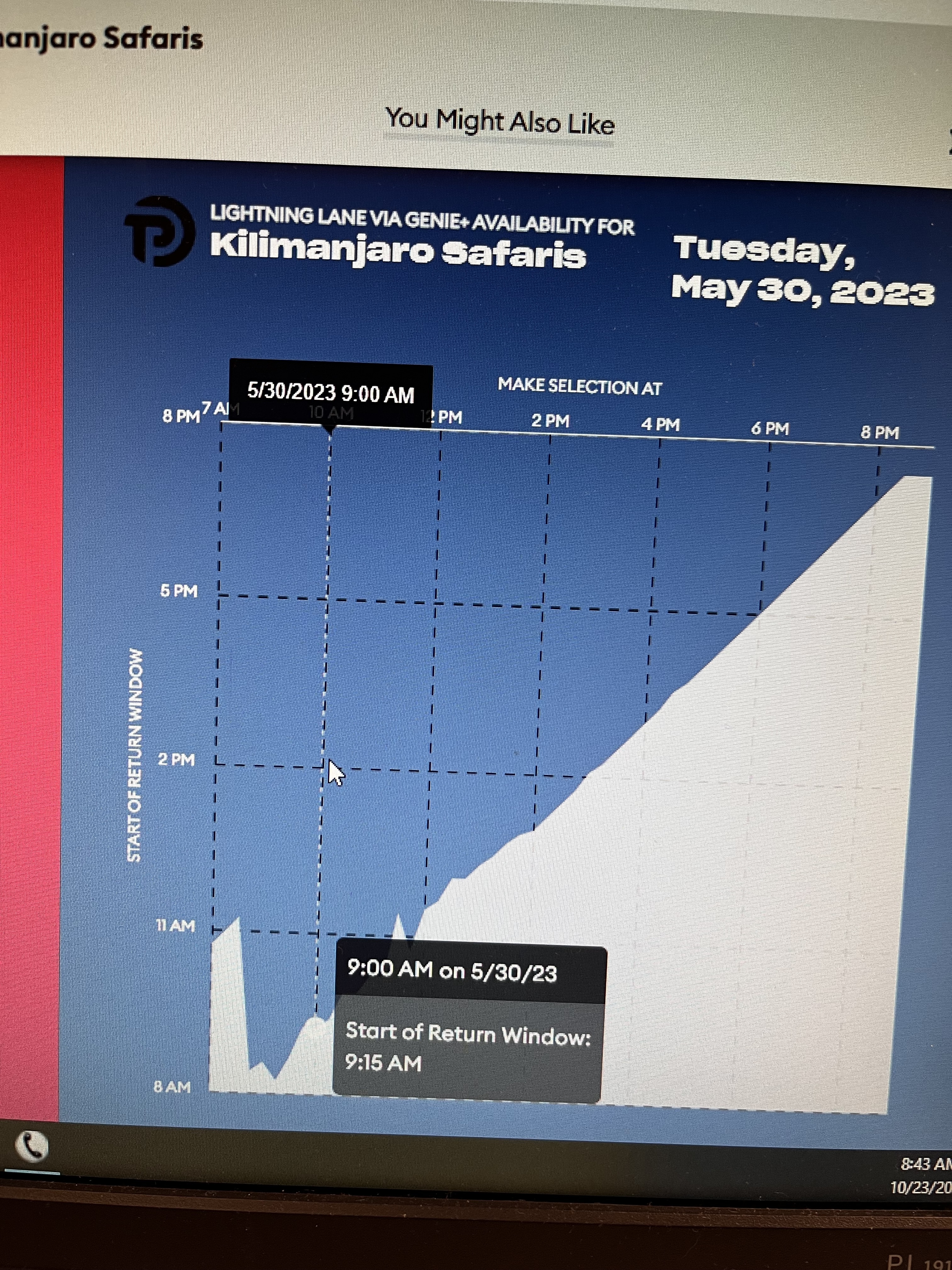
Just today playing with the individual attraction wait times and wanted to share that the little slider thingie doesn’t match up with the graph, making it both a little klunky and unclear.
I can’t manage a screen shot per se, but will take a photo of my screen
If I have my cursor on the white area of the graph that supposedly reflects the 11am hour, it pops up with 10am data
I have been poking around in the app more. I have one day in the parks (Epcot). Using the app for making a park plan just doesn’t work so well.
If I modify a meal, the Save Plan button sometimes is visible, but not always the “Save”. I have now probably at least 10 times modified the meal, and hit Save Plan, rather than Save unwittingly…and my edits were then lost. I don’t think the Save plan button should show up or be available until I either cancel my current action editing a step or Save that step.
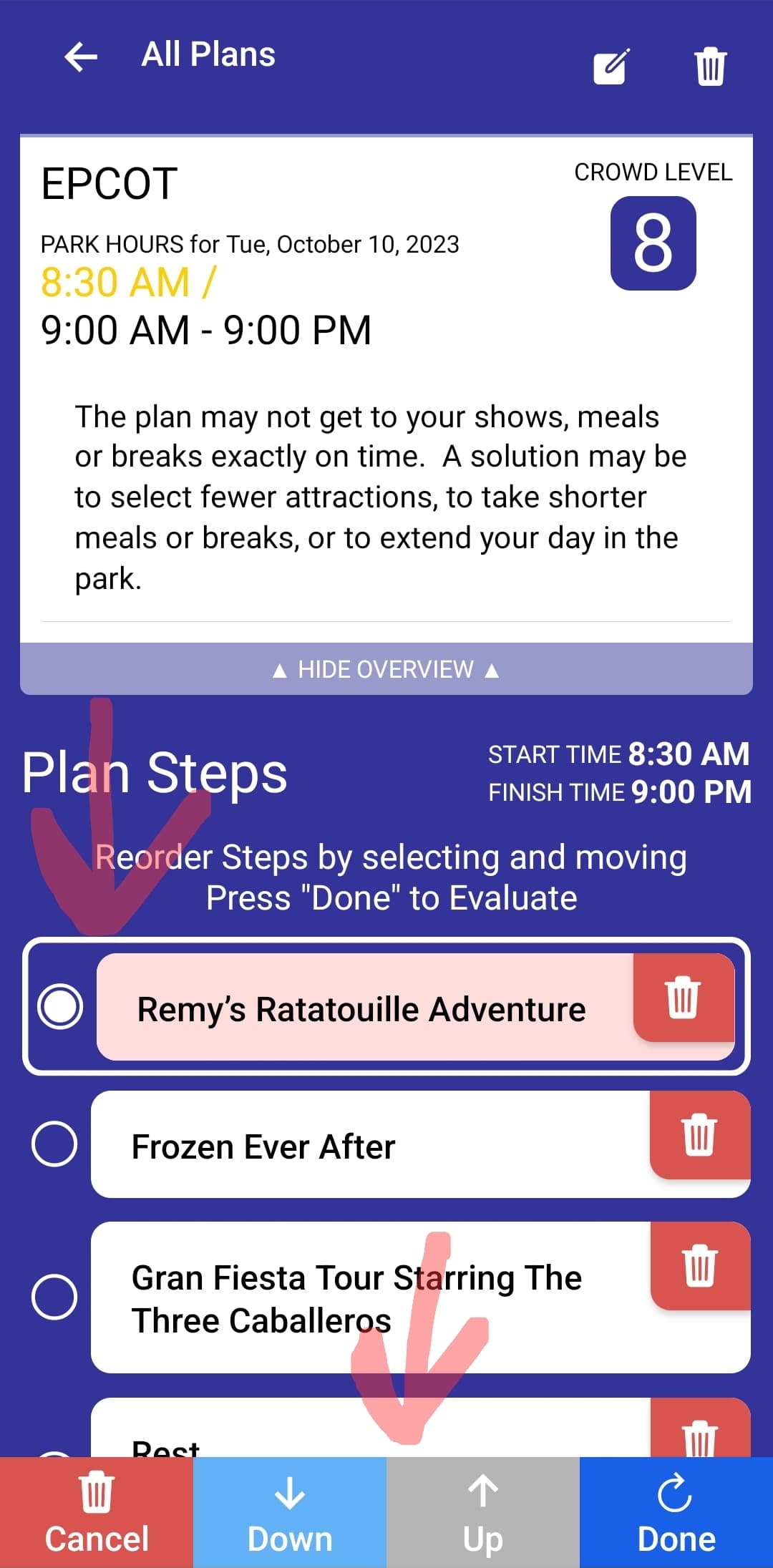
I cannot for the life of me figure out how to manually re-order steps. I rarely ever use Optimize, except in the very early stages. After that I like to reorder steps and Evaluate. But I just don’t see a way to reorder the steps, which makes Evaluate kind of pointless.
How do I see the map of the steps after I have them Optimized or Evaluated? Again…I can’t find this.
I mentioned in another thread that when I Optimize, it will not automatically refresh when it is done. I could have sworn this was supposed to be an improvement in the new App versus the old…and I’m not sure why it isn’t. I would expect hitting the Refresh button would re-optimize the plan. But it doesn’t. It just downloads the most recent plan data once it has finished optimizing.
I don’t know how you get to that page. I don’t have a way to selection individual rows like that.
Hmm. Okay. I mean…having it in the app is just as useful, if not moreso, when wanting to follow your already created plan while in the park. For example, I added JAMMitors to my plan. It tells me to walk there between steps. But I have no idea where it is actually located. I would have to go out of the app, and search for it some other way I guess?
Admittedly, in the past, when I created a plan, I was doing it all from the website…but I also pretty much already knew where the things were that I was trying to add. But this time around, I’m adding many of the things I don’t usually do, so having the map becomes more important because I don’t know where those things are.
I think they are fussing with the system because I was having some trouble here and there as I was fixing up my AK plan and then it cleared. Then it came back. Then it cleared again.