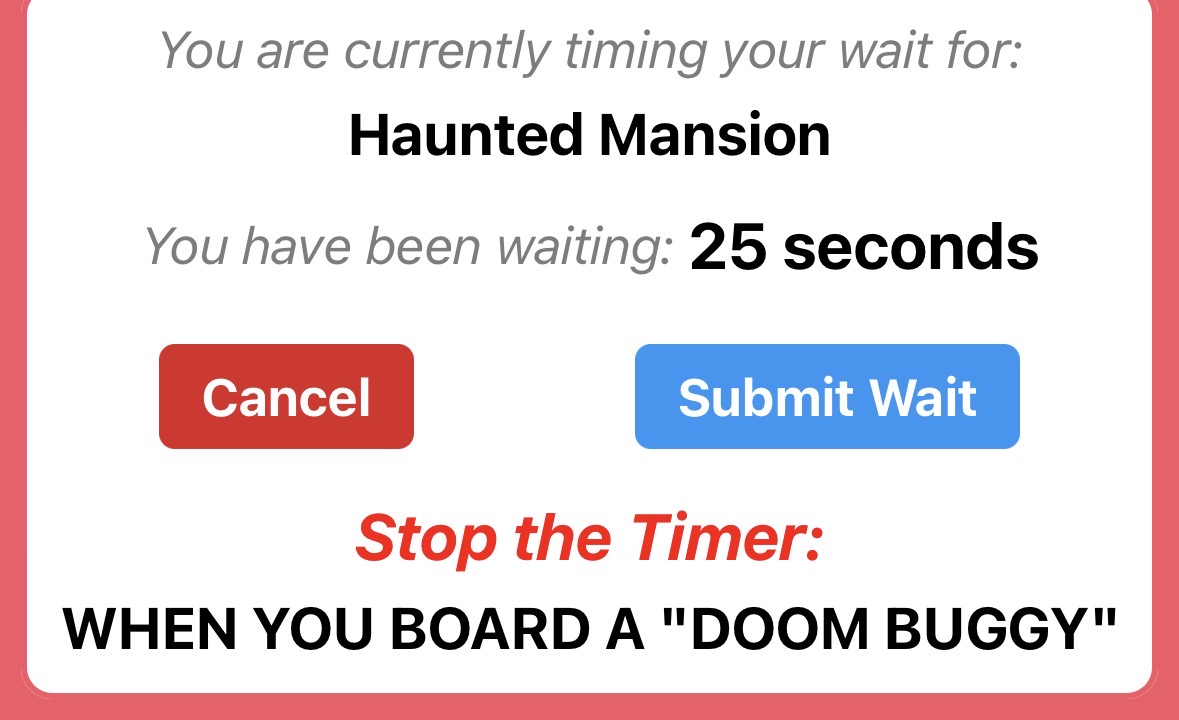
Each attraction tells the user when to stop the timer. For example, Haunted Mansion:
3 Likes
Link was corrupted. Try this one:
https://touringplans.zendesk.com/hc/en-us/articles/4410825731860-How-Do-I-Submit-a-Wait-Time
1 Like
I know. I fixed it
2 Likes
Here’s the relevant text:
If you are timing your wait, start the timer at the point when you are first prevented from moving forward in the line (NOT when you go under an attraction’s entrance archway, and NOT when a pre-show begins). If you “walk-on” to an attraction, the wait will be zero, even if you spent 5 minutes walking through a very long queue to get to the vehicle. Stop your timer when you board a ride vehicle or sit down for a show. This means that “pre-shows” (even mandatory ones like at Test Track and Flight of Passage) are part of the wait.
2 Likes
Aha! That does it! Then what I would want to know is how long is the line from the LL-SB merge point to boarding? Because if a line like MMRR is 15 minutes from merge to preshow to board, then a wait time of like 25 minutes is really only saving 10 with a LL
1 Like
Yes this is a true consideration that is likely impractical to model but something we with experience can mentally adjust for.
2 Likes
Just reviewing the charts again @david
- UOR Crowd Calendar
- View Past Dates
- 4/1/26 See all Details
- See ride specific details
- Select Epic Universe - Battle at the Ministry
- Wait list below chart, one single rider wait time and 3 standby waits for 4/1
- Select left arrow on chart for 3/30 date
- Chart is correct with two dots for standby waits
- But the URL is still 4/1, and the wait log below chart is still 4/1
The way it is now (and viewing another date on the attraction page), you can’t view an accurate list of submitted waits, or see the standby line and express lane submitted wait times.
The only fix is to go back and choose a different date, and then choose the park and attraction again.
1 Like
Thanks for the feedback!
I do not expect the URL in your browser to change. We may implement that in the future, but we don’t try to do that today. The labels on top of the chart should make clear what you’re looking at.
Although they appear on the chart as dots, we do not intend to display a list of submitted wait times for any date other than today. You’re correct that right now the submitted wait time section changes if you manually specify a date in the web address, but it erroneously calls the date “today.” We intend for that section to be totally independent from the chart. We’ll make an adjustment so that our behavior is consistent.
2 Likes
Some additional prototypes for y’all…
As we build out interesting charts, we’re going to make them accessible in a central location for chart afficionados. These same charts will also generally be available in other locations (like a specific park or attraction page), but the central location could be useful for those who want to look at a broader set of charts. For example, you might want to look at a charts for different attractions without going to each attraction’s page on the TouringPlans.com website.
The Charts “gateway” would look something like this:

For attractions, you would pick an attraction from its park’s list and then be taken to a page like below, where you can move among attractions and dates using the navigational elements.
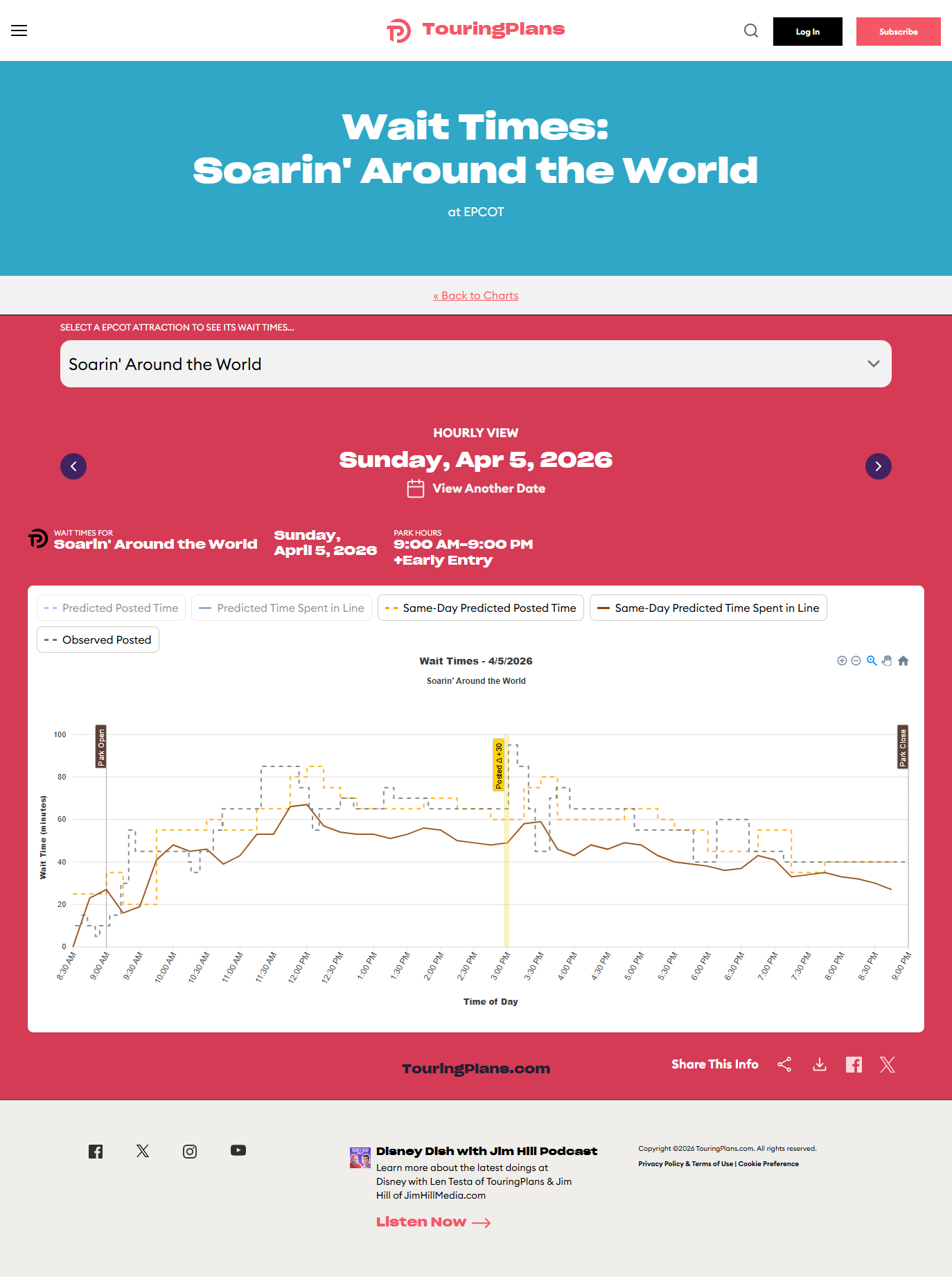
I post here looking for feedback. Is this way to get at charts clear? Useful? What might you want added? Let us know!
3 Likes