I just tried a similar thing with Boardwalk…after selecting 1-Bedroom Resort view. The location preference has two options: Near Elevator, and Near Lobby. The “Near Lobby” option shows up in BOTH Location Preference 1 & 2. So, I selected “Near Lobby” for Location Preference 1, and it didn’t work correctly, finding 1 room. FYI.
ETA: If I select “Near Lobby” for Location Preference 2, it shows 3 rooms only…only one of which are really “near lobby”…but one of which SEEMS to be, maybe, mis-labled as resort view? Room 2068…shouldn’t that be a Garden or Pool view room???
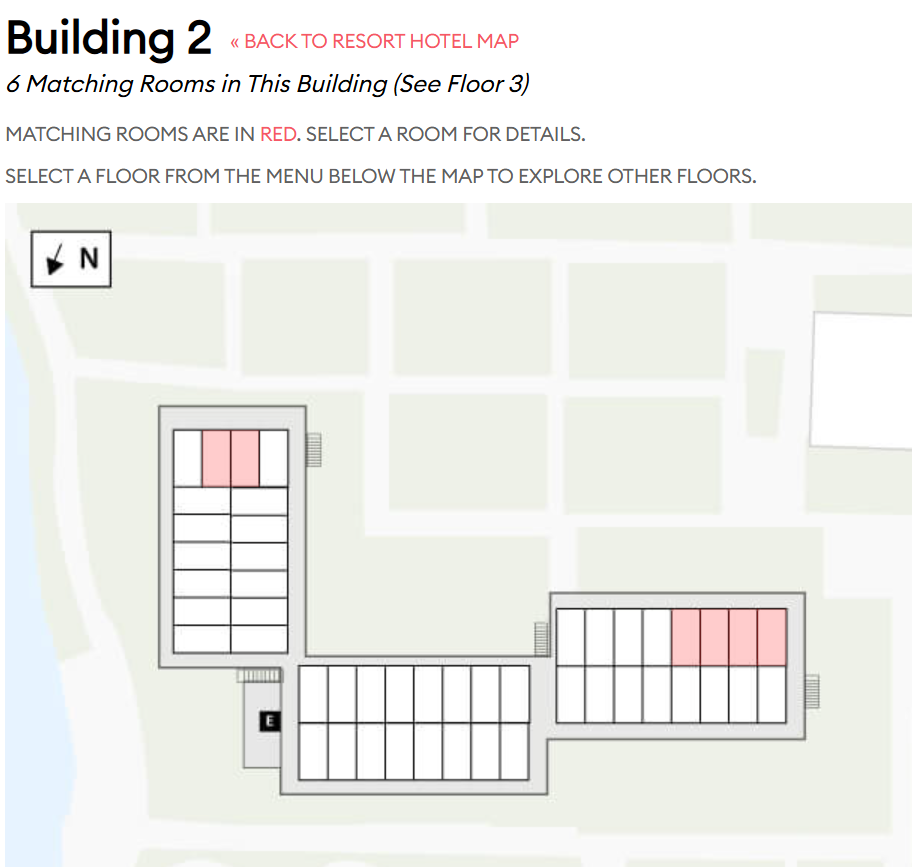
Trying again with FQ Garden view, the only other filters I picked were top floor and quiet. I chose to look at building 2, and it’s only showing 6 garden view quiet rooms - all the ones facing in that direction are garden view and I clicked on a couple of non-matching rooms, they both said they were garden view and quiet.
If I’m reading this spreadsheet correctly, Disney has some 5th floor BLT rooms marked as “Higher Floor” and other rooms listed as “Lower Floor”.
The way we’ve got the database structured is that there can only be one of those labels for a floor. (So it’s set at a floor level, not a room level. BECAUSE IT’S A FLOOR.) And we use whatever the last value was.
I’m going to need to follow up with them on this. In the meantime I’m going to call the 5th floor a higher floor.
It is strange…maybe something Disney missed themselves. I COULD see why the 5th floor might be considered a lower floor, since it is where the Skybridge is located, and any room above the Skybridge is being a higher floor…but it is an arbitrary decision in either case!
I am absolutely tickled that this was found. It shows that if we all work together we can make things better for everyone.
ETA: I’m writing some code to check for the same issue at other resorts. Should take about 30 mins then I’ll be back at this.
ETA: It’s also on BLT 4th floor.
And at Pop Century’s 10 buildings, 3 of them (4, 6, 7) label the 3rd floor as “Higher Floor” while the remaining 7 label the 3rd floor as “Middle Floor”.
There are many other minor inconsistencies, such as rooms on the same first floor being labeled “Ground Floor” and “Lower Floor”. Same thing with top-floor rooms being labeled “Top Floor” and “Upper Floor”.
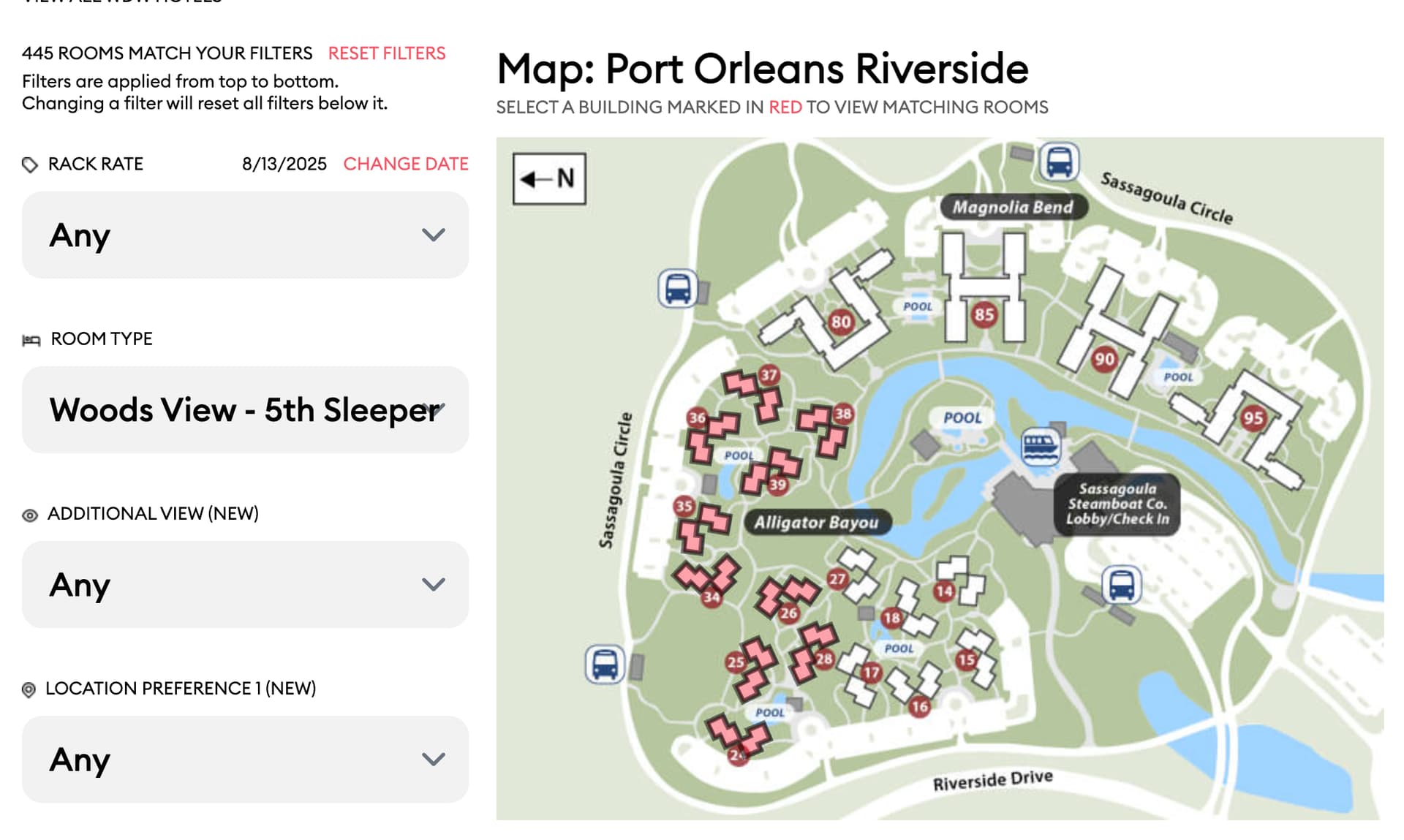
Another example of the filter reset. At Riverside I started by choosing the Alligator Bayou theme. I then selected the location preference to be close to the bus stop. This selection cleared my theme selection.
Update: Choose Alligator Bayou theme and then any additional view will do the same thing.
Update2: Seems to work as long as I apply filters from the top down. The room type is an outlier and doesn’t seem to clear unless it is no longer an option with the other filters (which makes sense).
I’ve confirmed that the data we got from Disney has the label “Near Skyway Bridge” for those rooms. I’ll ask them what’s going on there too, along with the other stuff.
There are two separate “location” columns in the data, and the same labels don’t appear in each. I think that’s the issue here.
Thanks @feep. Your WDW subscription now runs until the end of the decade.
Disney’s definitely labeling these rooms as “Near Bus Stop”, and there’s no data in Location Preference 2. I’d use our “Walking Distance To Lobby” drop-down for that.
I realize there’s some duplication there. I would need to think through the implications of changing or adding to Disney’s own data.
Can you tell me a bit more about what you’re trying to do here? What other thing would you want after choosing the “Woods View - 5th Sleeper”?
Once I started looking closer at the rooms, I guess I didn’t realize they had a second view field. So that other view made a lot more sense once I figured that out. So I think we can disregard this bit. Thanks!
I understand the actions taken and the result. That’s the way we designed it.
A couple of points:
The text at the top of the filters explicitly say the filters are applied from top to bottom, and that higher filters will reset lower filters. Let me know if it would would be more intuitive to put that explanation on another part of the page.
I’m not sure I know how to code a system where the filters are applied in the order they’re set.
I’m sure I could keep track of the order in which the filters are set. But just as an example, let’s say we have filters A, B, C, D, and E. You set them in this initial order: A first, then B, C, D, then E last.
Then you change filter C. In what order should I re-apply the filters? I can see at least these options that people would expect:
C, A, B, D, E (C is the most recently changed filter)
A, B, C, D, E (your original order, with a different option for C)
A, B, D, E, C (C is the last filter changed)
It’s not clear to me that any one of those is more understandable than us saying “top to bottom with resets” at the top of the filters. I don’t think anyone would remember the order in which they selected the filters either.
I will admit that I completely missed this. I think a possible text box or some way to separate that text to show that it should be ready might be good. The location (now that I see it) is pretty appropriate.
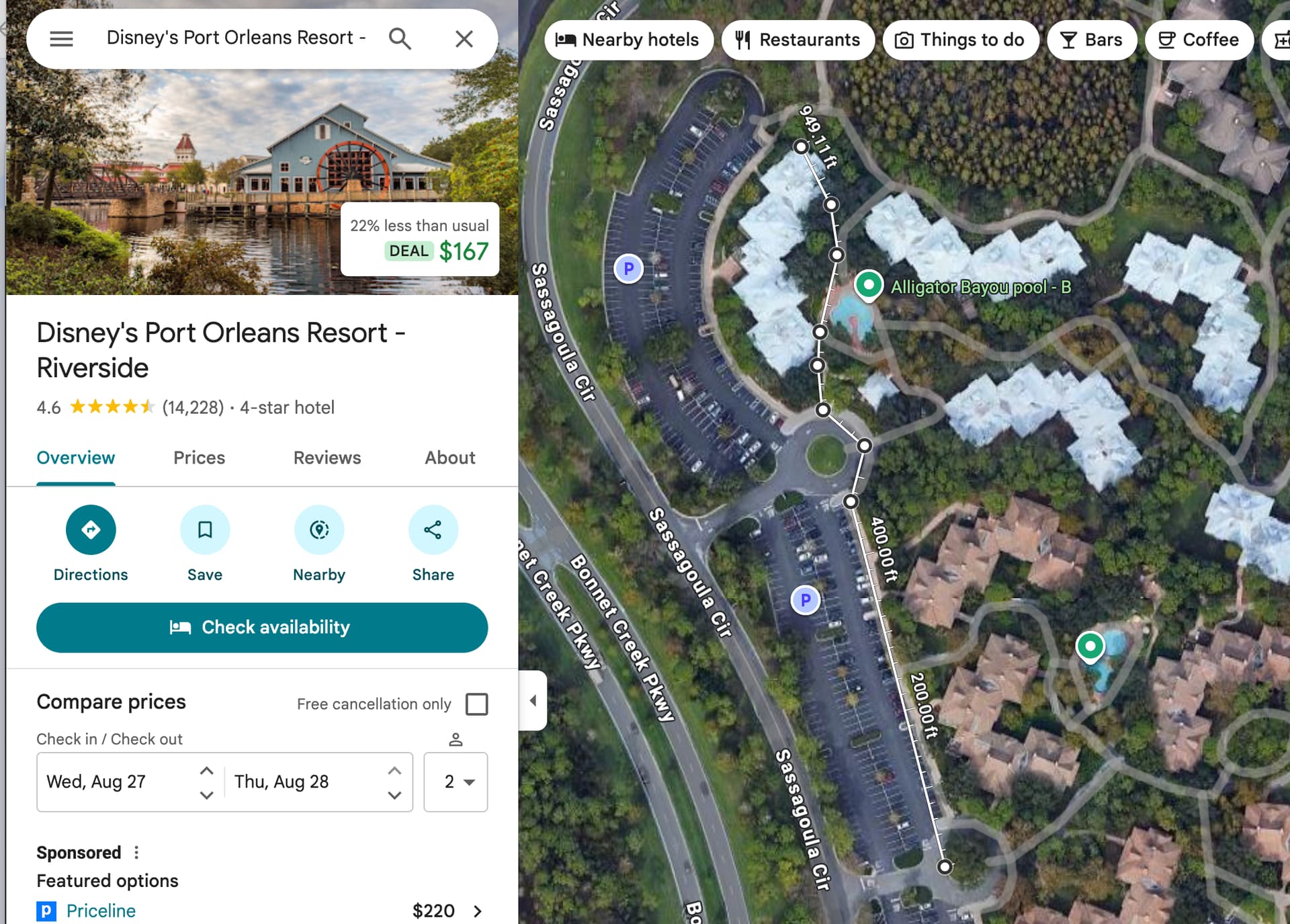
The Centers for Disease Control says that a walking speed of 3.5 miles per hour is “moderate.” So let’s say 3 MPH because we’re on vacation, have kids, etc.
3 miles per hour is 264 feet per minute, so a walk of 950 feet is around 3.6 minutes in a worst-case scenario.
So I see your point that some of those rooms should probably be 4 minutes. I’ll look at the farthest rooms and see if anything needs to be changed.
Ah. I see the complexity. I guess I wasn’t looking at it in terms of filtering in a specific order, but rather, as you select any given filter, the results are reduced, and now the filters themselves are updated to reflect the reduction of options. I believe that’s essentially how most filters on shopping results, for example, would work.
To illustrate in a simplistic form. Let say there are 100 rooms total. 10 of the rooms have two sinks. The other 90 have one sink. Then, there are 50 room which are second floor, and 50 which are first. Finally, there are 30 rooms which have a balcony. Only second floor rooms have balconies…except one, which only has one sink. (Don’t ask me how a first floor room has a balcony. It just does!)
So, if I apply a filter of rooms with two sinks, I get 10 rooms. 5 of them now are first floor, five are second. Now, I filter on rooms with balconies. The filter for number of sinks still applies, but the filter for floor is updated based on the results of balcony rooms, and only shows the option to select floor 2 (or “Any”). Now, if I change the filter for number of sinks, the filter for floors now is updated and once again allows me to select either floor 1 or floor 2 because the results include at least one room from each floor.
I’m not sure how you have this implemented today, so perhaps changing it to work this way is non-trivial. But it kind of how I assumed it was working. (I can imagine using SQL statements how this could work…but not sure when using web-based technology!)
ETA: I have to think about it more…but I THINK a way to think about it is that you have a number of selected filters. Your query returns results that match using an AND of all the filters. Then, the filter options themselves are updated to reflect the subset of rooms that the previously selected filters matches. So, there is no “order” to performing the search. If that makes sense? It makes sense to me…but I might not be explaining it well enough.
Can we not visually indicate (color, font, icon) that a filter is at its default value. That way the user gets a queue that the system has changed one or more of their previous selections. Ideally then all filters would need to be visible at the same time.
Another method would be a popup that states that a user’s previous selections have been returned to default, but that could get to be annoying.