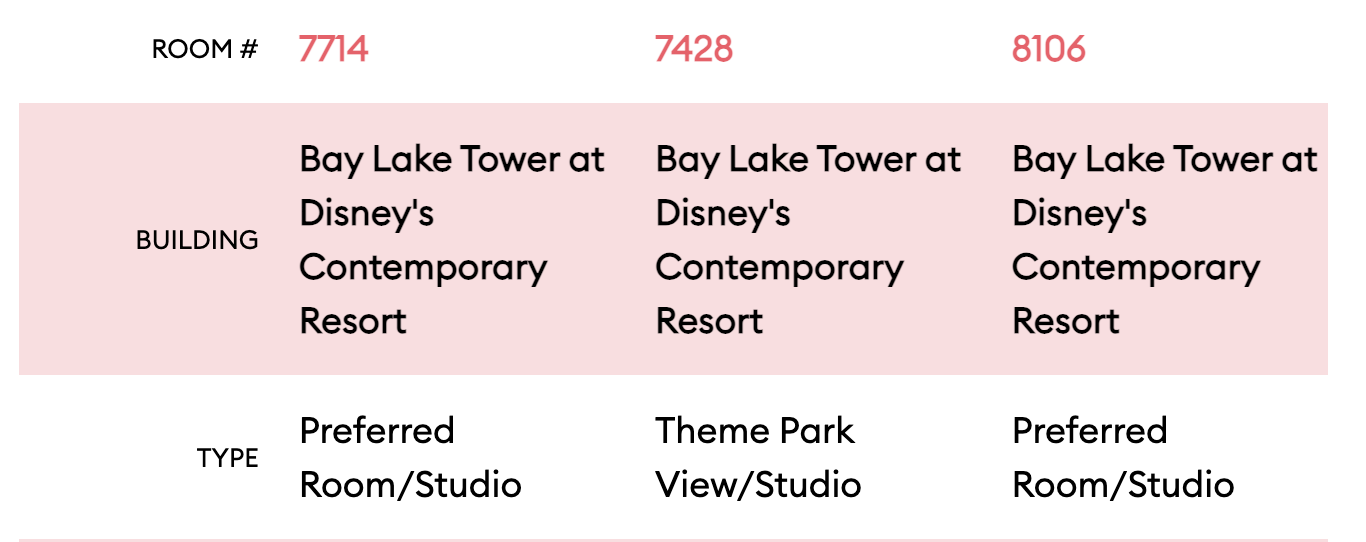
Been playing with BLT (staying there for the first time in a couple weeks!) and first thing was when I went to check on 2 bedrooms, the results are showing rooms that aren’t 2 br:
Yeah, no matter what filters I’m putting in I keep seeing those rooms on the right hand side, but when I click into the map it’s showing me the 2br matches
I will also say - I really like that when I clicked on “higher floor” for this category it takes you directly to floor 6 when you click on the building (starts at floor 2 when “any” is picked since there are preferred 2br on that floor apparently)
As a broad category? Yes. It isn’t critical by any means, but just a way to simplify researching. Sort of like narrowing down between resort types (deluxe, moderate, value) and really only because cost-wise, the tower and garden wing are almost like two separate resorts.
First pick room type - River view 2 queens
Additional view - water view
Additional view 2 - only option is Any.
But wait - the first time I did it, other than distance to lobby and transport, every single option only gave me Any as an option after I picked water view. Now I’ve gone back to it, some have options.
I haven’t actually got as far as picking a room yet. I need to try again.
To be honest this works great so far, I imagine a lot of suggestions / bug reports have already been adressed in the staging version. The dynamic filters are a great improvement.
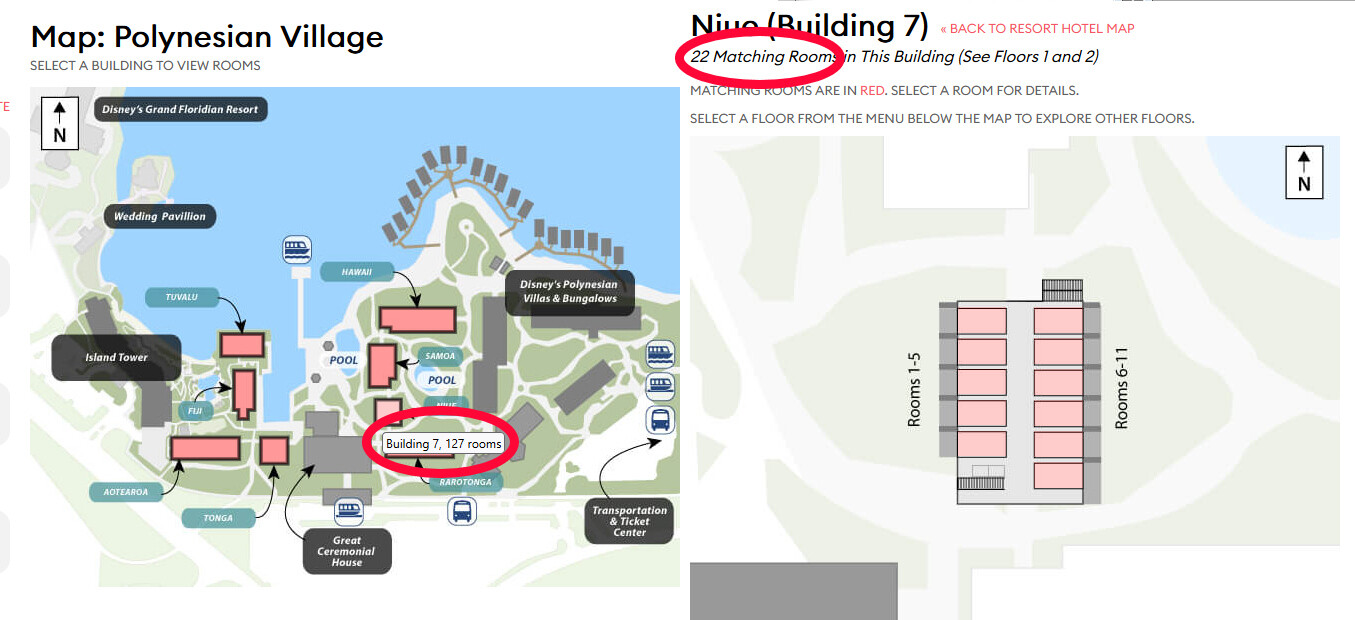
The only bug I found so far is the room numbers shown when hovering over a building don’t seem to be correct. I didn’t check all resorts, but here’s for example AKL and Poly without any filters selected:
One other thing, more of an opinion: on a desktop the drop down boxes are huge and take a lot of vertical space, I’m on a 27" monitor and I need to scroll down more than a full screen to reach the last ones. These could be 50% of the size and almost fit in without scrolling. The text is fine, it’s just the boxes that are supersized.
Ok, I just selected River View 2 queens, water view, and 7m from lobby and got to the set of rooms I was looking for in building 6. Descriptions looked fine.
Is it because it’s a small resort that putting in too many options made it go bat crazy? I found it really frustrating.
Just did a search for an actual request I have at Boardwalk coming up
1BR
Garden or Pool View
Courtyard View (new filter - fantastic)
It filters down to 2 rooms and when I click the building it takes me right to floor 3 to show me the one room on that floor that meet the criteria. I navigate to floor 4 and it shows me the one room on that floor that meets the criteria. No other rooms show.
But the room count, after clicking on the building, does revert back to the full number of rooms (528!) even while it shows just the rooms that meet the search criteria.
Room Type: Pool View Queen + Queen Table Bed
Building Theme: 50s Theme
Floor: Ground Floor
Shows rooms should be available in each of the three 50s buildings
Click on Building 1
It takes me to Floor 1, but there are zero rooms on floor 1 in that building that are highlighted
Try again with same process, this time clicking on Building 3
Again it takes me to floor 1 but there are zero rooms that are highlighted
Try once more with same process, this time clicking on Building 2
Again takes me to floor 1 but there are zero rooms that are highlighted
Sad trombones play loudly.
Sidebar: I do love that I can select “Shower Only” or “Tub Only” from the features list. Off to try that now
Seems like the only way I can get any rooms to be highlighted is to ONLY select Standard Pool View Queen + Queen Table Bed.
Then when I click on the 50s Building 1 I see lots of options on Floor 1.
There are options that are Tub Only and there are options that are Shower Only (which I can only tell when selecting the room and viewing the additional details).
So the information is in the room details, but the filter is for some reason not picking it up.
To recreate:
Select Pop Century
Change Date to…well anything…
Then open the Rack Rate drop down.
Now, in fairness, once you click something, it seems to reset and actually show the numbers I’d expect from Pop. But the initial sticker-shock was quite shocking



 crazy? I found it really frustrating.
 (or, we got a sneak peak at 2027 numbers if Disney has their way
  )
)
