Last night when I looked at the current AKL room finder I realized that the room finder tool has always shown me rooms starting on the bottom floor even though I always pick “upper floor”. I think the issue we identified with the new tool , has always been an issue. For me, it is not a big deal but I wanted to mention it.
4 Likes
I’ve fixed this on my local machine. Will push to the test server eventually. This is mainly a note for me to remember which things I’ve addressed.
4 Likes
Thanks @linsalt. I’ve fixed this on my local machine and will push to the test server later. I’ll let you know when. This note is also for me to track what I’ve fixed (allegedly!).
1 Like
Thanks @lizzieanne771. This is fixed on my local machine. I’ll push it to the test server later.
1 Like
This is fixed on my local machine and will be released later. Thanks again @linsalt.
2 Likes
Just starting to play with this today (too busy yesterday). But…maybe I should wait until the fixes are pushed to the server.
One thing I did notice, though, that I am not sure was reported…
So, I scrolled down, and selected the “Deluxe Villa” tab, and then clicked on “Bay Lake Tower…” The page that loaded, when it came up, was automatically scrolled down to the bottom of the page so that all I saw, initially, was this:
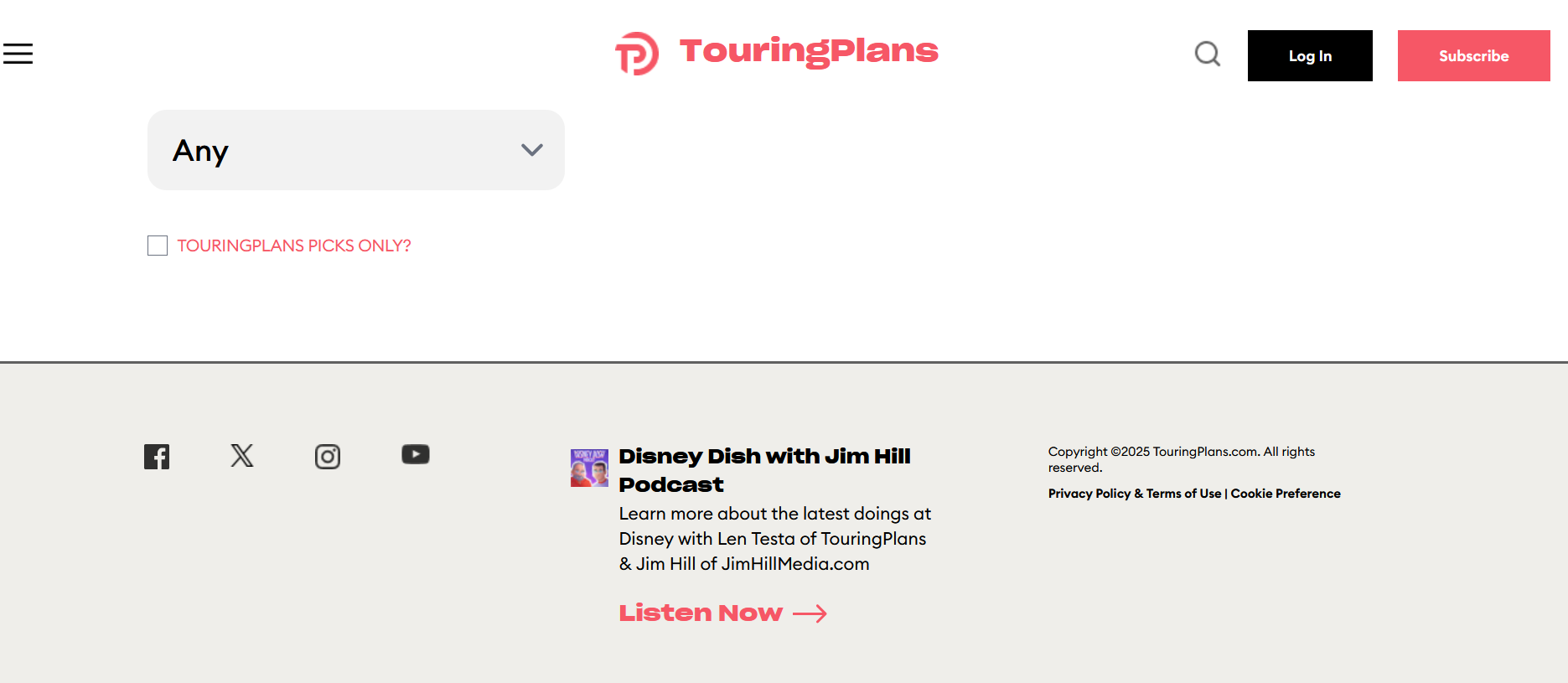
I believe it should have loaded at the top of the page instead.
ETA: When I tried a different scenario, it DID scroll up. So, not sure what’s up. When I go back to the Bay Lake scenario, now it IS scrolling to the top. So…maybe it is a first time only problem?
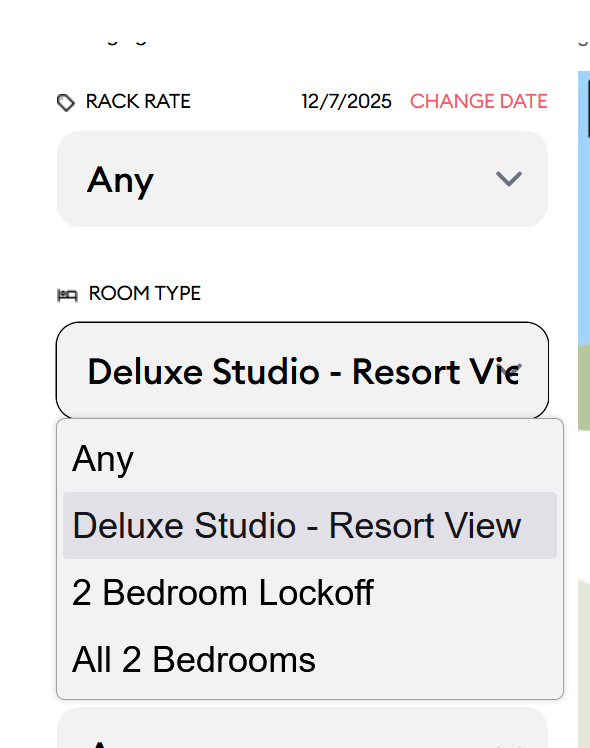
This is more a question, really…but when I go into Bay Lake Tower, and select a room type…say, for example, Deluxe Studio Resort View…there is another drop down just below it that says “Additional View” that if I select it just says “Standard View”. I’m confused by this. Isn’t this just a duplication of what I selected for the Room type?
Another potential issue:
I selected Bay Lake Tower, Deluxe Studio Resort View, Near Elevator. When I got to Floor, it only gave me the options of Ground Floor and Lower Floor. I remove “Near Elevator” and it still only gives those two options. Maybe there aren’t actually Resort View studios on an upper floor??? (ETA: I cleared all filters, and just filtered first on Floor as Higher floor…and I was then able to select the room type and find rooms.) But anyhow, then I went back to change the room type, and now it only gives me three options total, even though I have no other filters selected…
There aren’t, because once you get up to a certain level it’s considered TPV or Preferred View (whatever the current nomenclature is for better than parking lot view but not as good as lake or TPV)
1 Like
That’s what I was thinking…but if I reversed how I filtered, and selected Higher Floor first, and THEN the room type, it was able to find Deluxe Studio Resort View higher floor rooms. So something is off!
I thought resort view stopped at the 5th floor?
It’s right in around there, yes.
that’s weird since changing a higher level filter should impact all of the filters below. Is that what you’re saying?
1 Like
Yeah. It is just inconsistent, depending on the order you select the filters. So, I did go to a Resort view studio room on a lower floor, and went UP. It was around floor 6, maybe, that it converted the room type to Preferred, as you suggested. So, selecting “Upper floor” first probably should have eliminated Deluxe Studio Resort View as an option. If I selected the room type first, it appears it WAS in fact correct to not offer a Floor of Upper.
1 Like
Got it
Decided to try the regular “internet” icon on my phone instead of the duck duck go browser I usually use.
Logged in
Selected hotel
Selected deluxe villa
Changed date to 12 Oct
Room type: 1 bedroom
(11 bldgs showing)
Location: near bus
(5 bldgs showing)
Walking distance transportation: 3 min
Floor: higher
All other choices left at default
110 rooms match filters
At select bldg chose first Paddock
When that bldg showed up
Date reverted to today’s date
All selected filters stayed as selected except Floor reverted to any
Thanks again @PrincipalTinker.
I’ve added text below the words “TouringPlans Picks” that tells you whether there were “picks” that also matched the filter criteria. There are two possibilities now:
- “Sample room picks matching your filters are shown below”
- “No rooms matching these filters are also TouringPlans Picks - other options are shown below”
We were already filtering Picks based on your filters. We were just not explaining what happens when none of them match the filters.
I’ll roll this out later with the other fixes.
4 Likes
Thank you @mcalligan.
The issues with the TP Picks Only have been fixed locally. I’ll throw them on the test server later.
I see your point about the AKL Accessibility / Giraffe Trail where we’re showing 4001 because we don’t have a photo from 4007. I’ll note that for later work after we get this release out. It would require work on a different part of the code base, which I don’t want to start until this stuff gets done.
2 Likes
Looking at Port Orleans Riverside and a few things:
- Location preference is “closer to bus stop” or “any”. I would think distance to lobby would be a good filter there. Also location preference 2 only has an option for “any”.
- For views, I chose a 5th sleeper woods view, which would cover the exact room class that Disney would offer. There is not an option to say choose no other views.
Thanks @popupcamper. This is fixed on my local machine and I’ll push it out to the test server later.
This was interesting because I found a couple of other “floor” options that were not being considered. Thanks for this!