I’m always interested in usability and data errors, yes.
The filter ordering is not something I’m looking to change soon. Around 20,000 regular users are viewing the hotel maps in a given month, and we’ve not received a single question or piece of feedback on that. Literally not one.
I interpret that to mean that the initial ordering we got from y’all seems to have worked well for the vast majority of users. So thank y’all for that.
They are indeed separate. They’re separate in the data we were sent, and we replicated that.
We have three ways to deal with these kinds of issues:
Ask Disney to fix it
Try to fix it on our end and un-fix it when we need to send it to Disney’s automated system, which is expecting us to send what they sent us
Display it as shown
We’ve provided feedback to Disney for (1) and I expect each future version of the data to improve from this initial batch. You can imagine how long the review process, planning, and implementation would take for ~30K hotel rooms, plus significant database and system changes on Disney’s end.
(2) would make us responsible for any errors or confusion. To paraphrase Bartleby the Scrivener: “Nah.”
(3) is what we implemented.
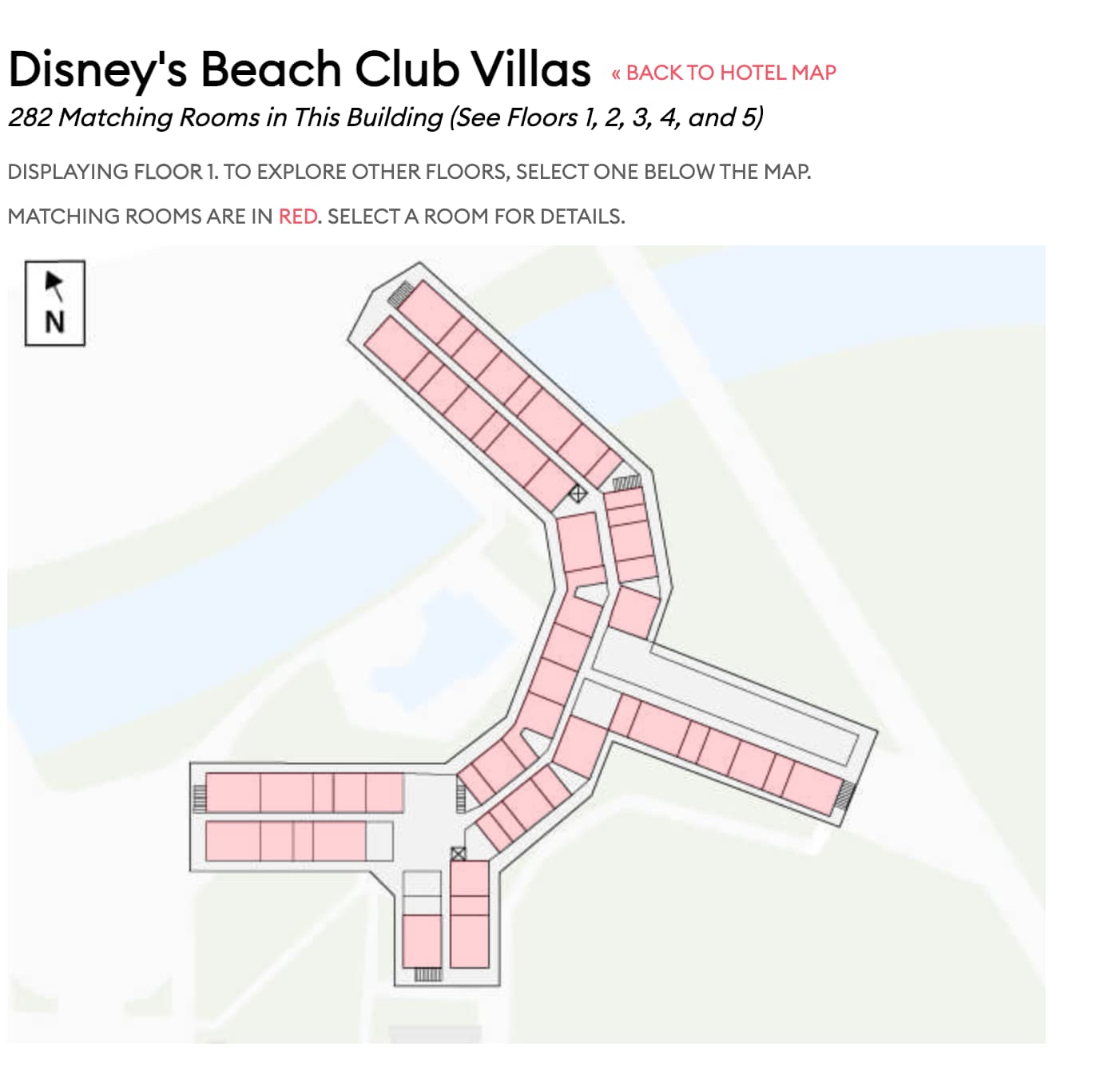
I have these on our to-do list. So far we’ve got 2 requests for the elevator/stairs thing, and just the one for the lobby floor. But they’re simple enough that we can fit them in the next time we’re touching the maps.
I would love to see elevator/stairs! We were close to an elevator once and the ding-ing drove me crazy. I’ll always opt to be farther from them when possible
As a note - normally, I wouldn’t reach out about something like how you coded the filtering, regardless of my thoughts on it. I’ve never looked for how to comment on the regular site - I might try if it seemed really broken, I guess.
Ouch. That’s kind of what I feared, and passing through Disney’s data makes sense.
I’m not sure if there’s a way to make it clearer that these (eg Location Preference 1 and 2) are not related? If I hadn’t noticed an anomaly (missing room that should have matched), I don’t know if I would have picked up that I needed to filter for “Near Skyliner” twice to catch everything.
Basically, I didn’t comprehend that those filters are potentially mutually exclusive. I thought they were primary and secondary (especially with the hierarchy nature of the filtering).
Thank you!
Is there a helpful way to support other people’s requests? Just comment in this topic?
If there’s a format you’d like, I’m happy to do that too. My previous comments were a bit messy with both testing and suggestions / requests.
This thread is probably the best place for hotel room stuff. Tag me when needed to - I try to check these threads first thing every morning. And thank you!
For things like the touring plan optimizer, I’m talking with @linsalt on a regular basis, so any optimizer thread he’s involved in would work.
This absolutely! @len you can add +1 to the requests
I don’t know how I didn’t think of this earlier, but when I’ve booked places like BC or BWI, I’m definitely interested in stair as well as exit locations because the buildings are huge.
For example in BC, the staircase and exit at the very end of the building is crucial if you want the shortest route to IG
Elevator noise and traffic is of course another factor
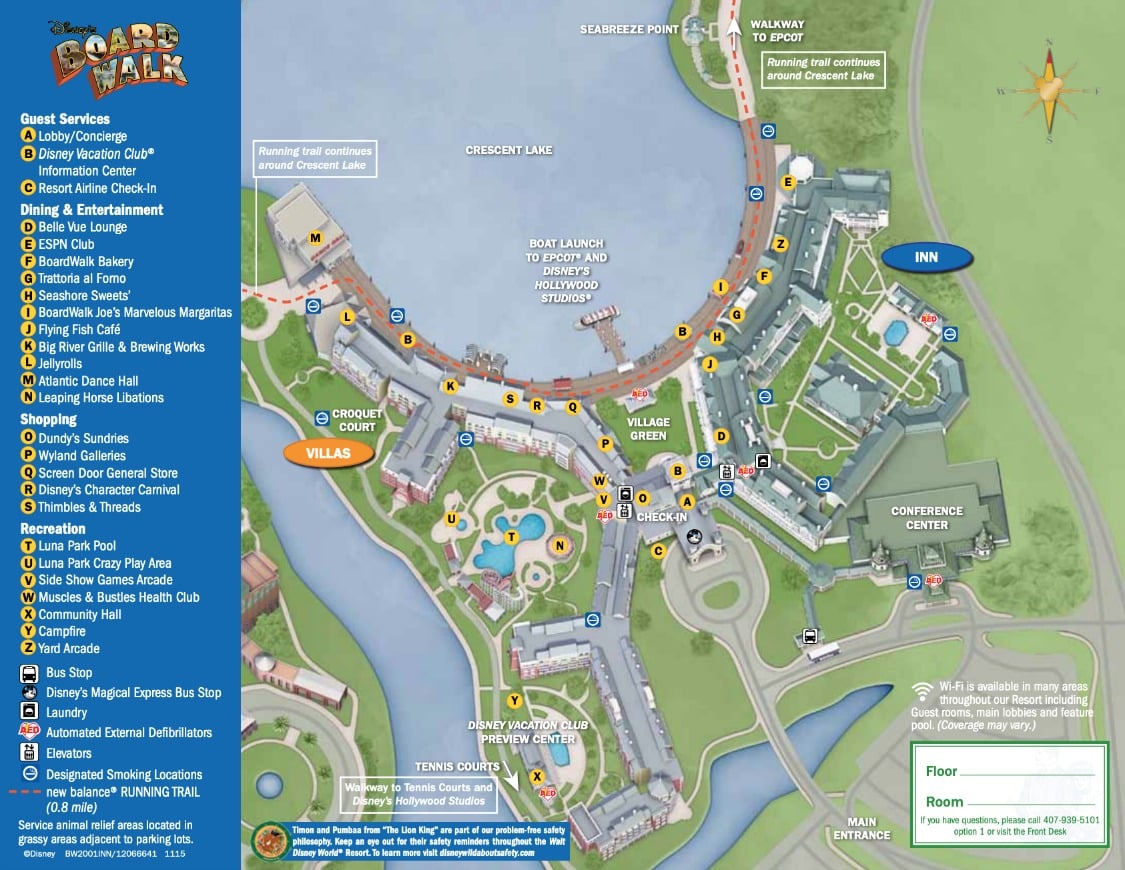
It annoys me that they don’t mark these on the official maps, in BC they don’t even mark the walkway leading to the building at the end. Of course they want everyone walking through the lobby, but that adds like 1/3 of a mile if your room is at the end of the building.
The red arrow points at an elevator?..but I didn’t think there was a public elevator. Maybe there is one? Or is that an elevator, but only meant for mousekeeping? (Granted, I haven’t stayed in a room that is down that wing, so maybe I’ve missed it.)
I was trying to find this answer online, and I stumbled upon your asking this same question on here, almost 6 years ago
As far as I remember, there’s only that one bank of elevators by the lobby. I looked around the hall one night to see if there were any other elevators, and there isn’t. There might be one that mousekeeping might be able to use, but if they have one, is hidden from public view.
The rooms I had at WL in 2017 and 2018 were labeled standard view rooms then. They are now coded as Fireworks view rooms and are some of the most expensive rooms at WL now.
I think only public elevators should be highlighted. An elevator that we can’t use isn’t really an elevator! (In a sense.)
When I look at a map in the room finder, I would like to know how far I am from the nearest elevator, so if the map doesn’t differentiate, I might think I am closer to one than I am!
In BWV, for example, if I have a room that is beyond that single elevator, I might think it is a great way to get to the quiet pool, only to find out I either have to take the stairs, or trudge all the way to the lobby and then backtrack!