Tub only…… as in the tub doesn’t have a shower?
Edit to add: nevermind, that can’t be right. Tub without a shower head doesn’t make sense
Tub only…… as in the tub doesn’t have a shower?
Edit to add: nevermind, that can’t be right. Tub without a shower head doesn’t make sense
I’ve been playing around with Pop Century. Anytime I go into a building and then click “Back to Pop Century” I get an error message “we’re sorry, but something went wrong” and if I click “Back to Building” then it takes me back to Pop Century
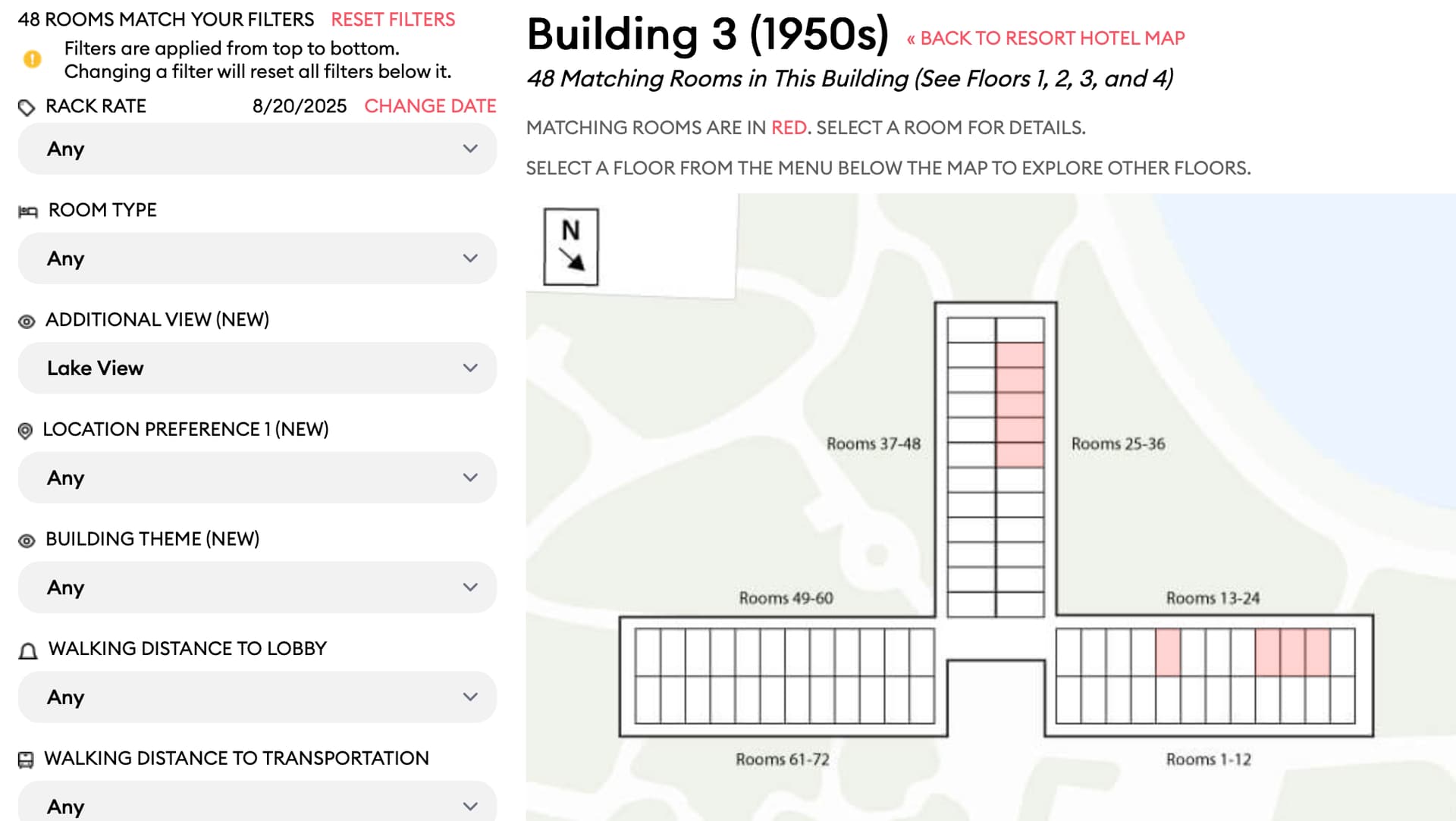
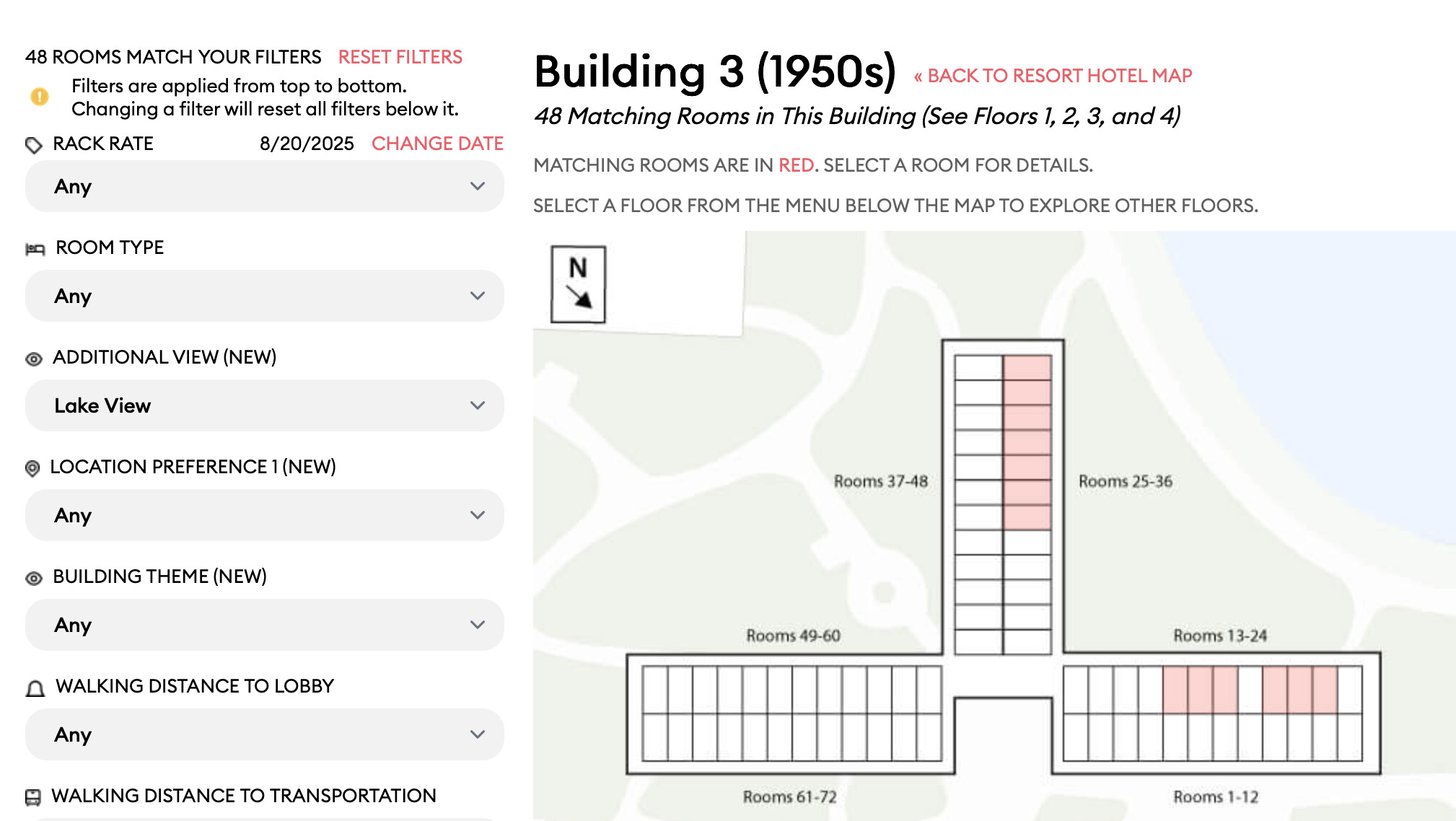
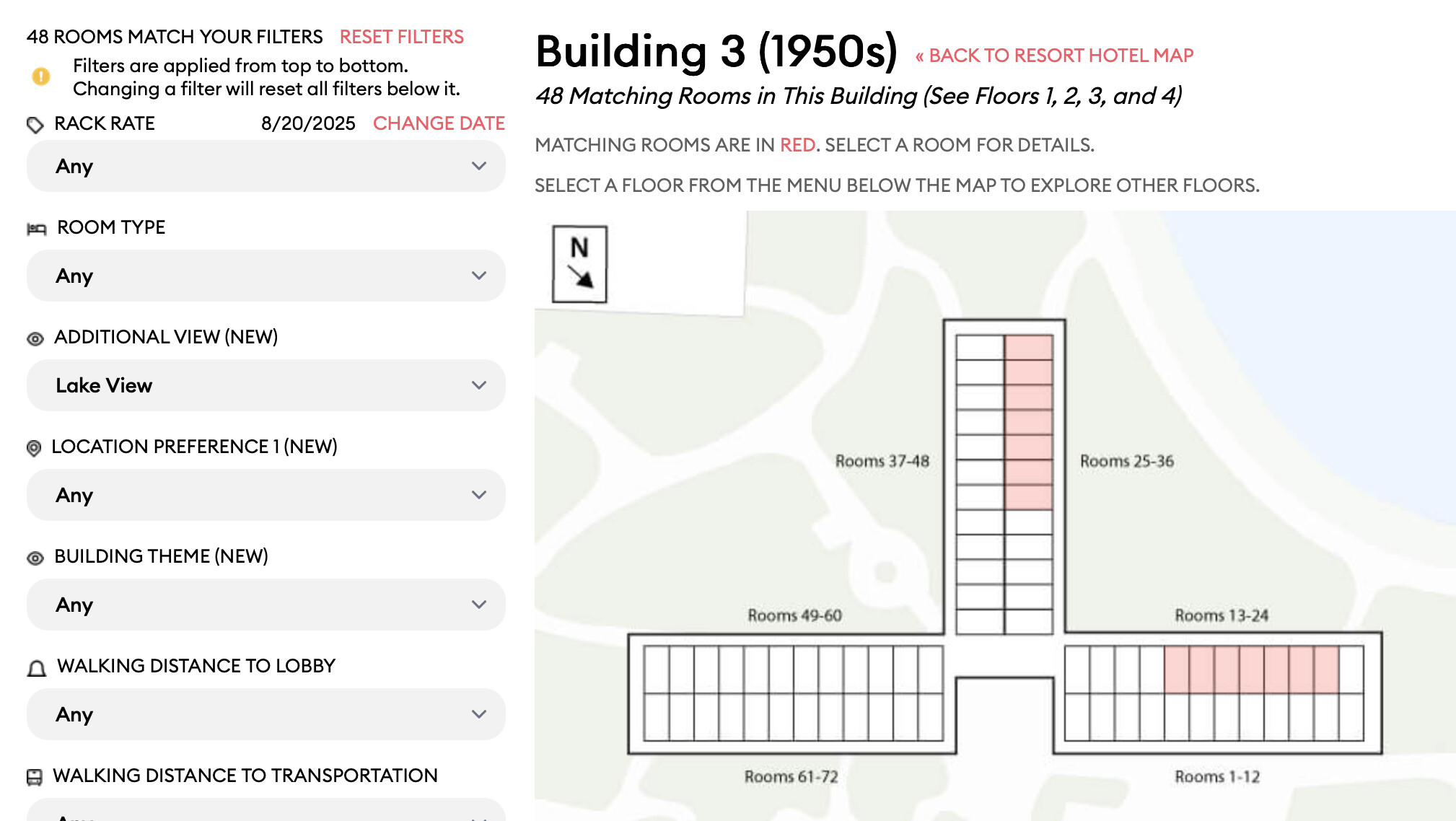
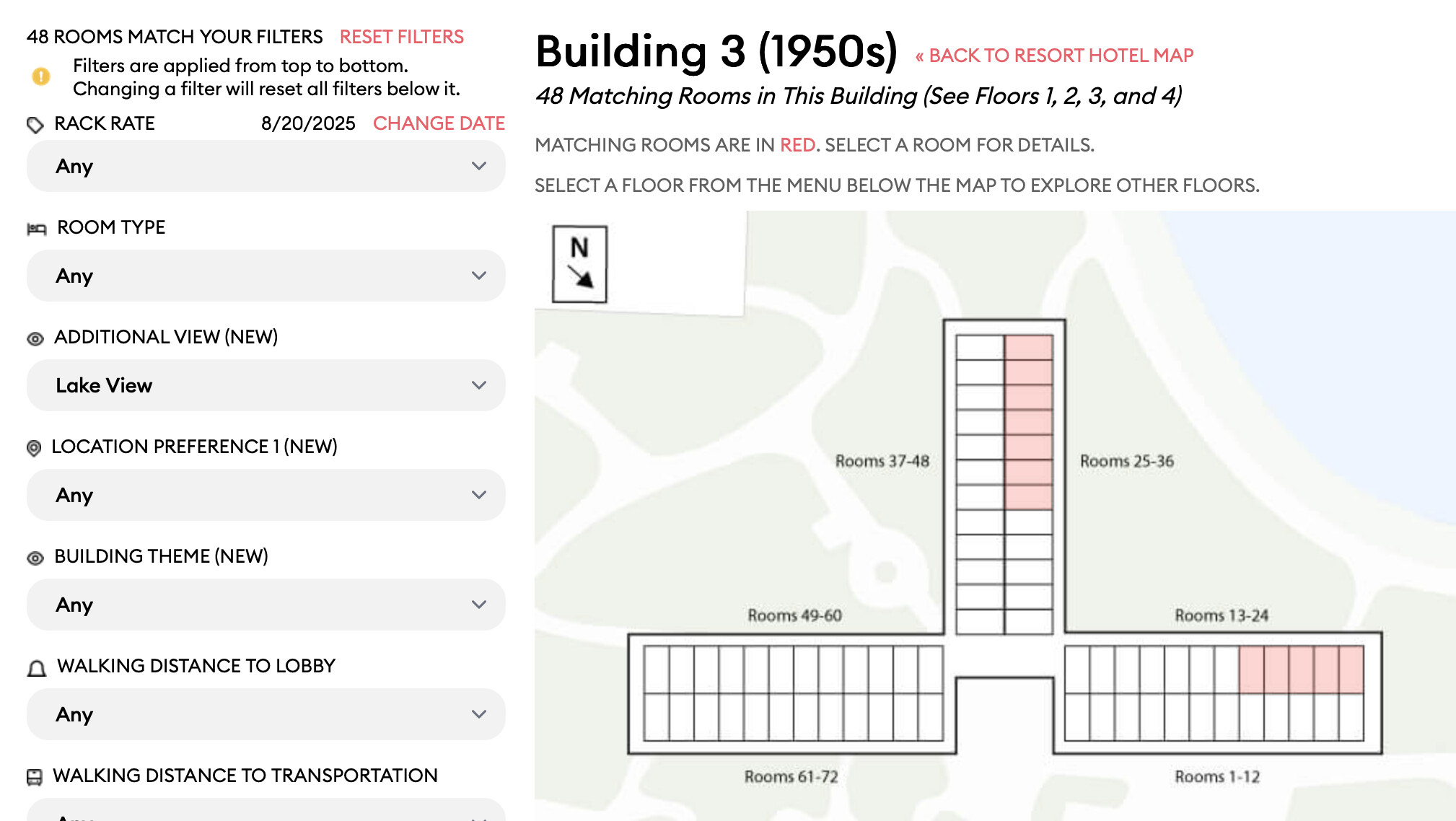
also looking at Pop and I’m a little confused on how the rooms are categorized? This might be official info from Disney, I don’t know, but it seems the “lake view” is somewhat random. (the only filter I chose, was Additional View)
For building 3, Shouldn’t the the whole line of rooms 13-24, and 25-36 be listed as “Lake View”?
1st floor
2nd floor
3rd floor
4th floor
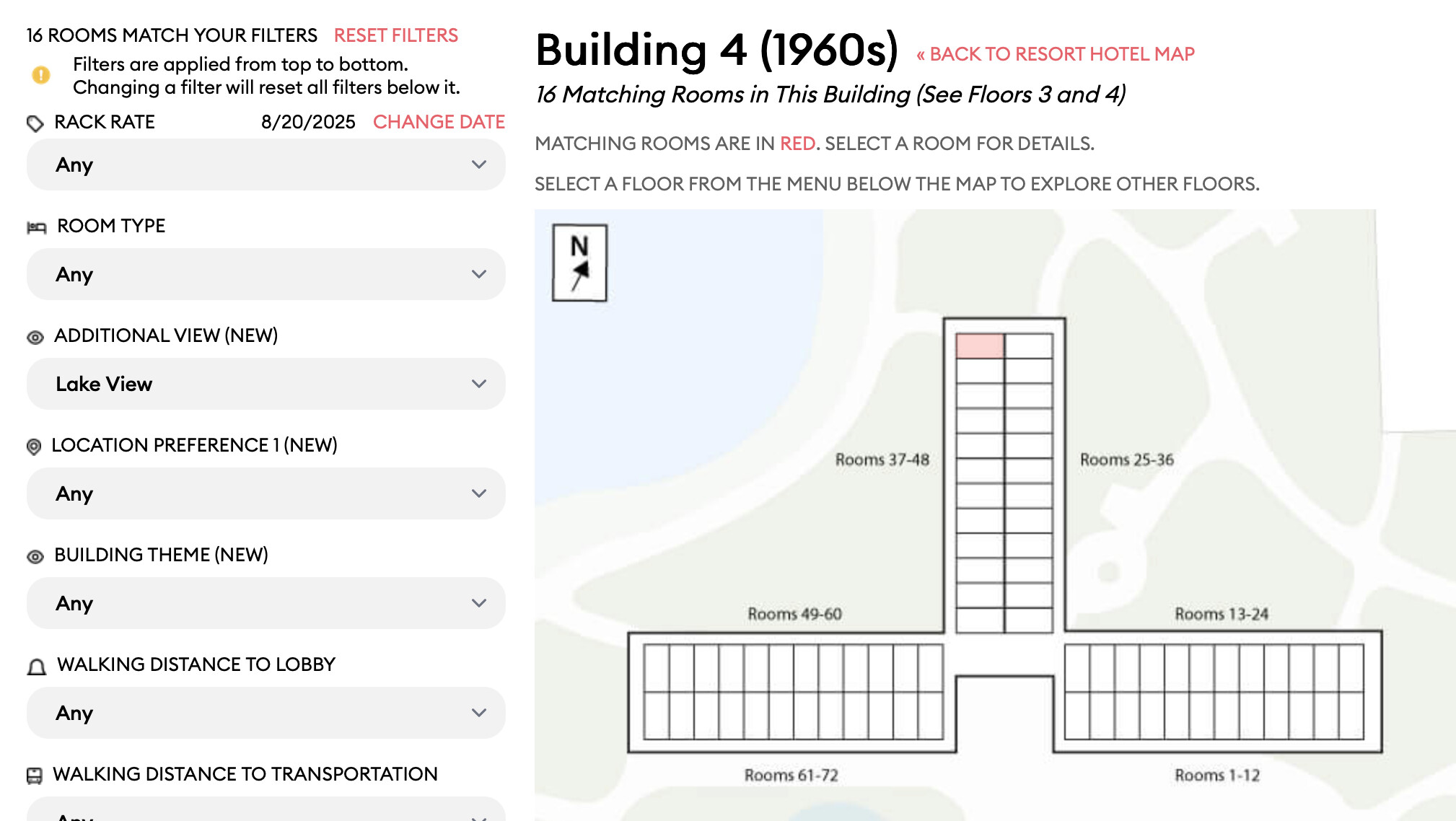
And building 4 seems even more randomized.
3rd floor
Edit: With Building 4, looking at the photos, it does seem sensible that not that many is considered lake view if the trees are that obstructive. But then ones like 4137 probably should be reclassified as Lake View as it’s got a clear view.
Things in front of it like trees or something?
looking at the room photos, they all have trees in front, and only the edge ones or 4th floor has clear views of the lake.
And some of those edges ones are still listed as “landscape view” , example: 3213
conversely, 3417 has just as much tree obstruction as 3313 has “sign” obstruction but 3417 is considered “Lake View” while 3313 is considered “landscape”
Well, sounds like someone needs to check those data.
like…in person??
I VOLUNTEER AS TRIBUTE!! 
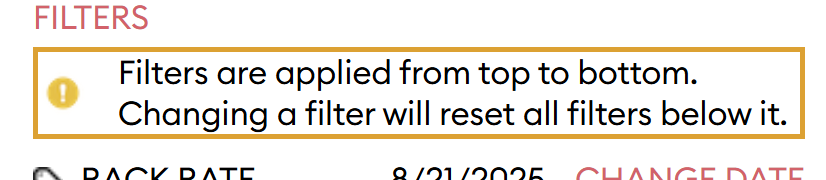
Maybe a 1 or 2 pixel boarder around the callout? I completely missed that text.
<div class="flex items-center mt-1 border-2 border-amber-500">
    <img class="w-5 h-5 mr-3" alt="warning" src="//cdn0.touringplans.com/assets/icons/warning-67663c6e52dd03e3199fe1a2750214ad35293ebbc8890bba5846d476a09d36b2.png">
    <div class="text-[13px] text-black font-medium leading-tight">
     <div>Filters are applied from top to bottom.</div>
     <div>Changing a filter will reset all filters below it.</div>
    </div>
  </div>
I added the border-2 bg-amber-500 to the div in devtools. Probably could also use a p-2 with the border in place
I’m more apt to think disabling/greying out filters that have no results or are invalid. Perhaps a hover over icon that explains the problem.
Yeah, those rooms should be to the “right” of 7744. It looks like that’s true on several floors.
I’ll get that cleaned up after this release.
I still can’t get this to happen in Firefox. If you have time, can you take a video?
This should already be fixed on our test server. This is a note mainly for me. 
Thank you for the CSS, @gMagicScott. I’ve implemented this for the next release. And your subscription runs through the end of the decade now.
It’s not something they track. Let me see what we can do there, after this release.
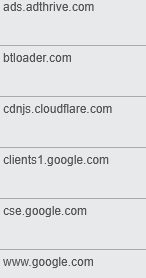
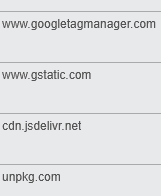
I poked around a bit more. I think perhaps it is related to the privacy blocker I have installed (EFF Privacy Blocker). I didn’t think about that before because I wasn’t sure why “ads” would cause issues for selecting a floor. But it hit me that perhaps there is something that is blocked that the site needs/uses. So I disabled the blocker for the site, and lo and behold, it works. (Of course, then I was hammered by ads as well, which I know wouldn’t be an issue on my direct account!)
The things that the adblocker blocked on that page when it is enabled:
Yeah, I need to add drop-downs for the bedding configurations. That’ll be in a future release. We have the information.
Ahhhhh, thank you. Let me try that.
Yes, that’s it. And we also know from our own photos that some Standard Room Views actually view the lake.
ETA: @NTEI - your subscription now runs through the end of the decade. Thanks!
I’ve confirmed that’s what the data says. Argh. I’ll ask about this.
Thanks for spotting this, @sunsecret_511097. Your subscription now runs through the end of the decade.
You and me both!
I’ve confirmed this is what the data say. And I agree it’s probably a judgement call.
In looking at nearby rooms, I found this view for Pop 4342. Yikes.
OK, as of Friday morning, here’s where I think we’re at with issues
Issues (Prioritized):
I will try to fix this soon after the release:
These will be to-do items for a later release:
Thanks again for all y’all’s help with this.