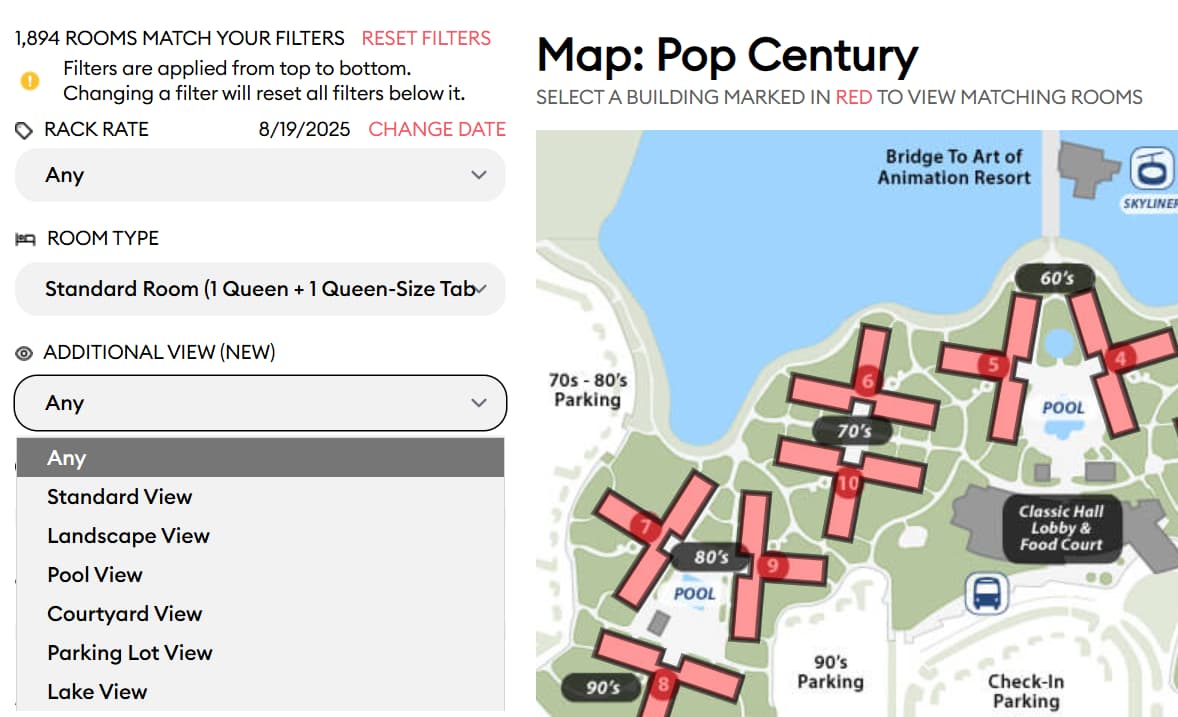
I was using the building number as an index into something, and there are multiple building numbered “7”. Fortunately, we also have an internal code that’s unique and I switched to that.
This should be fixed with tomorrow’s release. Thanks again!
Thanks @jcurtis999. Your subscription now runs through the end of the decade.
YES! It’ll be in tomorrow’s release. Thank you for that suggestion!
If the iPad’s display is less than 868 pixels wide, we’ll put the map at the bottom of the page.
I checked this on various iPads. The iPad Pro is wide enough to show the whole page. The iPad Air and iPad Mini are not, so they’ll show the building map at the bottom of the page.
Okay, as of Monday night I think I have one issue left from posts 1 through 254:
I’m deferring the ideas in posts 140, 232, and 249 until after this goes live.
Everything else should be addressed in tomorrow’s release on our test system inshallah.
I’m headed out on a 2-night getaway with Laurel tomorrow afternoon, back Thursday afternoon. She’s done both summer sessions and is starting back next week, so this is her entire summer vacation.
Also, the dress code for this place is “Country Club attire.” Pray for me. See you Thursday, and thanks again for your help!
@len - thanks for the extension, a good excuse to plan another vacation!
After I posted this, I figured out that there are better pictures if I scroll down. Doh! Agree that it’s not a high priority to sort through 1500 photos to anchor a good one in place. I requested that room for my next trip; maybe the room without a view photo will improve my odds.
The other thing I noticed yesterday is that the deluxe studios at Saratoga reference a double sofa bed (not the exact language) but not the queen bed. I know it’s differentiating the quality of the second sleeping surface, and assumed that is common knowledge, but handed my laptop to someone who read the listing and said “there’s only a sofa bed?” and walked over to the bookcase to find the TP book and look it up. Hence, I’m pointing it out.
Coming to this a bit late, so mainly I just wanted to say that the update looks great and is SO helpful! I used it to inform my actual room requests at Pop and WL/BR next month. What I LOVE and already used immediately:
Options for scenic views! For solo trips I really don’t mind walking and will always prefer a room with a view, so I think it’s fantastic that I can now include that in the filters. Worked perfectly at Pop (where I picked “lake view”). It was not possible at WL (at BR the high-floor NE facing rooms that actually overlook the lake are described as “woods view”), but I guess that’s a Disney and not a TP category - and the resort is so small that I could easily see which rooms fit into which category.
Sorting by theming. For Pop it helped me narrow down options in the 60s building (where I like the Skyliner proximity), but I am also looking forward to using this for the All Stars where I’m usually going into the room request knowing which building I want to be in.
I can see that one of the issues that I came across while initially testing last week has already been fixed: at Pop, I didn’t like that I would be offered two location preferences even though only one was actually available for my request (“near stairs”), so having the second location preference showing made the filter choices run off the page and look more cluttered. It’s gone now and looks great!
The only thing that I see that’s still not working properly for Pop (possibly already mentioned by others here for other resorts) is that I don’t manage to get the “back to building x” link to work after viewing room photos - it always takes me back to the resort as a whole and resets my filters.
A final request, for a future update: could you add an option to make a free-form room request right at the front of the page and/or in “My Plans”? I actually always struggle to find the link to the room finder when I haven’t been on the site for a while, because it seems you want people to click on a specific room to get to it. More often than not, I don’t want to request a single specific room but a category of rooms (e.g. in building x, facing the water/on a low floor). Right now, the tool is forcing me to pick a specific room (I pick a random one that fits my criteria), and then I add the description of what I want as narrative. But I would prefer for Disney to know that I’m not after any specific room/remove that specific number from my room request if possible.
Our most recent changes have rolled out to the test system:
The “scroll to map” feature needs some adjustment so it only works when looking at buildings. I’ll update that later. That’s mildly annoying. It’ll get fixed. Sorry about that.
This morning, I did a side-by-side comparison of the site using Firefox and Microsoft Edge. The floor-selection issue was pretty much an always issue on Firefox. But it doesn’t seem to happen on Microsoft Edge…so it does lend itself to being a browser-related issue.
Exactly - I think for BR TP is just following the Disney-based categories here (standard, woods, and courtyard), but I wasn’t sure. It’s only when I looked at view photos that I could see which rooms actually have a water view (they seem to fall into Disney’s “woods view” category).
Pop also doesn’t offer a category called “lake view” on the Disney site - but it’s there as a drop down option in the new TP filters, which I love! I suspect that if TP gets this data from Disney it’s from a back office - not a public room category?
Interestingly, only a very small number of rooms actually show up when I click on this filter at Pop, when I can see from the roome view photos that there are quite a lot of rooms with a lake view (or at least partial lake view). The filter seems to pick out only the truly straight-on/expansive lake views.
We are a PoP or Art family. I have tried AoA different ways.
I chose Little Mermaid first, let it do its thing, then chose near bus stop.
It only brings up 1 room, 7655 on the second floor.
I added choice of lower floor, same room, 7655 second floor.
I reset the filters, chose in this order - Little Mermaid, near bus stop, lower floor.
Same room, 7655 second floor.
No other options.
I will put that specific language in my notes on the room request. I’ll put that I don’t have a specific room request but would love any room in Building X, Y, or Z and the specific reason why I want those buildings EX: to be close to skyliner, to be near the quiet pool, etc.
I use the Room finder to find ideal locations…but I generally delete the text that the room finder generates, and instead provide an ordered list of preferences, similar to what @JenniferB1975 mentioned.
For example, for SSR, I’ll generally have something like this:
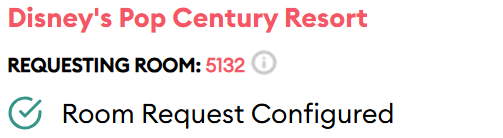
Maybe I’ve been doing this all wrong - but doesn’t the TP Room Request function always require you to select a specific room in order to add that narrative? I do describe what I want, but I need to click a specific room (and then delete the suggested text) in order to save/send a request. And then I’m guessing that Disney still sees that specific room request, e.g. for my trip in September, this is what it looks like in TP’s “My Plans”:
And I deleted the pre-populated text and said “I would love to stay anywhere in the 60s section please (BLDGs 4 or 5), ideally in a room with a view of the water (e.g. 5120-5113, or 5129-5136, or 4155-4160, or 4142-4148 or their equivalent on higher floors).”
Yeah, the tool will still show the room you select, but they will send the text field as you fill it out.
Personally, I’d try not to be too verbose. It is polite to say, “I would love to stay anywhere in…”, but it is more words they have to read. Same with “ideally in a room with”, etc. That’s why I get right down to it.
Looking at the Poly. The resort view room choices only show 1 king+ daybed or 2 queens. Every other room choice has -bed+daybed option. I believe that’s an omission to not list 2 queens +daybed as an option for resort view rooms.