New Hotel Room Finder: Testing Opportunity

Did this routine today

Got results I’d expect. Date stayed as changed to.

All looked good.

Redid the room finder for close to parking rather than close to bus. Always got rooms with parking lot views :smile:

Always asking for Village Standard view 2 Q but once also asked for water view as second location and got a room overlooking this tiny little area of water that turned out, in the photos, to be a small swimming pool.

Impressed with the data base

2 Likes

Building 95, those the Royal Rooms and although they were Magnolia Bend years ago aren’t they now their own category?

Edited to add: wasn’t building 90 originally Royal Rooms too?

3 Likes

Yes
We stayed in bldg 90 as a Royal Room in April 2012. Loved the headboard.

1 Like

@PrincipalTinker That’s exactly it! Thank you!

1 Like

I can’t reproduce this on our test server or my local machine, using Safari or Chrome. If you have a sec, can you walk me through the steps needed to make this happen, please? I’ve seen something like this before, so I believe it’s possible. I’m just not sure how.

I can reproduce this. Thanks @missoverexcited. Working on it now.

2 Likes

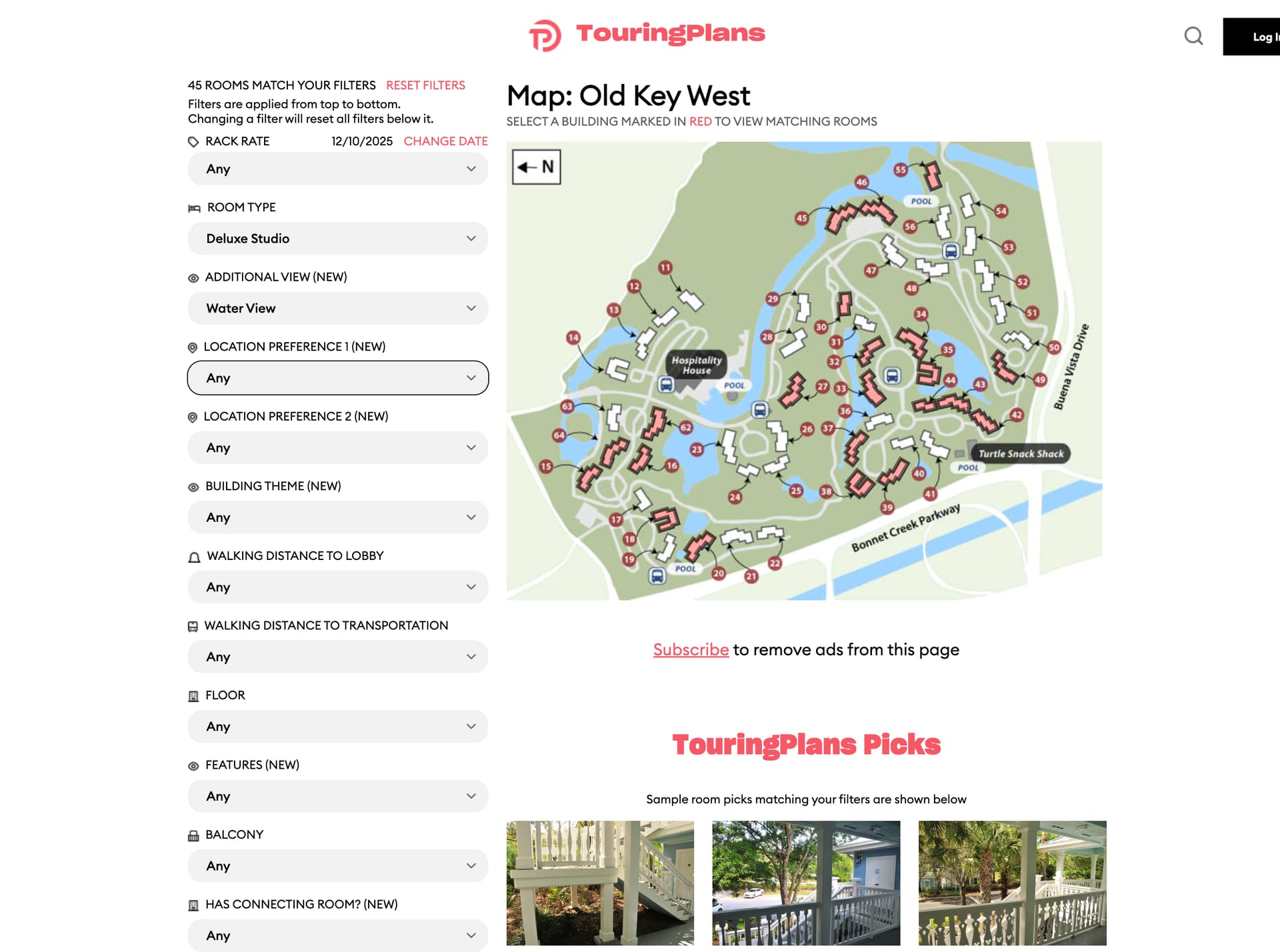
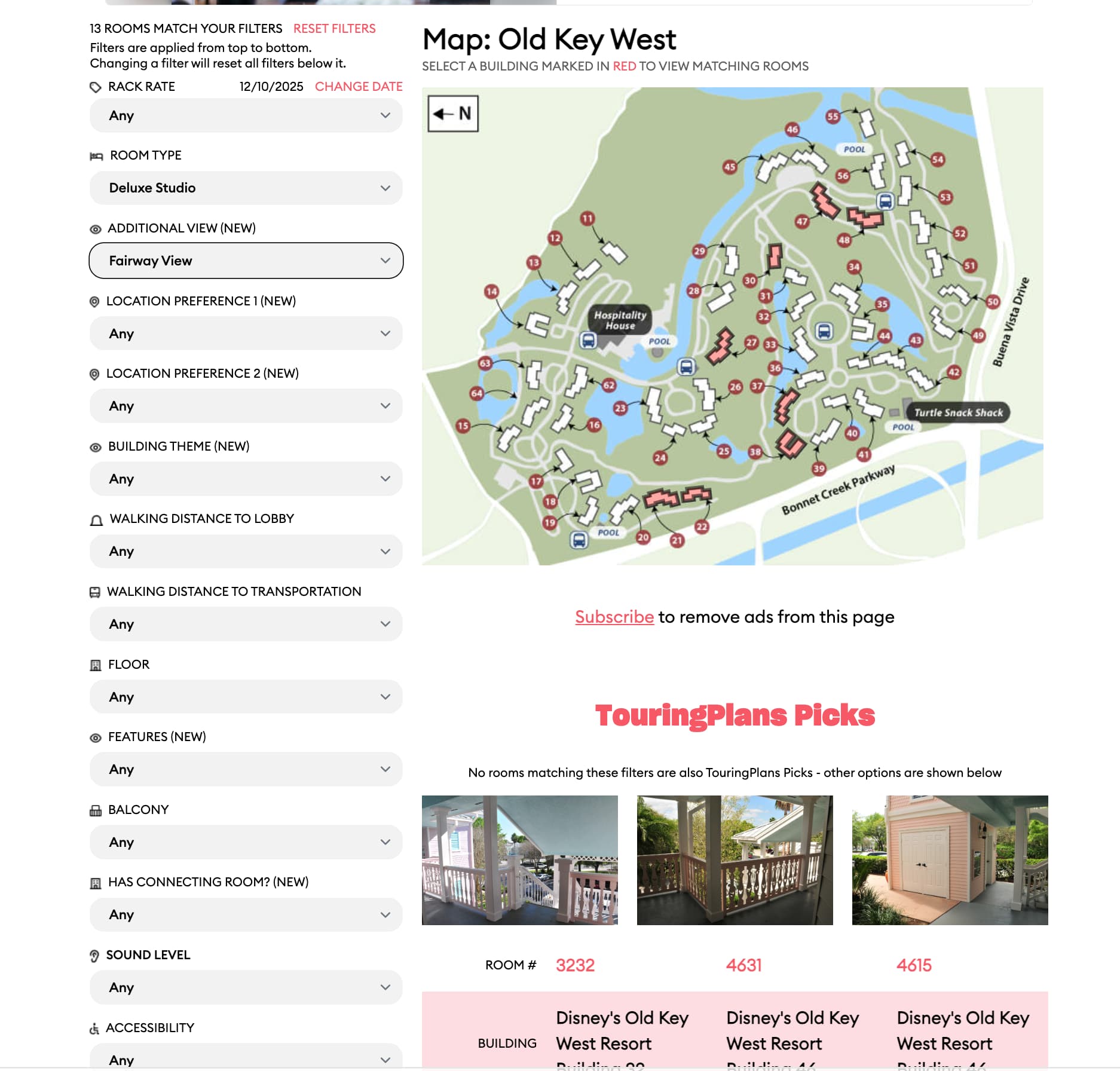
Looking at OKW—Deluxe Studio, Waterview. The “Touring Plan Picks” say they match my filters, but photos are of mulch, stairs & landing. Same with OKW-Deluxe Studio, Waterview.

1 Like

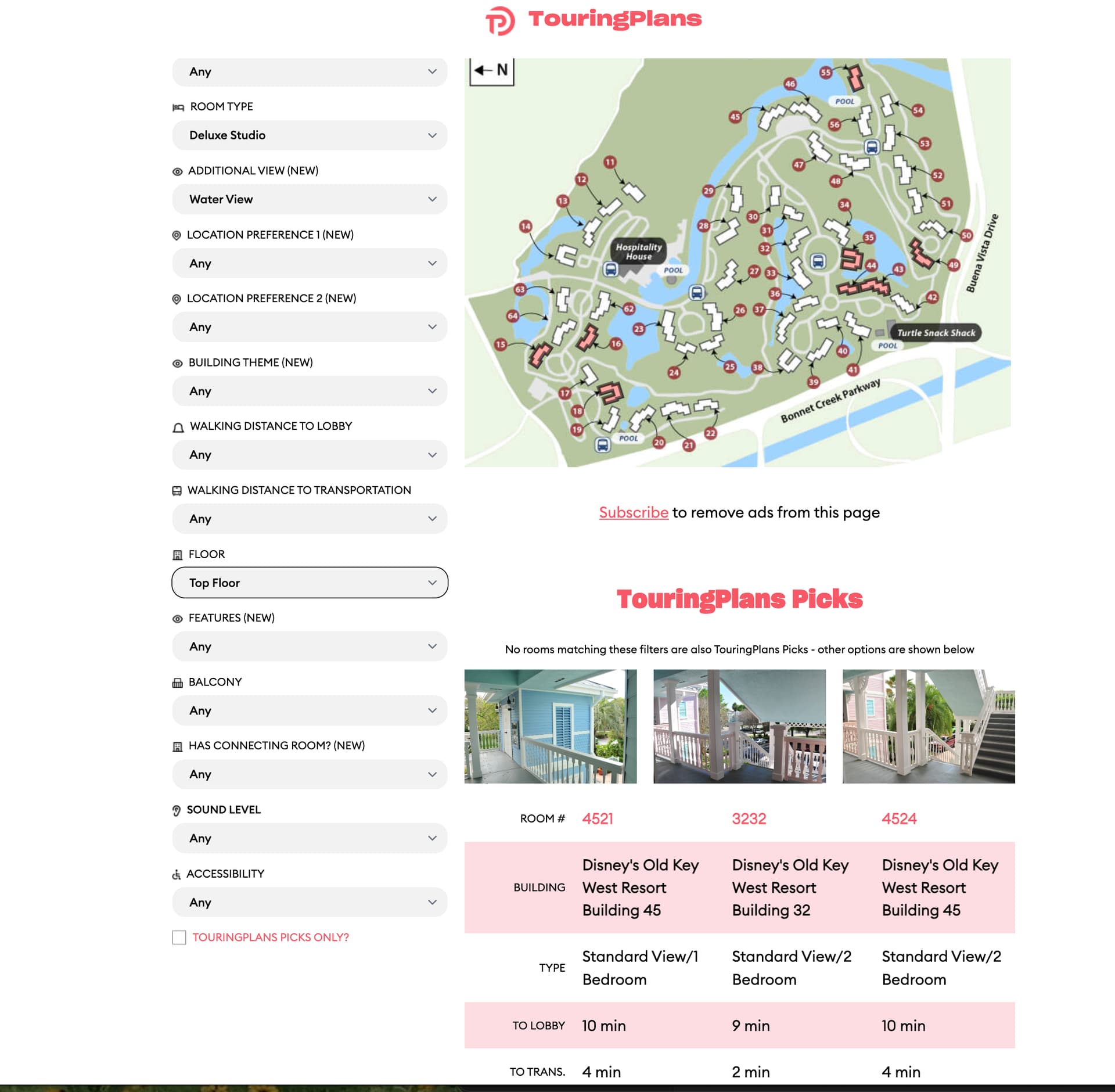
Another one at OKW. Deluxe Studio, Waterview, Top Floor. It does say “No rooms matching these filters are also TouringPlans Picks - other options are shown below” - but the room picks include two 2BR. (Maybe this is what you were talking up further up the thread about it matching from the bottom, and it’s showing me top floor as a higher priority than deluxe studio?

1 Like

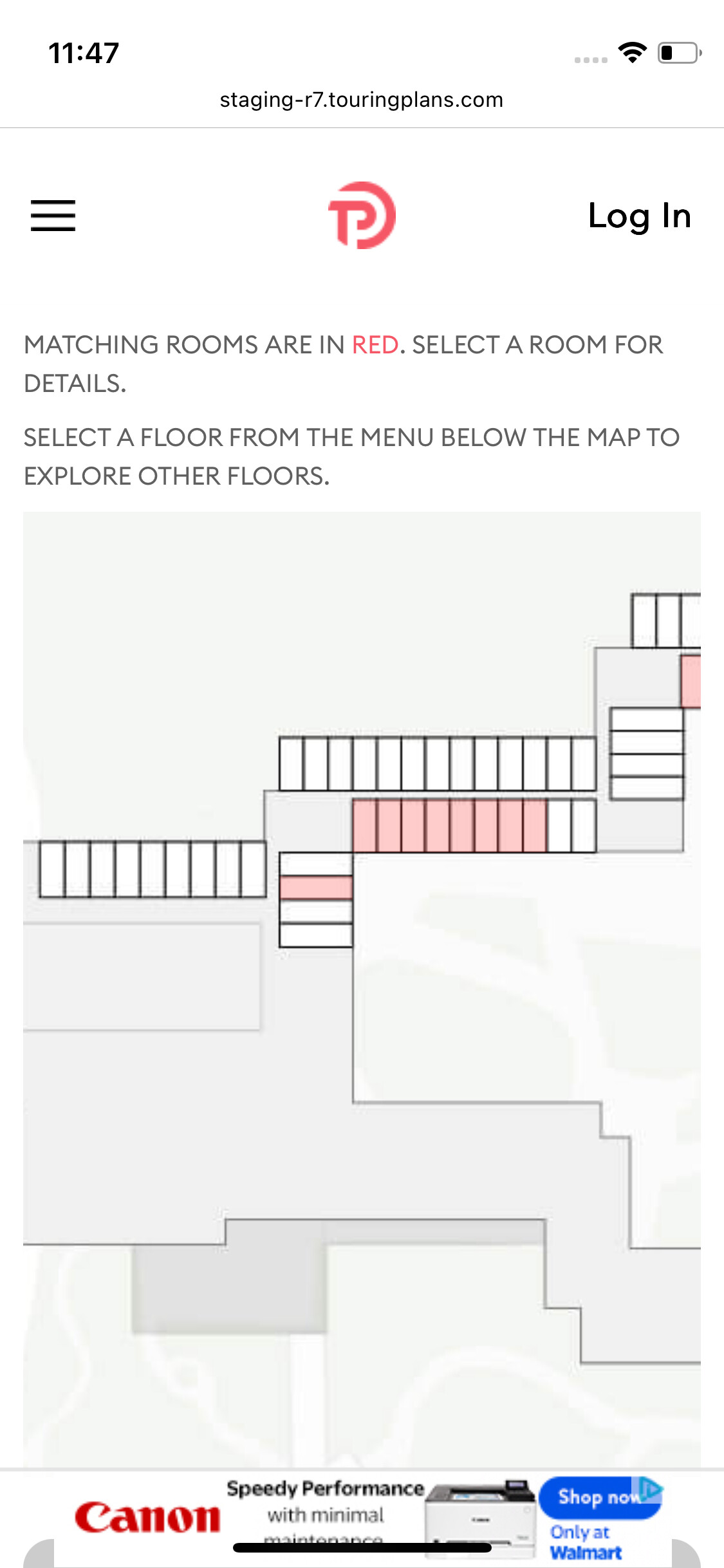
Not sure if this was already mentioned, but on my ipad, the building layout shows up near the bottom of the page, under the filters. When I change floors, the refreshed screen goes back to the top of the page and I have to scroll to the bottom to see the building layout again.

Can this be changed to automatically scroll to the building when the page refreshes after changing the floor?

Thanks!

2 Likes

Here to test for Wilderness Lodge! Using iPhone.

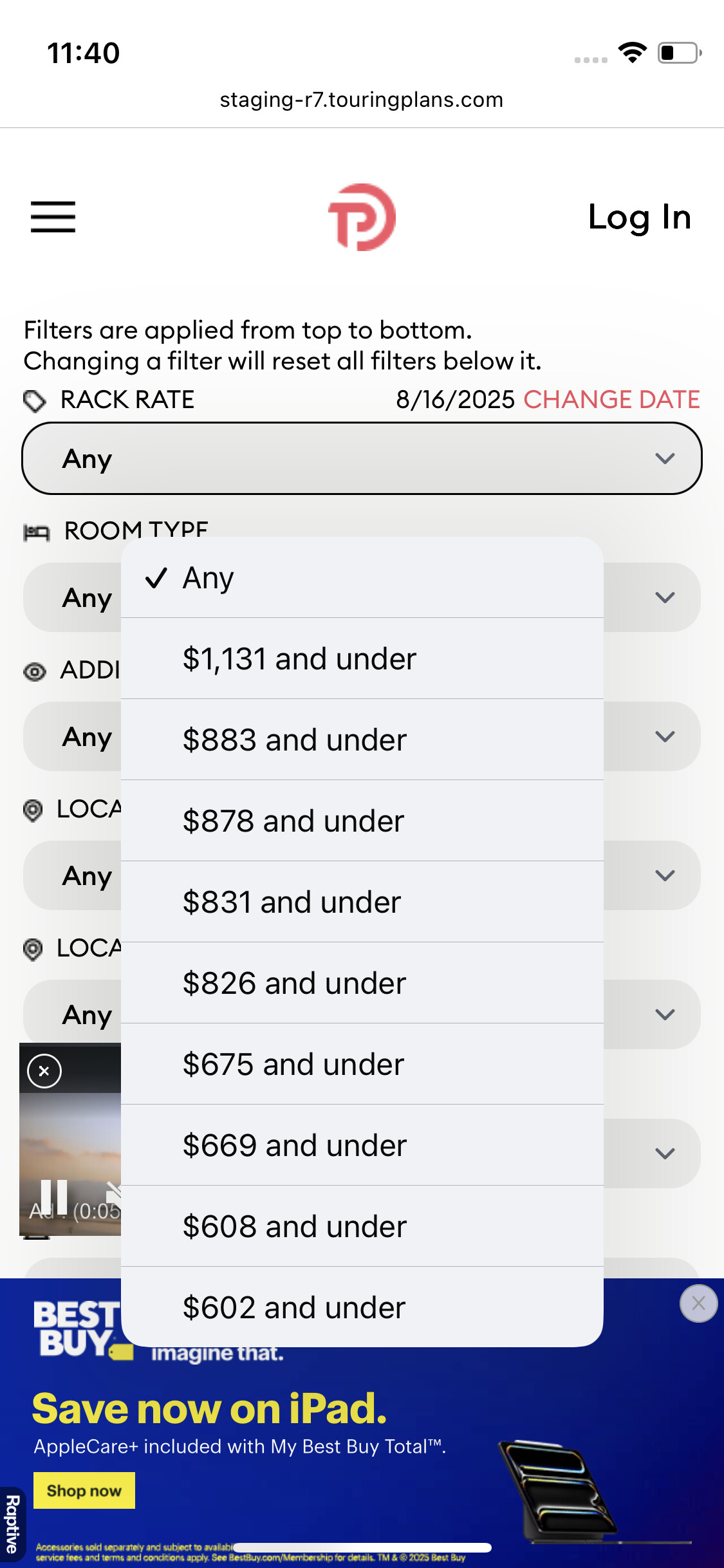
The Rack Rate categories for WL are plentiful and strange, some with only $5 difference from the adjacent categories. I would think you could collapse and standardize across the board for all hotels, picking ranges that make sense to people - e.g. $199 and Under, $200-499, $500-999, $1000-1999, $2000 and Over (and graying out categories that don’t apply to certain hotels, like graying out the $199 and under for WL). Unless the very bespoke rack rate configuration is meant to match with Disney-tracked data points.

The actual hotel room map of WL can only be scrolled horizontally and vertically within its frame, it can’t be resized smaller within the frame by “pinching” it. Is this true for all hotel maps?

Re: the actual map: not so much bugs, just observations:
I would appreciate if there were symbols on the floor map to show where the elevators are, and where the lobby is (especially as those are two features you can select). For instance, it would be helpful to see on the WL map that there is an elevator bank halfway down the long hallway. Could indicate what floor the lobby is on, for hotels like AK and WL where it’s not the 1st floor. Thinking gray italics over the general area with “Lobby (2nd Floor)” or “Overlook to Lobby (Lobby on 2nd Floor)” kind of thing. Doors to outside could be indicated in some way as well, like little bitty crescent/door swing line or a thicker line or mini exit sign, so you could see whether there is an exit at the end of a long hall and if so on which floor. Maybe even a little arrow with “To Dock” or “To Bus Stop” on the outside area near the appropriate exit, as transport is also an available feature. Easy helpful things that don’t add too much clutter but help to orient people.

I would also prefer the Floor dropdown display to appear above the map rather than below it when viewing from iPhone. Maybe just below the italics that say “87 matching rooms in this building See Floors 2, 3, 4, and 5”, put the floor dropdown to select floor and keep with the text that says “20 matching rooms on Floor 5”, and then follow with the rest with the info about matching rooms in red text and the map.

And then specific to WL, I do find it odd that you can’t “see” the Copper Creek rooms that are on the other half of/across the lobby in this same building, even as a shadowy elephant graveyard on the room map. Maybe there is a way to make a very light outline of the rooms with a gray italics that this is Copper Creek, and perhaps a link to it with a popup warning box and “ok” button to confirm that you are leaving the page for WL. Saves clicks on going back to the resort page when the whole floor is shown but only half of the floor (WL side) looks like it even has rooms. I feel like on the map for AKL Jambo you can “see” the DVC 1BR etc. with the regular rooms because they are in the same hallways?

Testing WL room search:

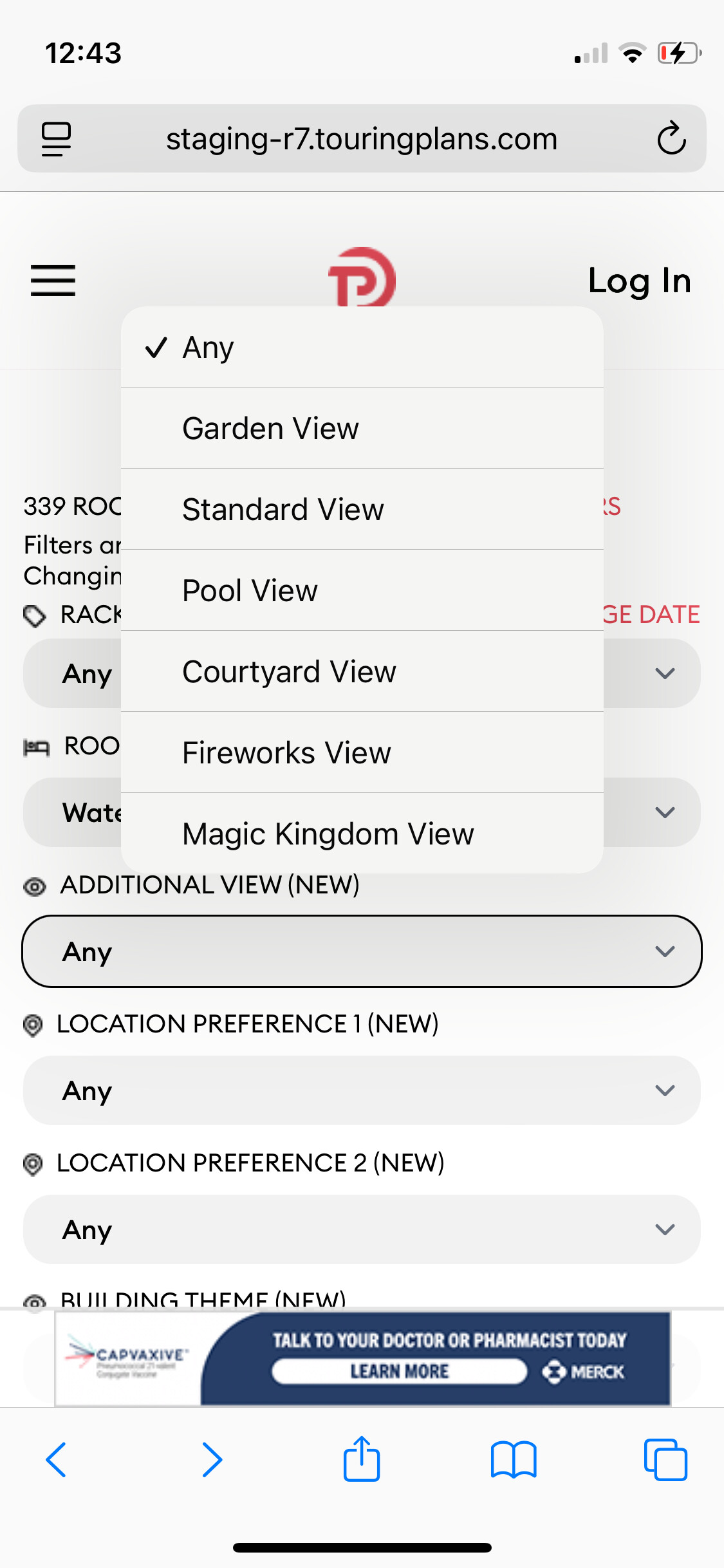
Select Room Type: Water View 2 Queens
Select Additional View: Magic Kingdom View
(this is not a thing, so testing what happens)

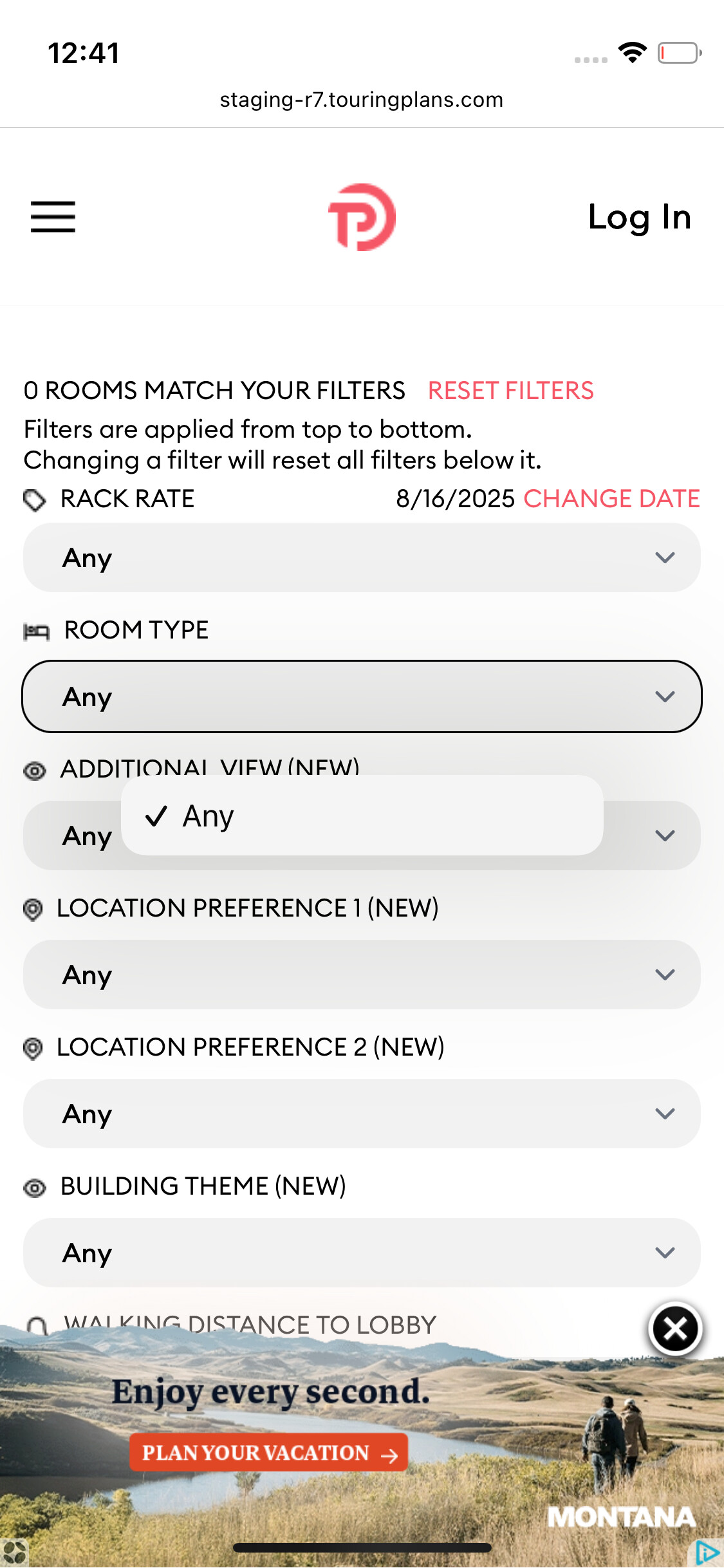
Results: 0 rooms
All filters now showing “Any”
Not able to change Room Type filter, only option is Any
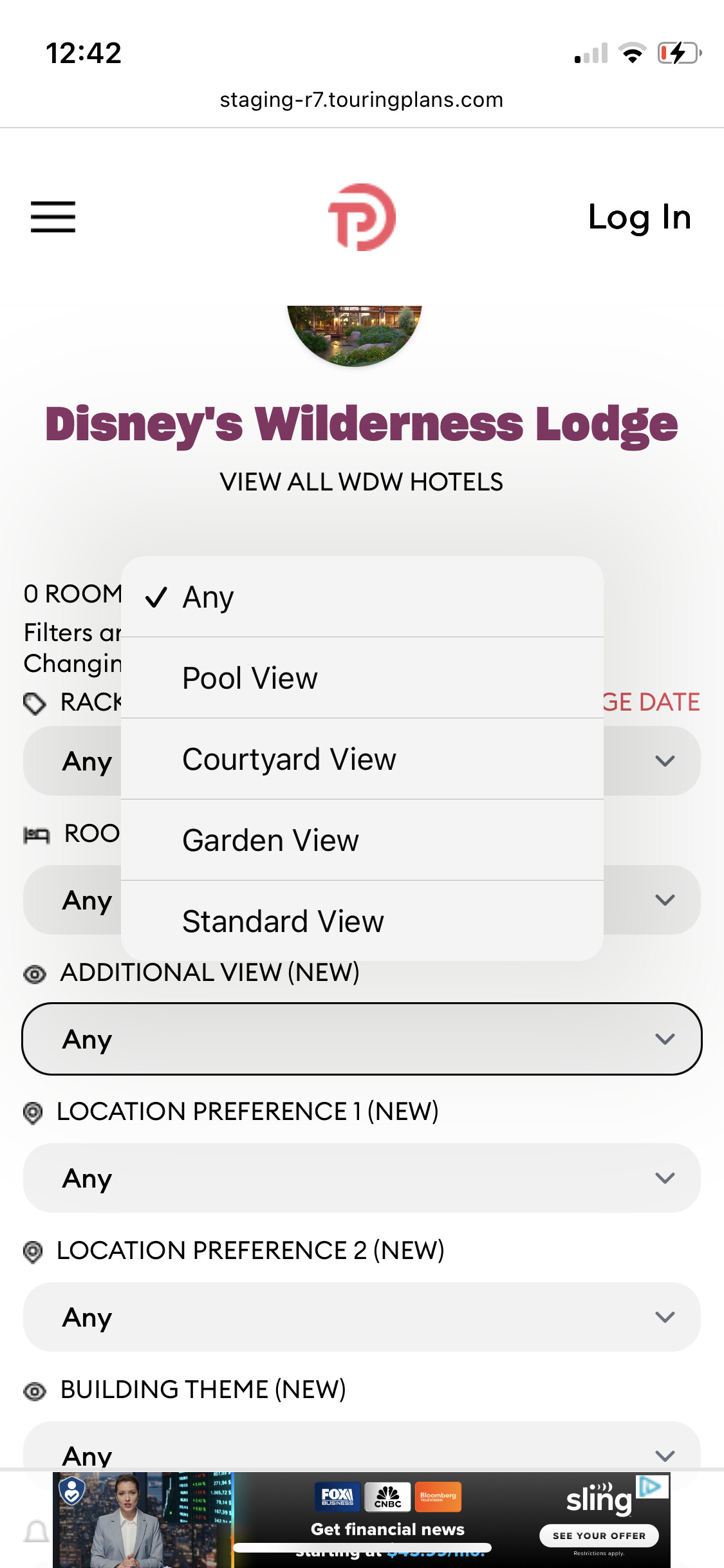
Dropdown menu for Additional View has different options (less than original, but more than just Any - after testing, it only shows categories that will produce room results, but this menu change only happens after selecting a category combo that produces 0 results)
Have to reset or use back button to change Room Type

Same things happens with Water View and Fireworks View together which also gives 0 results. Can’t change Room Type afterwards. Additional View categories change to same smaller menu of options that work for Water View.

If selecting Water View and one of the 4 Additional Views that do have rooms matching, the Room Type field stays populated with all other choices, and the Additional View field has the full list. So the 0 result combos are the problem.

Screenshot showing lots of Additional View options (including incompatible ones) after selecting room type:

Screenshot of 0 results but filters including Room Type now showing “Any” (and only Any) make that confusing:

Screenshot of Additional View options available after 0 results:

CSR
NO filters
Buildings 6A and 7A are white whereas all the others are red
If I hover over 6A and 7A it shows no data
If I hover over any other building it says zero rooms

1 Like

CSR
Filter – Village – Water View 2 Queen
Are there no Water View 2 Queen in Casitas 1 2, or 3 or do I need to specify Preferred Water View as the room type?
It also shows 8A and 8B as white where they are rooms there. I click on them to see and I do get results.
If I then clock the back button to get back to all results, we’re back to hovering over each building and those in white show nothing and those in red says zero rooms AND now Casitas shows in red. 6A, 7A, 8A, and 8B are still white.

1 Like

I should have asked this previously, but what does changing the date do? Change the rack rates? or other stuff, too?

I can’t reproduce this on our test server or my local machine, using Safari or Chrome. If you have a sec, can you walk me through the steps needed to make this happen, please? I’ve seen something like this before, so I believe it’s possible. I’m just not sure how.
[/quote]

I’m using Chrome. By some miracle, I was able to reproduce the error, although I’m sure this is not exactly what I did the first time.
Filters
Resort View 2 queens
Additional view - Water View
Clicked building
Changed to floor 1 (did not view any rooms)
Hit back button

BCR
NO filters
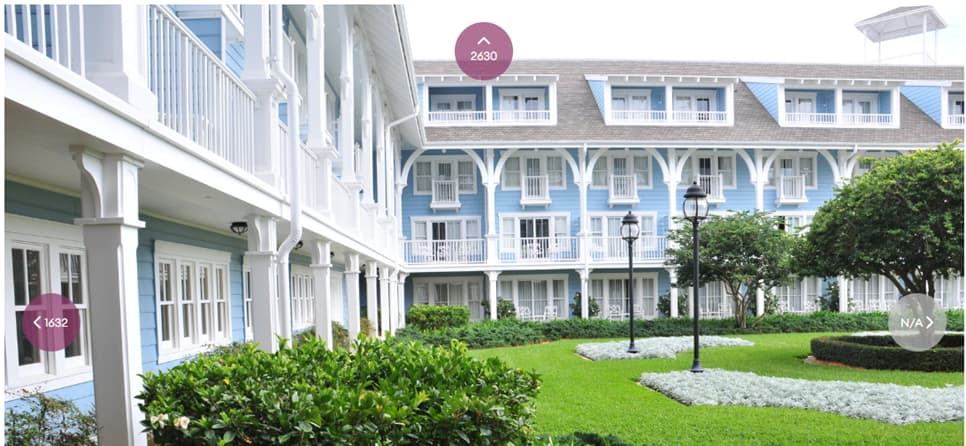
Click on building and room 1630

Logic tells me I should be able to then navigate to the room to the right – 1632, but the photo shows 1632 to the left and no rooms to the right. I didn’t test all the hallways, but the same happens which clicking room 1585. There should be rooms to the left and not the right, but the photo shows opposite. If I click the bubble to move to the room next door, it is clearly going left when the bubble says right (and vice versa). So far, this is the only resort where I’ve noticed this error.

1 Like

Casitas 1, 2, and 3 are entirely preferred rooms, no standard rooms. I think you are right about needing to use Preferred Water View for those buildings.

1 Like

I’m going to summarize here where I think we’re at. Because I have some work to do today and tomorrow for a call on Wednesday. And Laurel and I are headed out of town Tue-Thu for her super-short “summer vacation” before school starts up again. So this post is mainly for me to keep track.

These are the first reports of issues I need to work on (subsequent posts that aren’t listed here seem like they’re describing a different version of the same thing). I think the ones in bold are hard:

  • (post 137, fixed and will be in next release) Weird filter behavior after selecting Lobby Distance filter then Transportation Distance filter
  • (post 139, probably data) See why Pop buildings 3 and 6 don’t appear in a “3 minutes or less” transportation filter
  • (post 140, probably data) Boardwalk 1-BR Resort View
  • (post 141, probably data) POFQ Garden View
  • (post 146, might be code) POR Alligator Bayou theme, selecting location preference resets theme
  • (post 190 & 192 combined, might be data) Yacht Club Balcony filter
  • (post 199, probably code) Accesibility filters at POR
  • (post 208, probably code) Mismatching room counts at AKL Jambo
  • (post 220, might be code related to lockoffs vs dedicated 2BRs) 2-BR at Bay Lake Tower
  • (post 223, probably code) Changing floors either doesn’t display the new floor. And on the floor view, changing a filter might cause an infinite spinner.
  • (post 224, probably code) Crazy rack rates displayed
  • (post 229) TP picks don’t match filters at WL
  • (post 232, new feature suggestion for date of last refurb)
  • (post 246 & 247, might be data) OKW Deluxe Studio, Water View shows mulch, stairs, & landing. Coincidentally that was my all-time favorite band at Hollywood Studios.
  • (post 248, code) On iPad, building layout shows up on the bottom of the page
  • (post 249, not sure) Rack rates at WL, and suggestions about floor map locations for elevators, etc.
  • (post 250, not sure) What happens to filters when there are 0 matching rooms and you change other filters?
  • (post 251, not sure) Hover-over shows incorrect room counts. Might be related to post 208 and others related to room counts
  • (post 254, code) Two maps appearing overlaid on each other.

Thanks again, y’all. For those of you who’ve reported an issue who I’ve not yet extended your subscription - I will when I get to the issue. I appreciate your help!

6 Likes

Fixed this on my local machine. Will be in a future update. Thanks!

1 Like

Ahhh, changing floors. Got it. Thanks!

1 Like