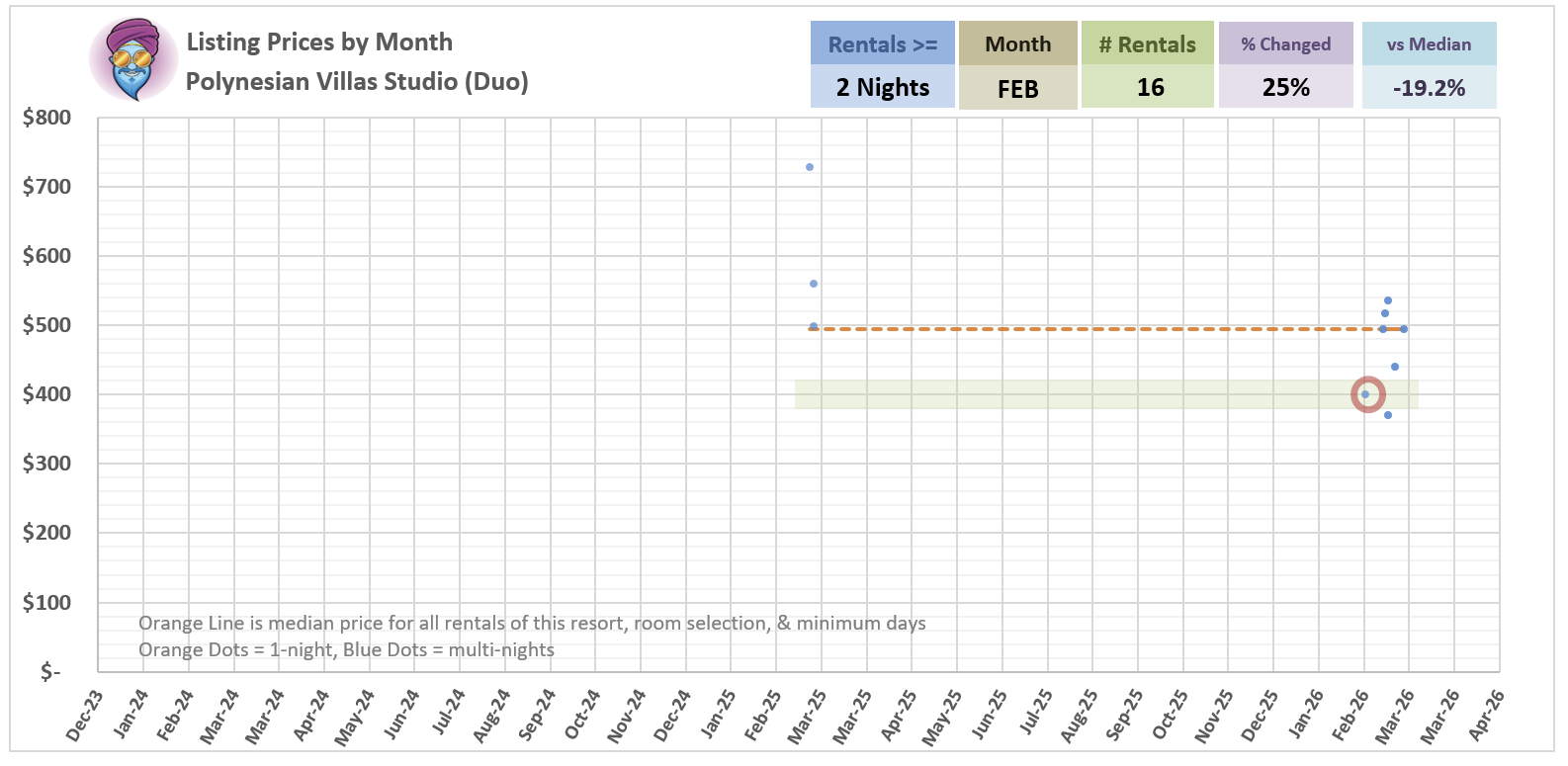
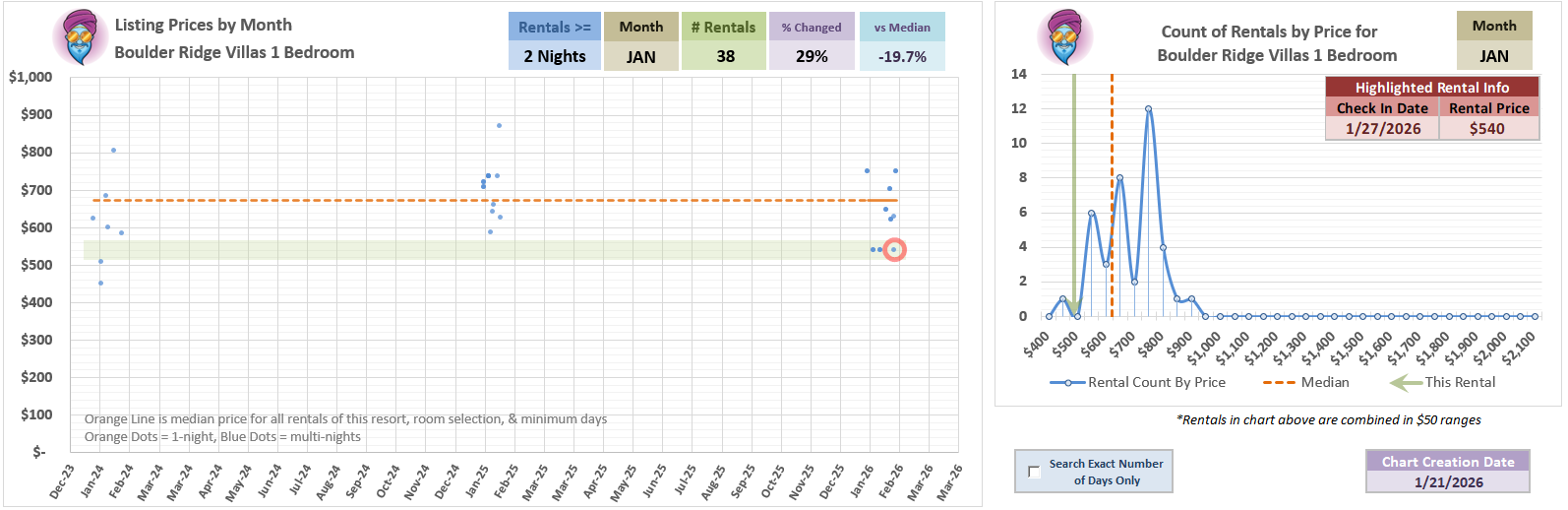
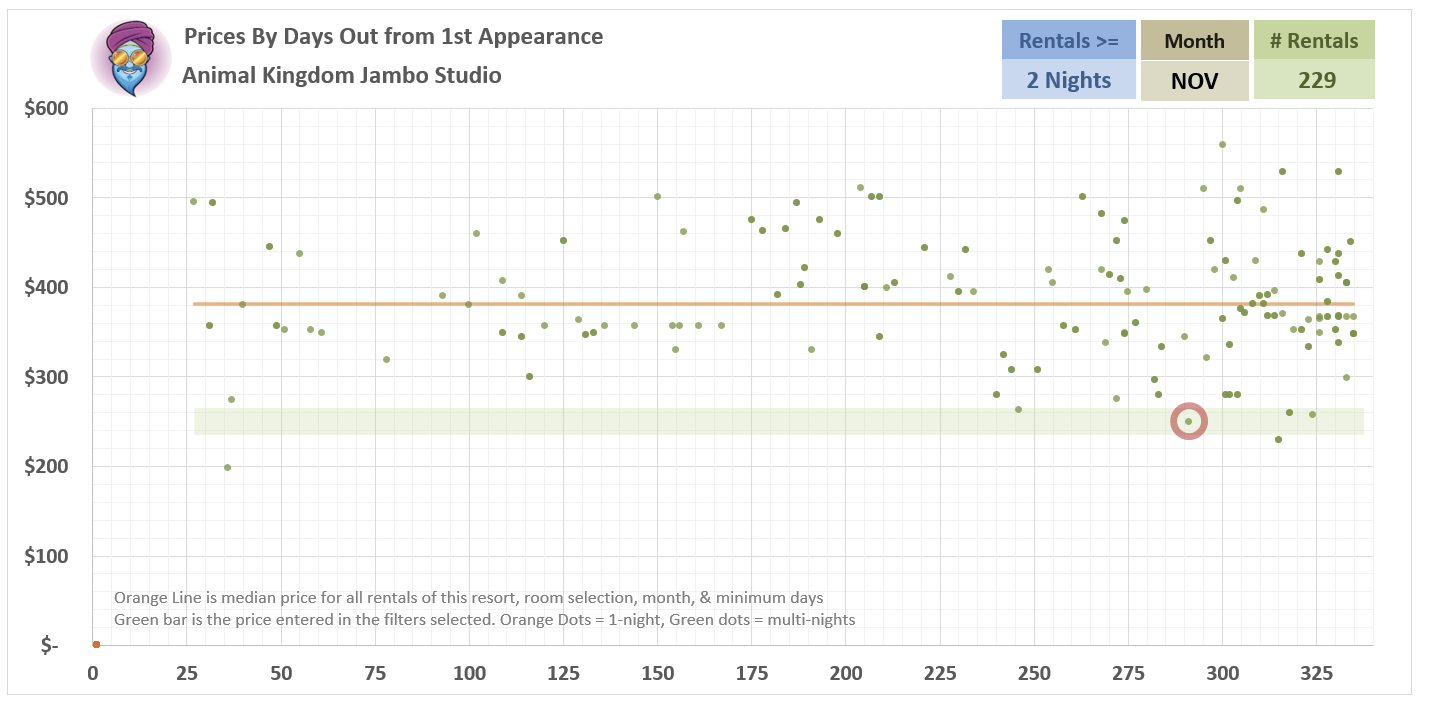
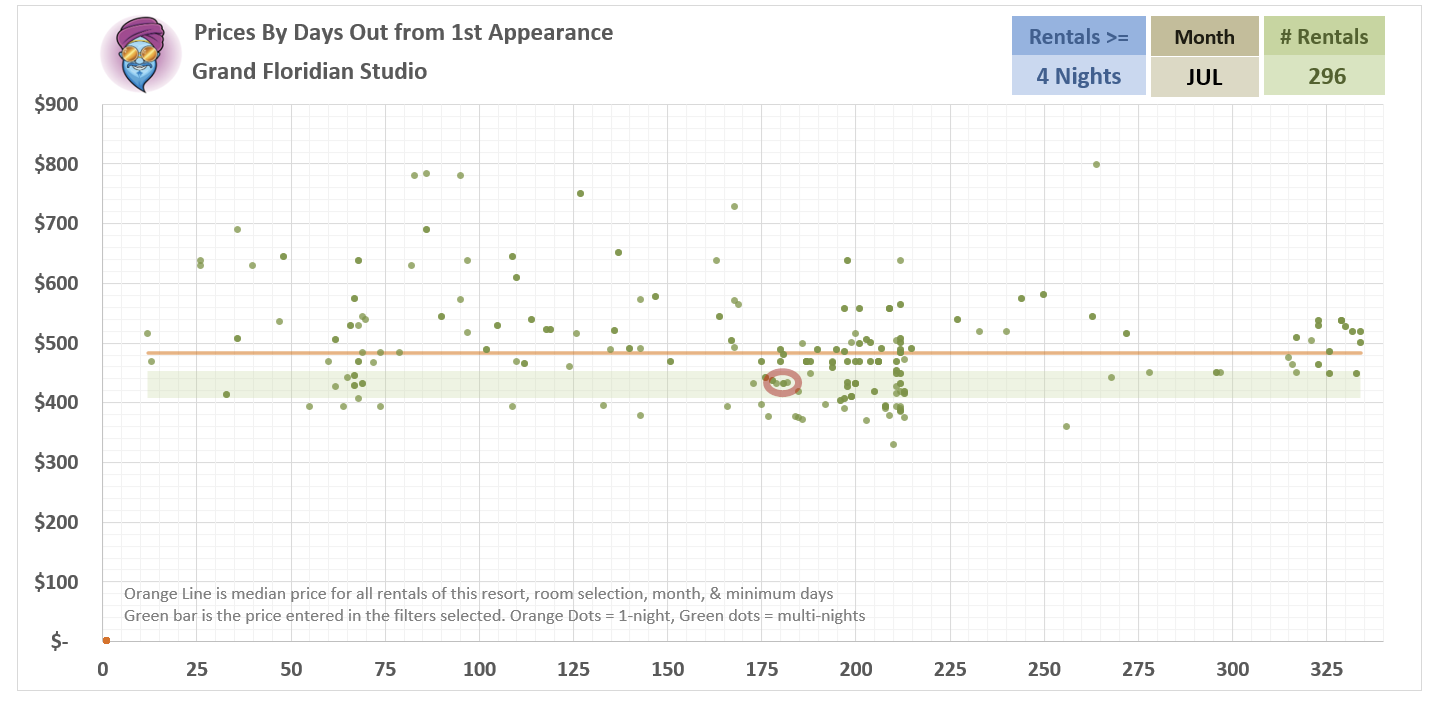
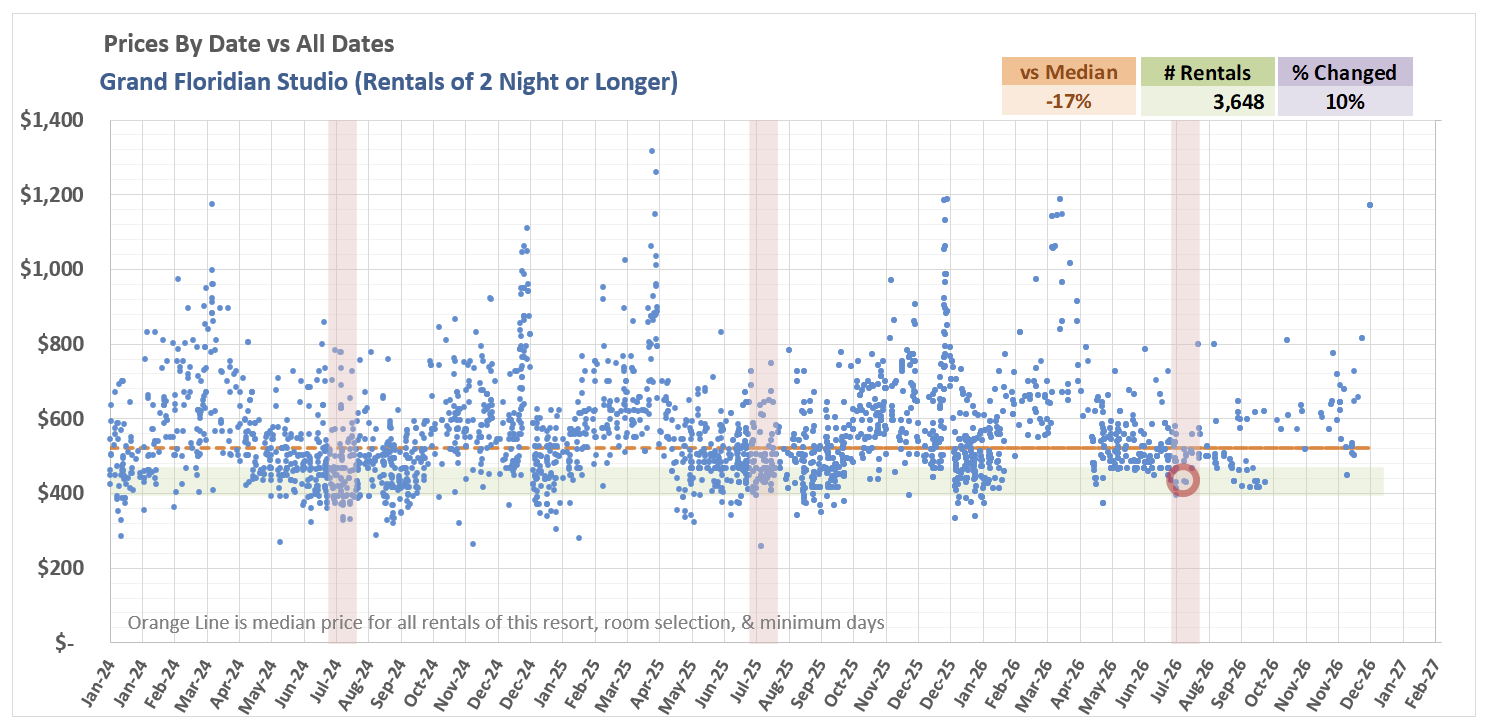
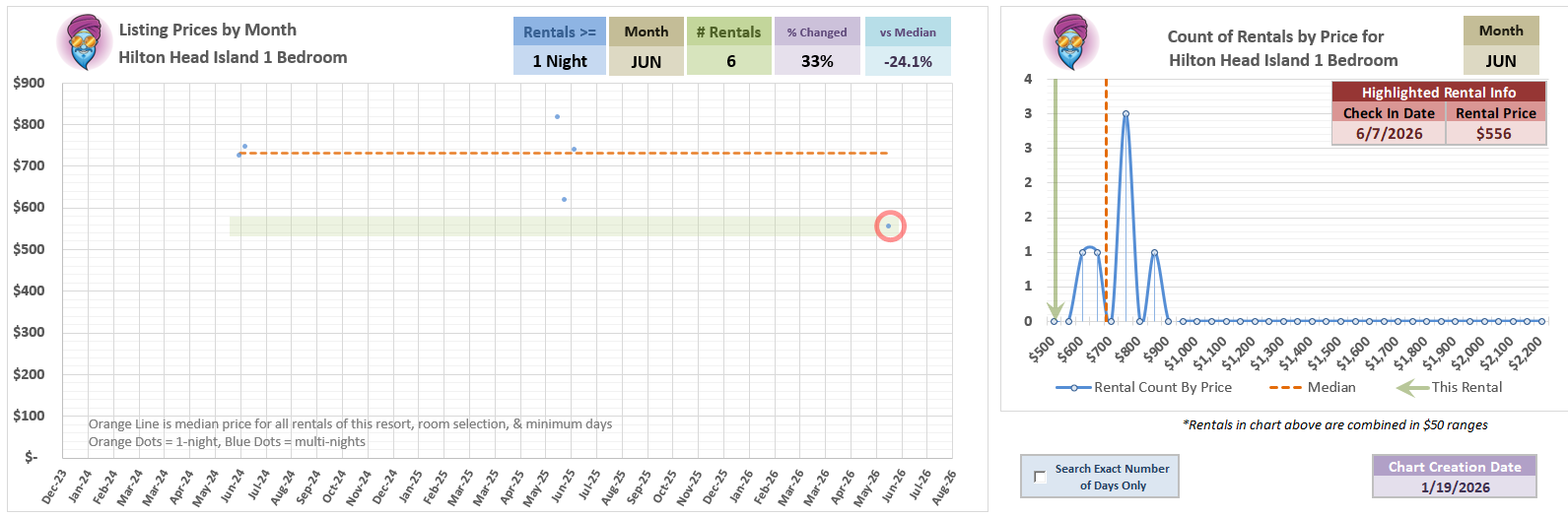
Hilton Head at a nicer time of year for once AND a PROBABLY good price! In reality, there just ain’t many dedicated June 1BR HH listings so the median price is pretty squishy - I’d do some more homework to see what the cash price is and/or requested rentals.
But, seems pretty good.
5-night HH 1 Bedroom 06/07 for $556/night or 25% under median
@JJT - would it be possible to add a column for price / point, or at least points / night?
This is a bit of a niche request, because it mostly matters if there’s still availability for non-dedicated rentals - but that can be the case for some farther out rentals at AKL / SSR / OKW.
I don’t know if you have this data loaded or how hard that would be - definitely not a priority, just a nice to have.
I do scrape points info that they include on the sites that have it, but most listing records do not have that data in it.
In this version of the search I decided not to display it since it really doesn’t add value to the data I am crunching (i.e. “what is a “good” price in the context of historical listings for each room type) and, probably more importantly to avoid showing so much data people have to scroll left and right to see it all.
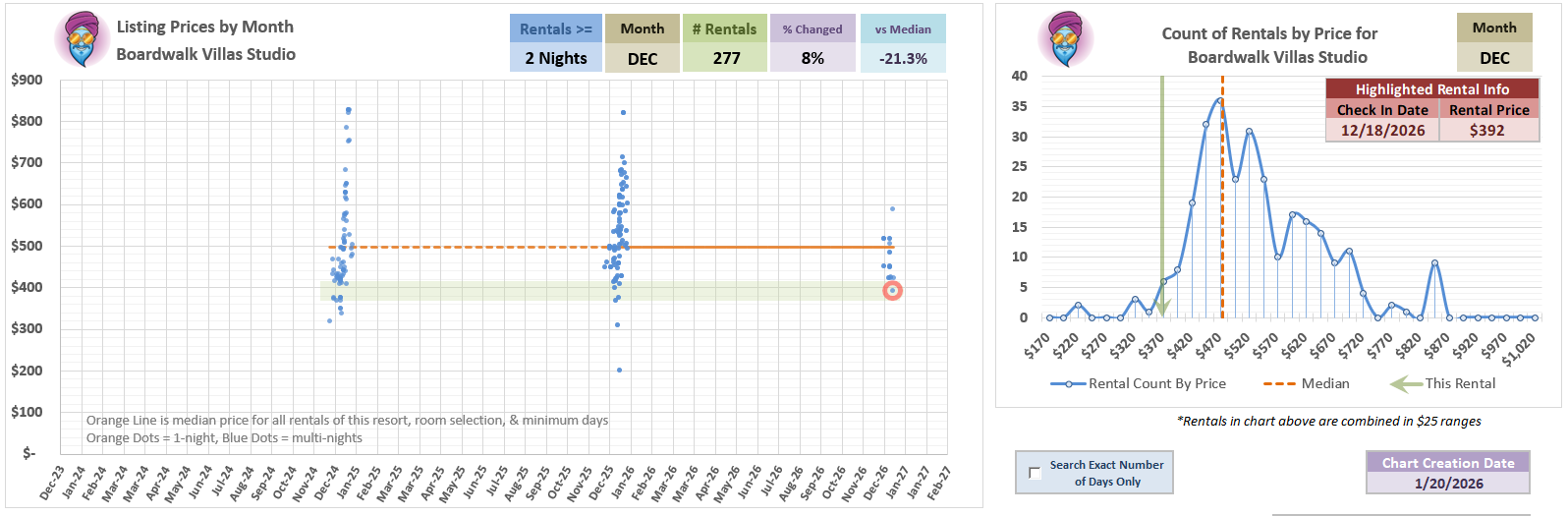
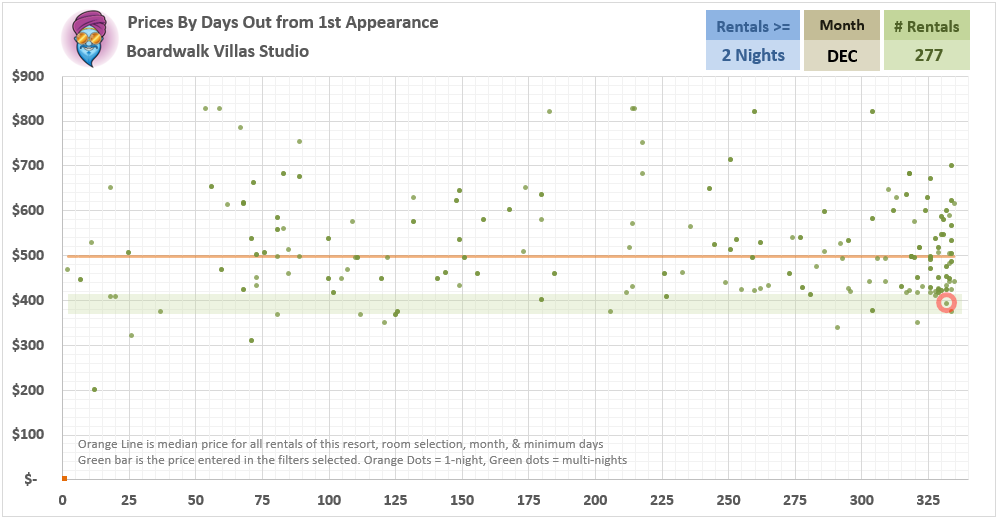
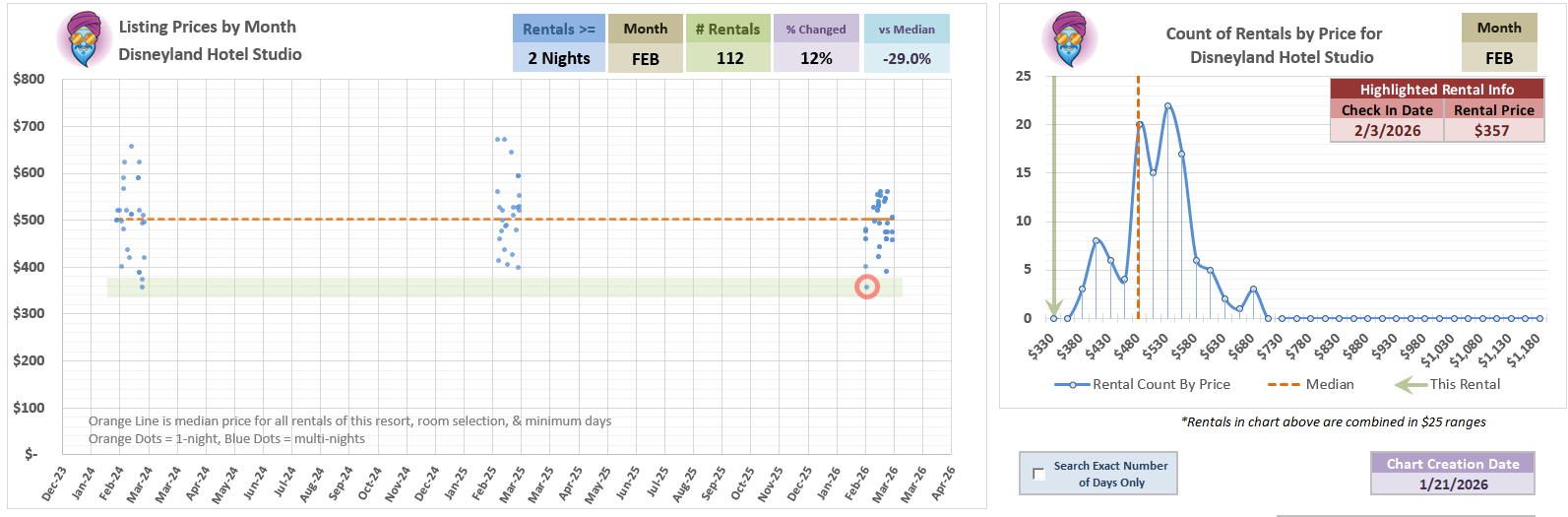
If you were a bad guy in the Princess Bride, you could count on one hand how many 5-night or longer December BW Studios we’ve seen at this price or lower.
I don’t believe the listings are sold with the points data, just the price. Generally if there is availability outside of the confirmed reservations, it’s cheaper to rent that way (not always but my guess would be 95% of the time.)
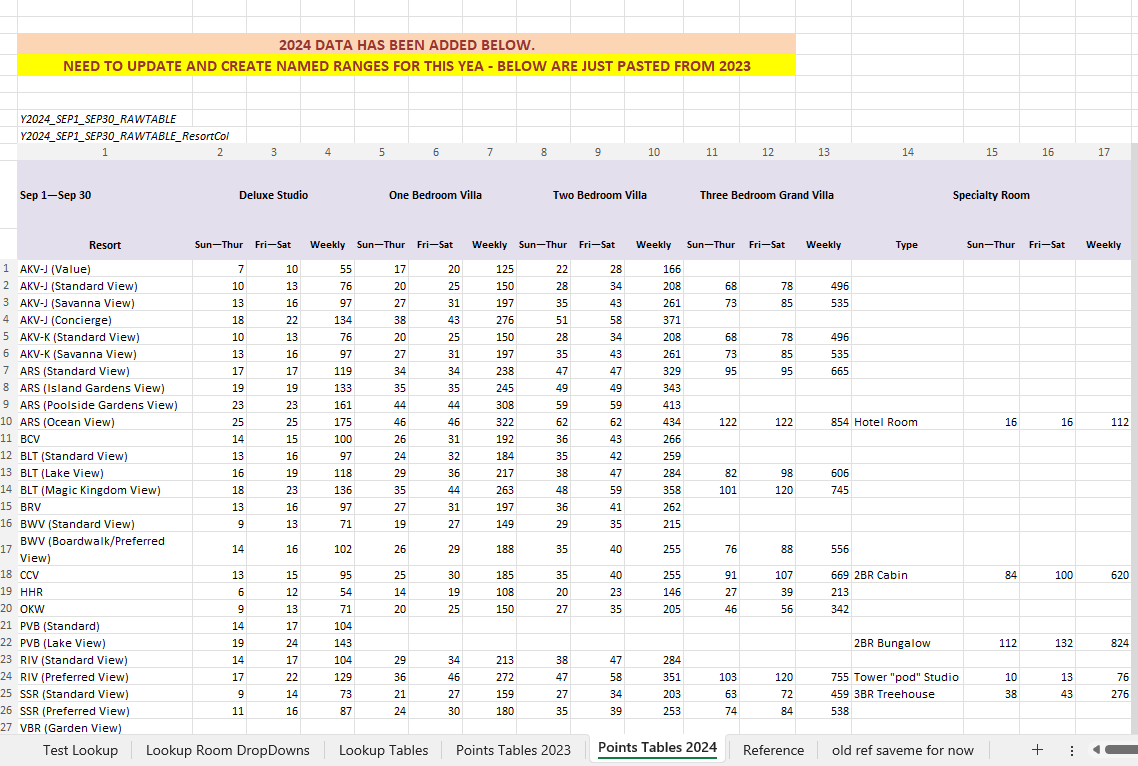
I spent a whole bunch of time on my sofa last year seeing if I could doctor up an actual points cost lookup to use in the listings -
I made headway but automating those is not a trivial thing to do unless I wanted to spend a lot of time every year normalizing all the data into easier lookups. (Which I don’t.)
I grabbed some data that was out there in tabular format already - ugly, ugly tabular form.
When it comes to looking up the points for a room, you have to worry about:
6 Different points value “Seasons” every year - most of which operate over multiple date windows each AND shift around every year. e.g. Last year, 1 season operated over the dates Jan 1—Jan 31 and then May 1—May 14. One of the seasons had FOUR different date windows.
36 different Resort and Room View combos (e.g. AKV-J Value, AKV-J-Standard…)
4 Standard room types PLUS a Specialty room type
All of those split into weekday windows (Sun-Thur, Fri-Sat, Weekly)
I actually got to the point where I had an automagic lookup working - then I kind of remembered that the rental sites DO NOT use standardized room type names on their listings - so from the data I often can’t tell if something is a Standard, Preferred, Poolside Gardens, Left-Handed Commode room, etc.
Also: More importantly: The points really did not matter in my search engine because I’m just trying to find the trends and measure new listings against them.
It was a fun nerdy time coming up with an almost working lookup, but I abandoned it and now I just watch Star Trek and eat cookies on my sofa.
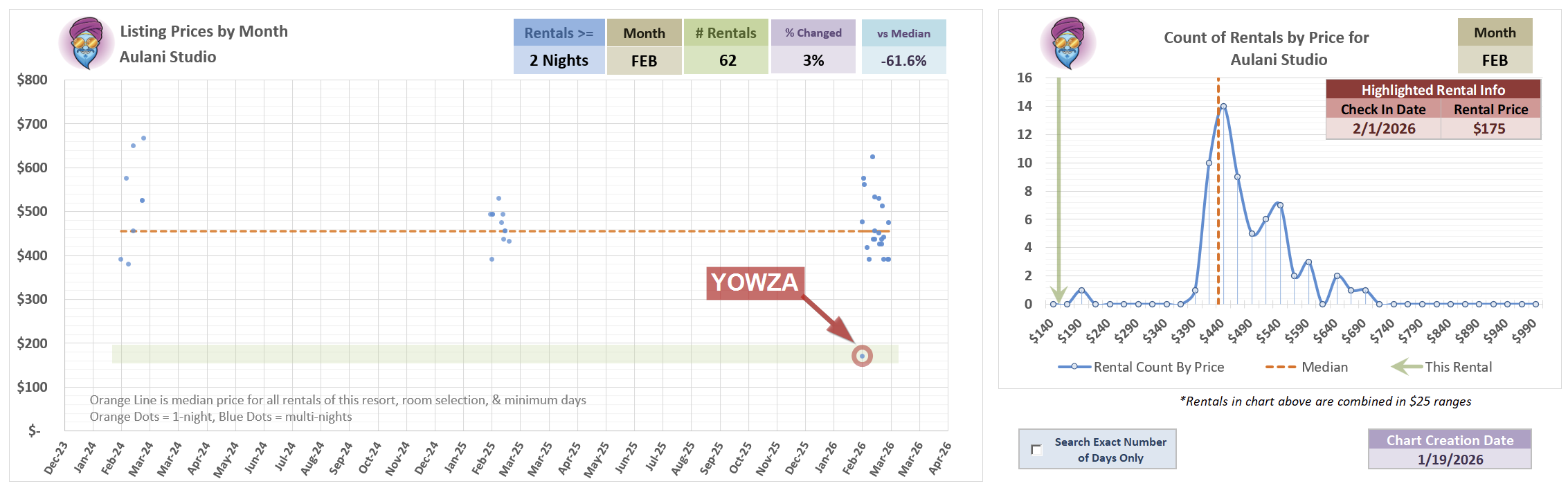
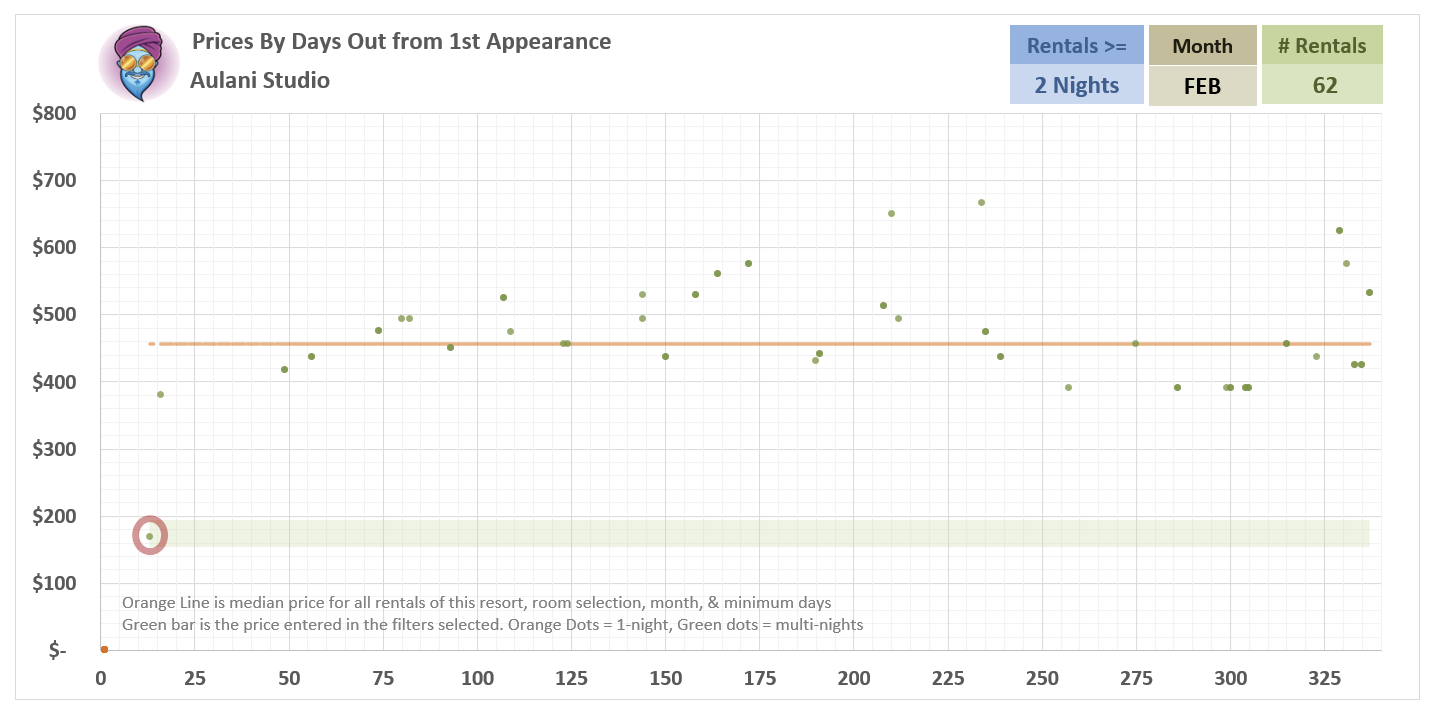
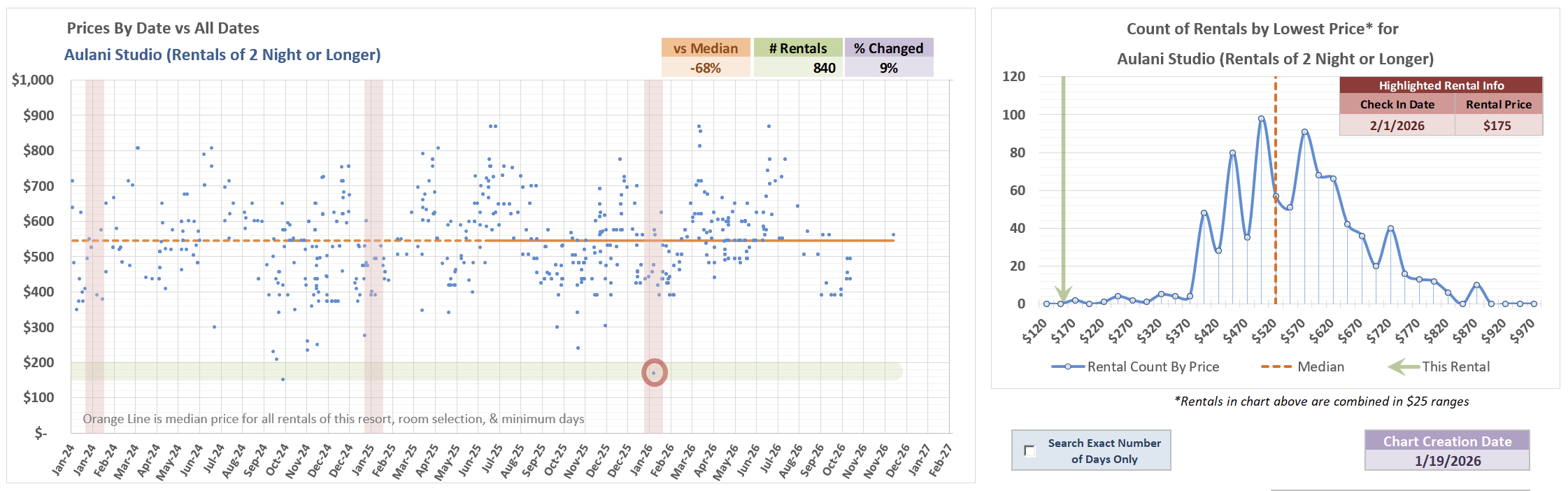
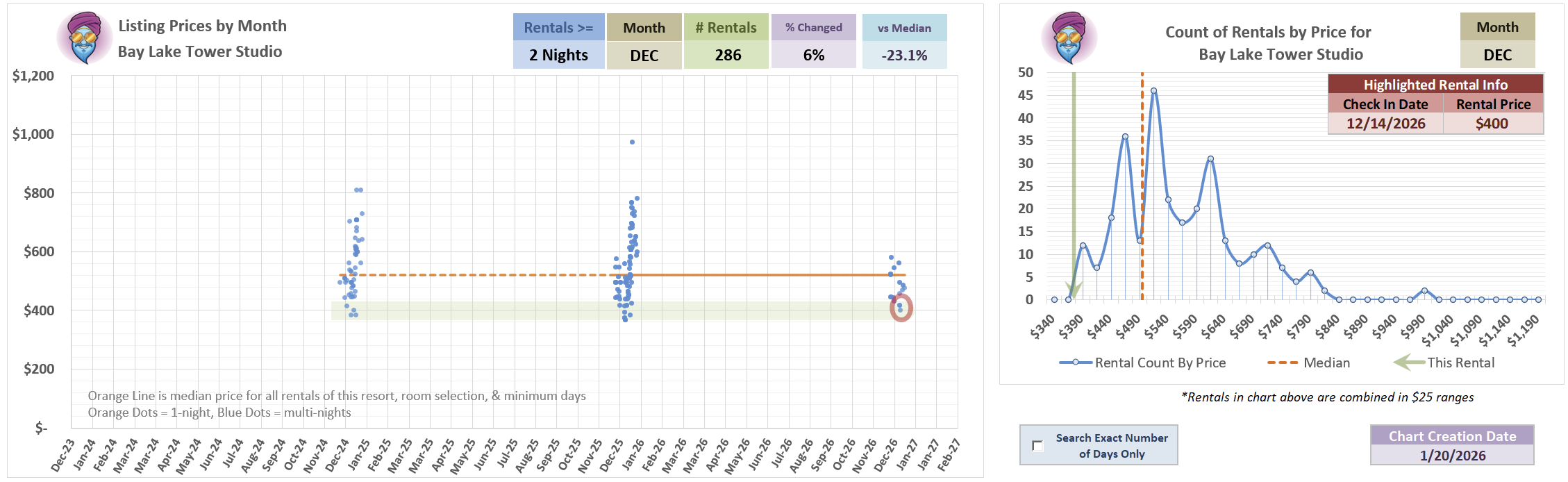
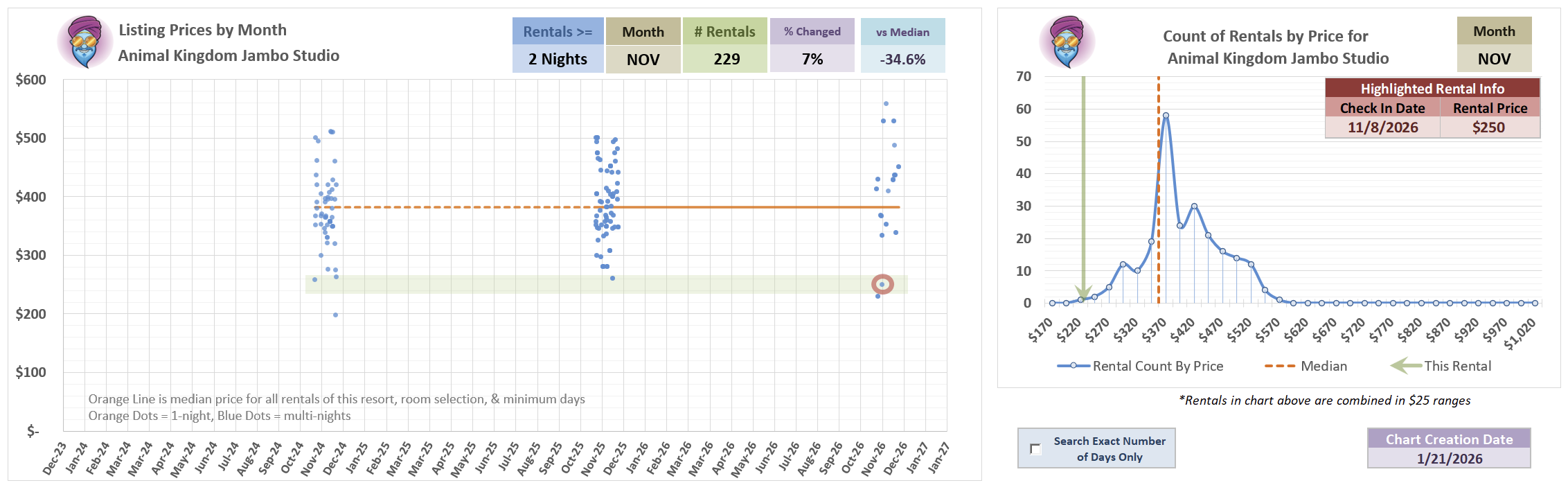
This is an interesting one - and a super terrific deal!
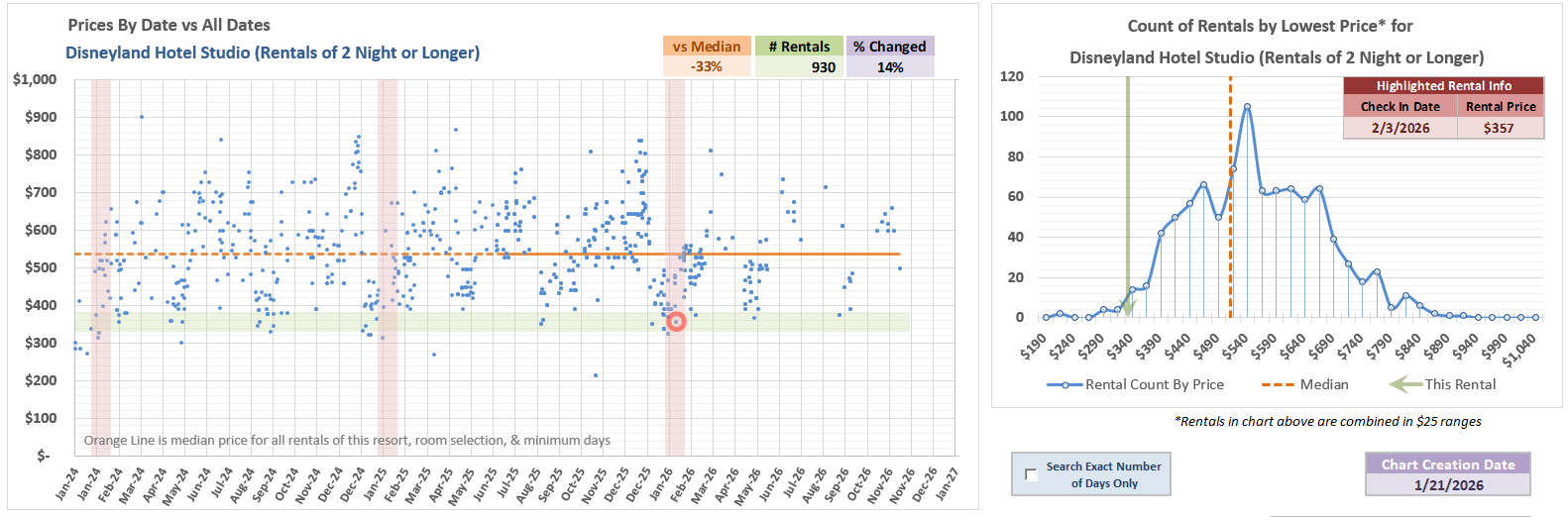
Looking at rentals for this room on all dates, this price is about 10% under median.
But, when just looking at December dates 2-nights or more, it is about 23% under.
Looking at 6-night or longer DEC listings this is 31% under median and the 2nd lowest listing recorded!
6-night BLT Studio 12/14 for $400/night or 23% under median
Since I have most of the tasks related to my DVC project automated now, I don’t hit the actual search engine that often during workdays.
Today I happened to look for something quickly and noticed the same type of error that @StinsyLinson reported last week (see below.)
Back then I didn’t see the error myself and didn’t do anything to fix it, so wasn’t sure what was up.
Today, after a little digging it appeared that the link for my shared Dropbox data file had changed even though I’ve done nothing differently since I flipped the big red automation switch months ago.
So, I’m not sure what caused that - and even more confusing: how did the problem resolve itself last week?
For the nerds among us:
When I tried to edit the table in wpdatatables that powers the search engine, it wouldn’t let me in - just gave me the same error there!
Which is really stoopid. Sure, show me an error, but let me edit the thing or at least look at the settings.
I ended up doing an end run by jumping into my hosting Cpanel and firing up phpMyAdmin, finding the sql table that holds all the stuff and checking the link there. That is when I realized it changed - so I grabbed the new share link in Dropbox and then overwrote it in the admin portal. When I went back to wpdatatables, it was all back to normal.
From what I can tell, Dropbox share links are not supposed to change or expire*, so what’s up, yo? Hopefully it doesn’t happen again or at least happen often.
*Dropbox links can be set to expire if you have the business version and turn that feature on. I do not.
What is the domain part of the URL stored in wpdatatables? The dl=1 has to be on the dropbox.com domain, not the dl.dropboxusercontent.com domain because it’ll cause problems.
I believe the share links are on Dropbox.com, the issue was Dropbox somehow changed the link and wpdatatables just choked when the file wasn’t found.
I haven’t even looked at the links since I first loaded them so this has all been pretty smooth for months.
But weird this also would happen a few times as seen by Stissy and then resolved itself. Guessing now that might be more likely a Dropbox connection issue rather than the link itself, and wpdatatables just happens to see both issues as “there ain’t no file, so here’s the same error” both times(?)
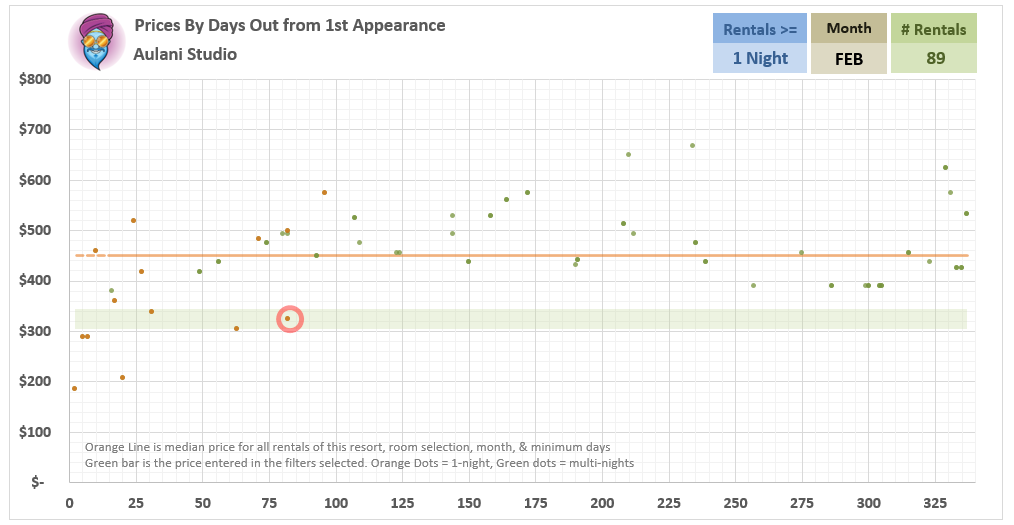

 YOWZA ALERT