2025: New Dedicated DVC Rental Search Engine:
This search includes listings from all of the major rental sites, plus analysis of how listings compare to historical listings in the same times frame.
Notes:
TL;DR: Median is a decent measure. The value you find in any given price is up to you.
-
The median price my system crunches compares a current listing to past listings in the same month for the same resort and simple room type. That is not a perfect measure because DVC points calendars can span months and thus do not line up exactly. BUT, IMHO it is still a darn good measure for most periods of the year and even pretty good in crazy times like holidays.
-
Just because a listing is “above” or “below” median doesn’t make it good or bad, really.
Would I book something being listed well above median? Almost certainly not - BUT, if you need a room and are looking for a hard to come by room at a busy time, maybe it works for you. At least you’ll have a better understanding of where you stand when deciding to rent. -
Sometimes you’ll see listings that are just a little below median - BUT the price is still attractive. This will often happen in, say, September when points prices are low, which drives rental prices down. You might see a Saratoga Studio is “only” 5% under median, but is listed at $220. That is still a very nice price for a deluxe room dagnabit - and while you might see sub-$200 listings pop up, they might be grabbed quickly or don’t match your possible dates.
-
You might want to compare the rental price to a cash rate after tax. Usually, the savings for any listing near or below median will be reasonably good to significant or even eye-popping compared to a cash rate. But, still good to check Disney’s cash prices just in case.
-
You also might want to compare the dedicated DVC listing to what you might be charged for a direct rental request booking for the exact dates you want. A requested rental could be the same or better. You need to decide. This search engine can’t do that for you.
-
I always appreciate the advice and information supplied by DVC owners, as I am not one and I started this project because I did not know how to know what a “good” rental price even was.
This next part is not me being hardheaded or intentionally obnoxious. I’m pretty sure everyone around here knows I wouldn’t do that.  But it is true.
I don’t have points, I don’t follow points - and in the context of a renter who also is pointless  I don’t think Price Per Point is of much consequence when renting, since renters’ comparisons are really analogous to cash rate prices they would otherwise pay.
Of course, after reading that, refer back to the previous bullet point above: if you can request a room for specific dates at the same price, maybe a dedicated listing locked into a slightly less convenient set of days might not be the correct choice for you even if it is priced a little lower.
But still: for the purpose of this search engine, I am mostly “points shmoints.” 
Hi Everyone,
With Hotwire and Priceline hidden deals still missing in action since last year - I decided to start a new project! In the past I have only quickly looked into renting DVC rooms for trips but never really followed through or paid attention to them too much.
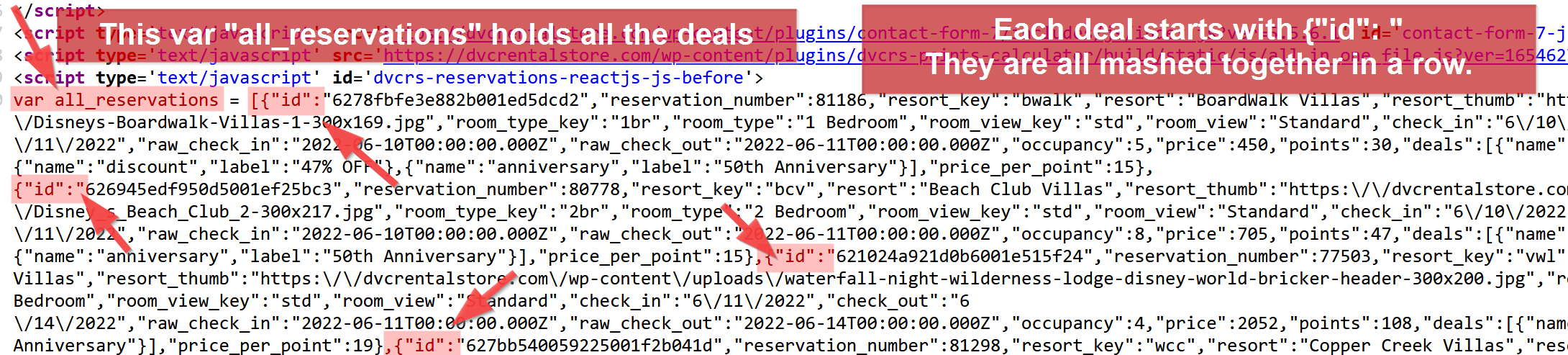
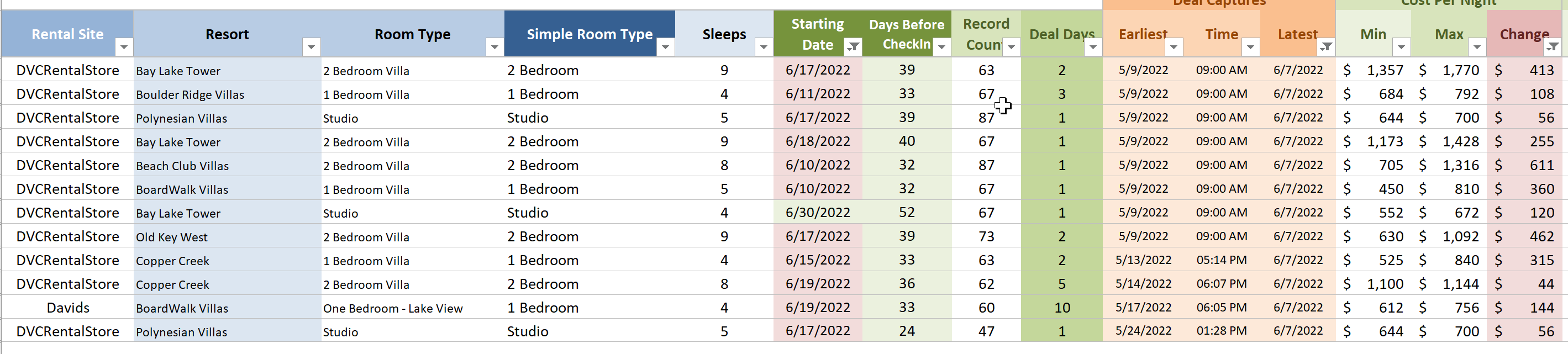
To get more familiar with things I started tracking all of the DVC rental deals for 3 of the bigger sites out there - since the start of May I have grabbed almost 60,000 records for over 1,500 unique deals.
I never thought there would be so many.
Anyway - I know have a lot of data to sift through and I wrote a bloggy post for TP about finding great deals.
For the TP community here’s some Bonus Content:
31 really nice DVC rental deals OUT THERE RIGHT NOW OR AT LEAST 38 MINUTES AGO WHEN I LAST CHECKED.
I filtered down my data to show all deals for bookings between 2 and 4 nights for less than $325.

And that list doesn’t even include deals at OKW or SSR, which would double the size of the list!
Also, for the other uber nerds among us, ACT NOW to view this video of the spreadsheet and process I am using to pull in and analyze all of this data. You know you want to.
Edit 8/30/2023: This video was from one of the earliest versions of my spreadsheet and script combos. Now it is all set and runs automagically with a single button mash.