Make sure it’s a JPG or PNG, and check the file size.
1 Like
I can see my avatar on my computer, but it’s blank on my phone with a ? in a box at the top next to my notifications.
2 Likes

Weird! Maybe I’ll finally be forced to change it.
2 Likes
For me it’s inconsistent
Some places I see what you share here
Other places I see the J
2 Likes
OK who can help me out here?
Since I can’t see my own avatar, I can’t work out how to find my profile to try and upload a picture to it. 
Suggestions?
Click on the space where your avatar should be - since you’re logged in as you that would be right next to the “hamburger” in the upper right of your screen

Then click on the “person” in the dropdown menu that appears:

1 Like
That just brings up my notifications, not my profile. So my name doesn’t appear.
The little person doesn’t show up in the drop down?
Screen shot??
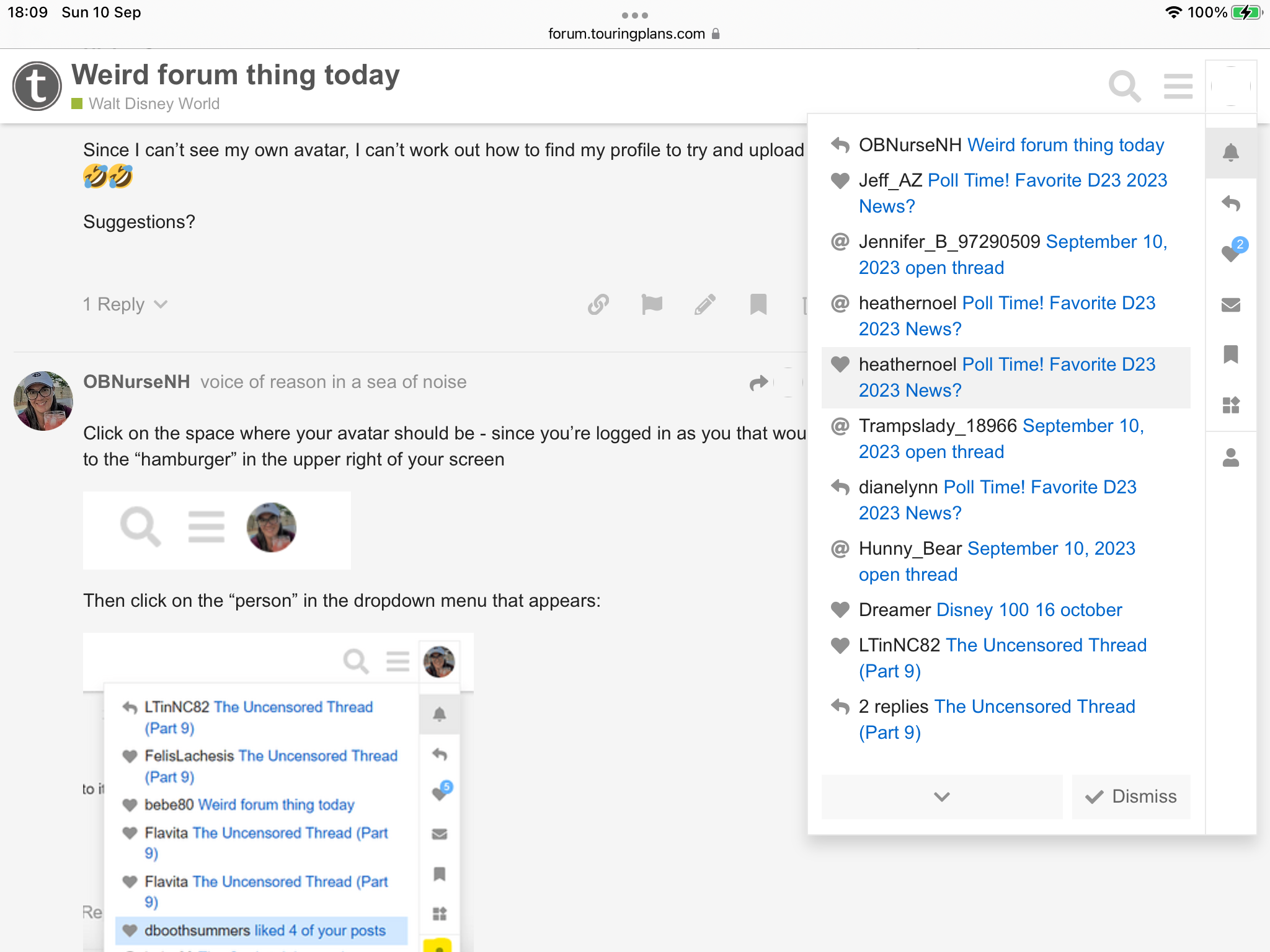
Look at the vertical icons on that notification dropdown, near the bottom is a person that goes to your profile
1 Like
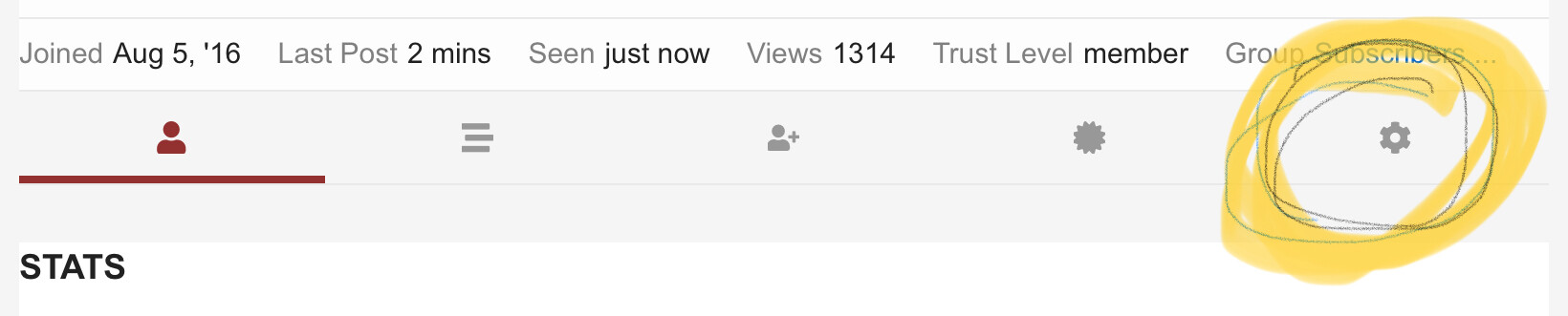
Click on the blank space to the left of your name on your posts here. It should bring up your profile. Go to settings.
1 Like
Ohhhh, I was looking at the highlighted notification that was on @OBNurseNH ’s screenshot, not on the column on the right.
Thanks! Will try it.
2 Likes
She couldn’t figure out how to get to that point though.
It’s all good now
Yay! I can see an avatar now! That’s half way there.
6 Likes
It’s a nice one!  Solid work!
3 Likes

I think before I was trying to use an image that wasn’t one of my own photos, which I’ve used elsewhere.
So I’ll stick to using one of my own ones.
1 Like
Right, that was why I said to click on the blank space next to the left of her name. The drop down works, so does clicking on the empty space.
3 Likes