Ok I had a chance to play around with it and I figured out a workaround that will allow you to make it work. I tried 2 configurations. Round 1 did NOT work as intended. Round 2 DID work as intended.
- First, I created a plan with three attractions, each visited twice:
- PotC (2x)
- TBA (2x)
- Space (2x)
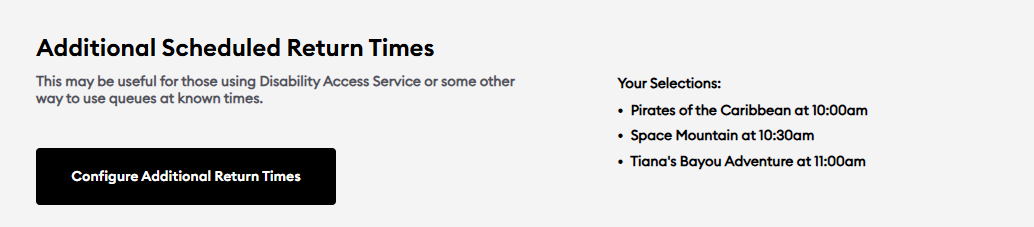
- Then I configured the Advanced Options as follows to “Use LLPP,” "Force Use of Inputted LL Return Times, and configured return times I thought would work with the plan.
ROUND 1 CONFIGURATIONS (BAD):


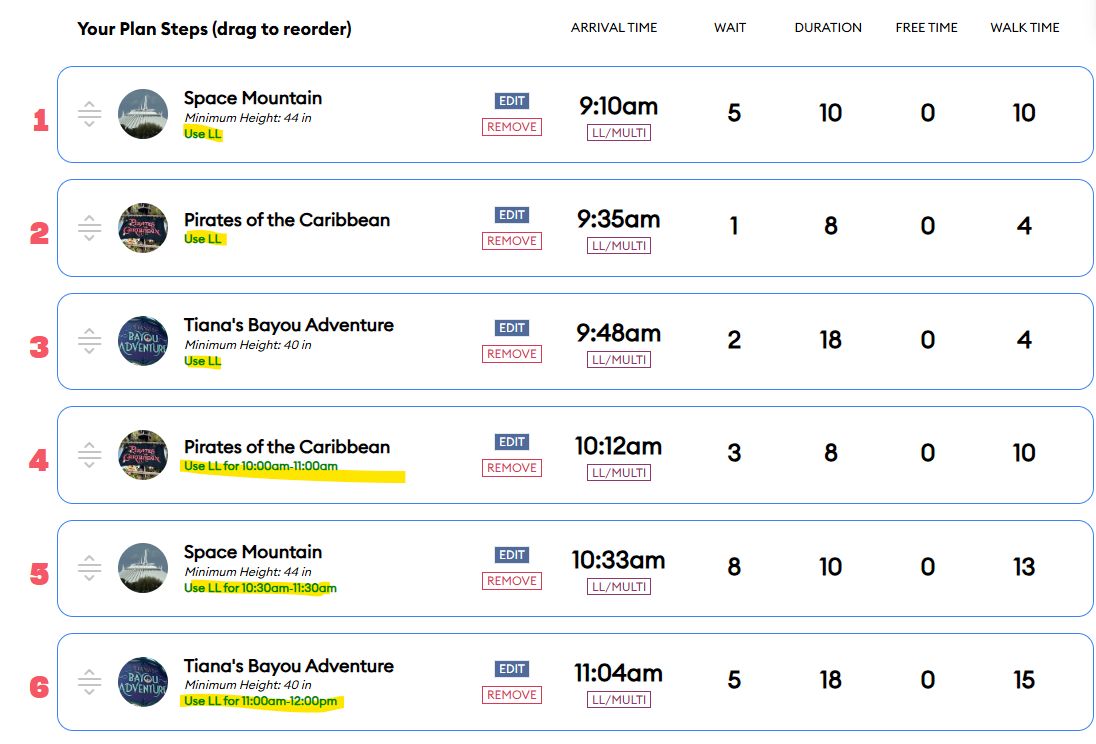
This was the resulting plan. Note that the plan uses LL BOTH for the first rides (since I told it I have PP) AND for the second rides, because I told it I have valid LLs (even though I didn’t tell it I have LLMP in the Advanced Options).
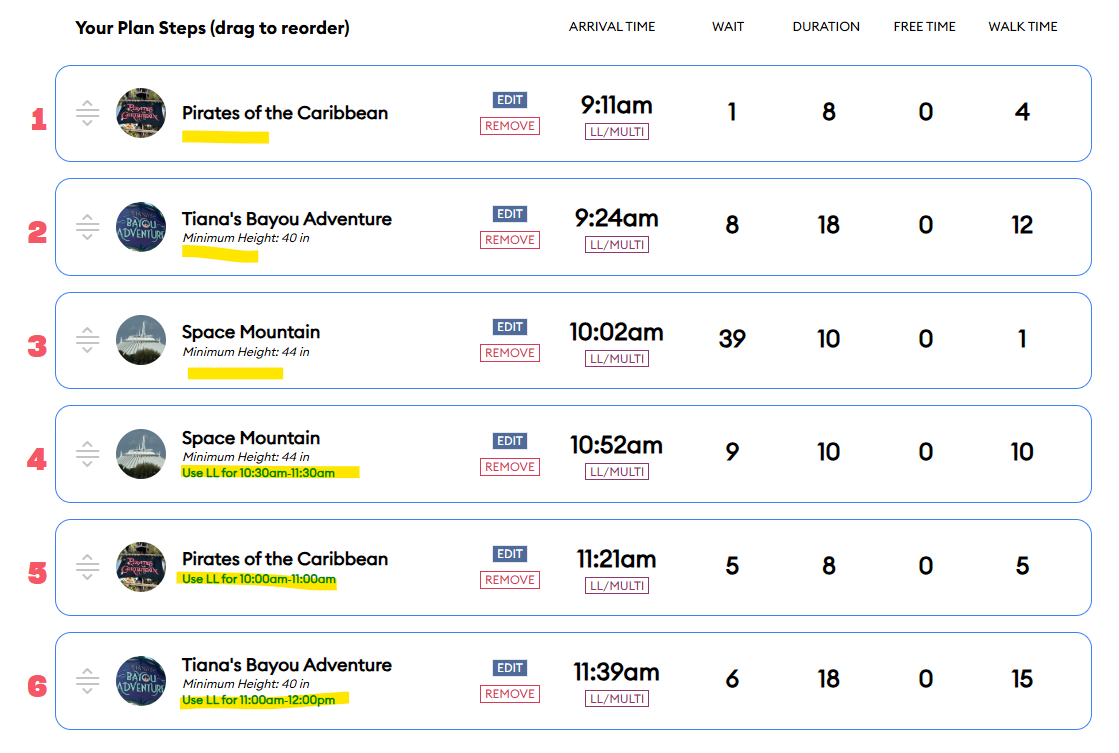
- For Round 2 I updated the Advanced Options to NOT use LLPP, but left everything else the same (still no LLMP and still “Force Use of Inputted LL Return Times” with the same configured times).
ROUND 2 CONFIGURATIONS (GOOD):

This time the plan worked! It did not use LL for the first instance of each ride, but it did use my forced input LL for the second instance. I got lucky with the return times - no “Free Time” was needed waiting around for my next LL and I didn’t go beyond the grace period for any of them. But you may have to play around with the return times with trial and error.
Remember: to make it work, I had to tell it NOT to use LLMP or LLPP. But I had to manually configure return times for the times I expected to use LLPP.
This is kind of an annoying workaround, but at least it works.