I tried searching for this, but either it didn’t exist or I didn’t use the correct terms. Is there a way to turn off the use of LL per ride in a Touring Plan when using Premier Pass is turned on? We intend to use Premier Pass, but will rope drop a couple of rides using the standby line so we can ride them a second time later using Premier Pass. However, the Plan forces the the use of LL for any attraction after the regular park opening, so later in the day it shows Standby wait, even if we intend to use the LL then.
1 Like
Good question! I don’t know if there is an easy way to do this, but there are workarounds.
What I would do is tell it to only use my manually input LL times. First, do an optimized plan assuming no LLs. Then move the steps around the way you want. Then one at a time, add a manual LL return time that is valid during the time the first attraction you are going to is scheduled. Then Evaluate and repeat until all LLs are added.
1 Like
You don’t have to turn on the LLs for the plan. However, if you do turn it on you can set some as using ones and some as not.
1 Like
I found the TP was pretty inaccurate when it came to using LLPP and Express pass in Universal. It thinks these lines are shorter than they are and it wasn’t honestly a good indicator of how much I could get done making it seem like I could get way more done than I actually could. BUT the benefit of LLPP is that you don’t really need a plan.
My hypothesis is there isn’t as much wait time data on LL or Express lines.
2 Likes
How would you set some as using it and some as not?
1 Like

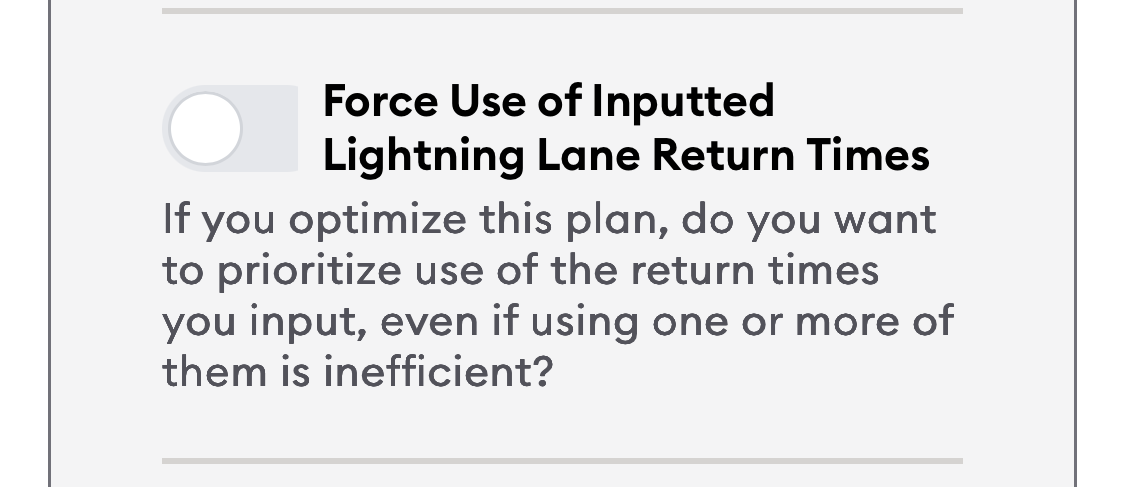
I am aware that exists. What I want is to turn off the use of a LL per ride when I don’t want the system to use it. It sounds like that doesn’t exist, though.
1 Like
Just add the ride and don’t force an LL time for it. Or don’t turn on the LLPP at all. I must not understand what you’re going for.
1 Like
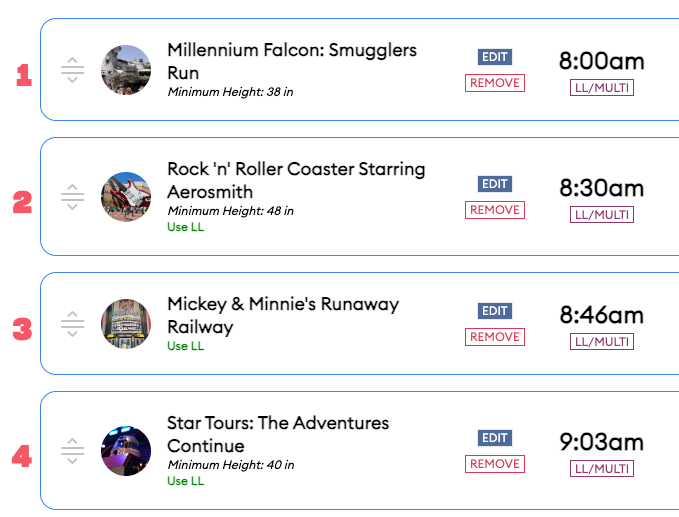
Regardless of whether you have the “Force use of LL” on or off, it will use the first instance of a ride for the LL, and then a 2nd instance later is on Standby. But I don’t want it to use the LL on the first instance. I have clicked on the ride, but there is no option to tell it not it use the LL.
1 Like
Make two TPs. One with rope drop and the beginning of the day rides where you are not using your LL. Make another to start at the time where you will use the LLPP
4 Likes
After you Optimize, have you tried flipping the later in the day standby rides with the morning LL for the same rides and then clicking Evaluate? I don’t know if that will work but it might be worth a try. I realize that won’t Optimize the order of your morning standby rides but it might be better than what you are getting for a plan currently.
1 Like
Ok I had a chance to play around with it and I figured out a workaround that will allow you to make it work. I tried 2 configurations. Round 1 did NOT work as intended. Round 2 DID work as intended.
- First, I created a plan with three attractions, each visited twice:
- PotC (2x)
- TBA (2x)
- Space (2x)
- Then I configured the Advanced Options as follows to “Use LLPP,” "Force Use of Inputted LL Return Times, and configured return times I thought would work with the plan.
ROUND 1 CONFIGURATIONS (BAD):


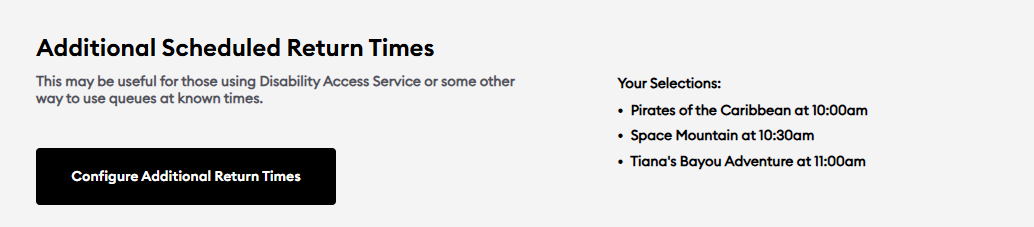
This was the resulting plan. Note that the plan uses LL BOTH for the first rides (since I told it I have PP) AND for the second rides, because I told it I have valid LLs (even though I didn’t tell it I have LLMP in the Advanced Options).
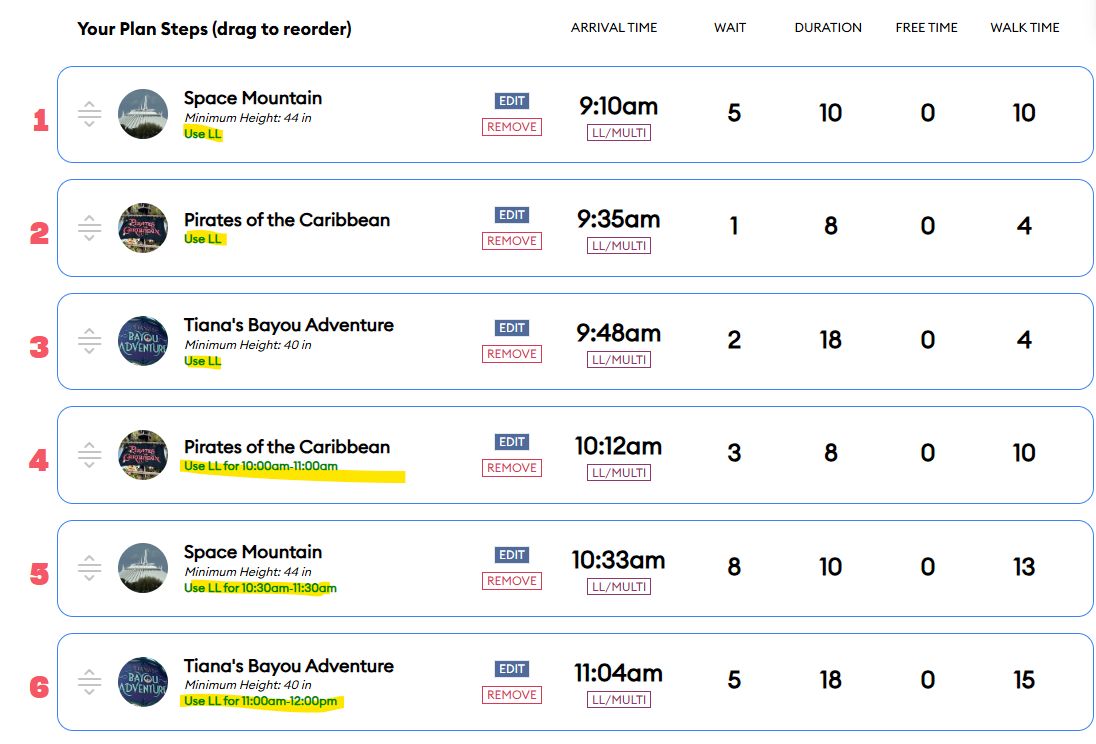
- For Round 2 I updated the Advanced Options to NOT use LLPP, but left everything else the same (still no LLMP and still “Force Use of Inputted LL Return Times” with the same configured times).
ROUND 2 CONFIGURATIONS (GOOD):

This time the plan worked! It did not use LL for the first instance of each ride, but it did use my forced input LL for the second instance. I got lucky with the return times - no “Free Time” was needed waiting around for my next LL and I didn’t go beyond the grace period for any of them. But you may have to play around with the return times with trial and error.
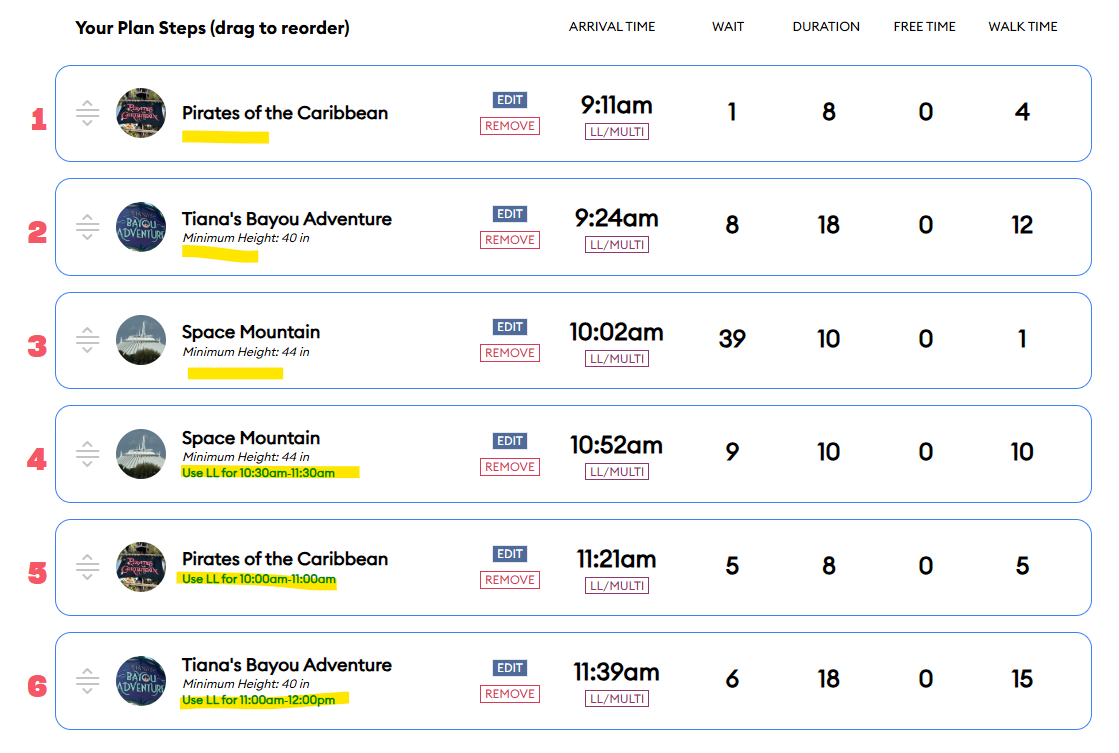
Remember: to make it work, I had to tell it NOT to use LLMP or LLPP. But I had to manually configure return times for the times I expected to use LLPP.
This is kind of an annoying workaround, but at least it works.
2 Likes
Great investigation work!
It feels like a fairly simple enhancement would be to enable premier pass, and then if a ride is on the plan multiple times, allow selecting which one should use the premier pass.
Was it verified if LLPP always is applied to the first instance of a ride in the plan, or with optimize, will it apply it to whichever saves the most time?
Eg Peter Pan rope drop + Peter Pan at 2pm - the 2pm ride would save more time. Does it use the LLPP for the one at rope drop?
1 Like
Yes it does.
1 Like