New! Restaurant satisfaction charts over time

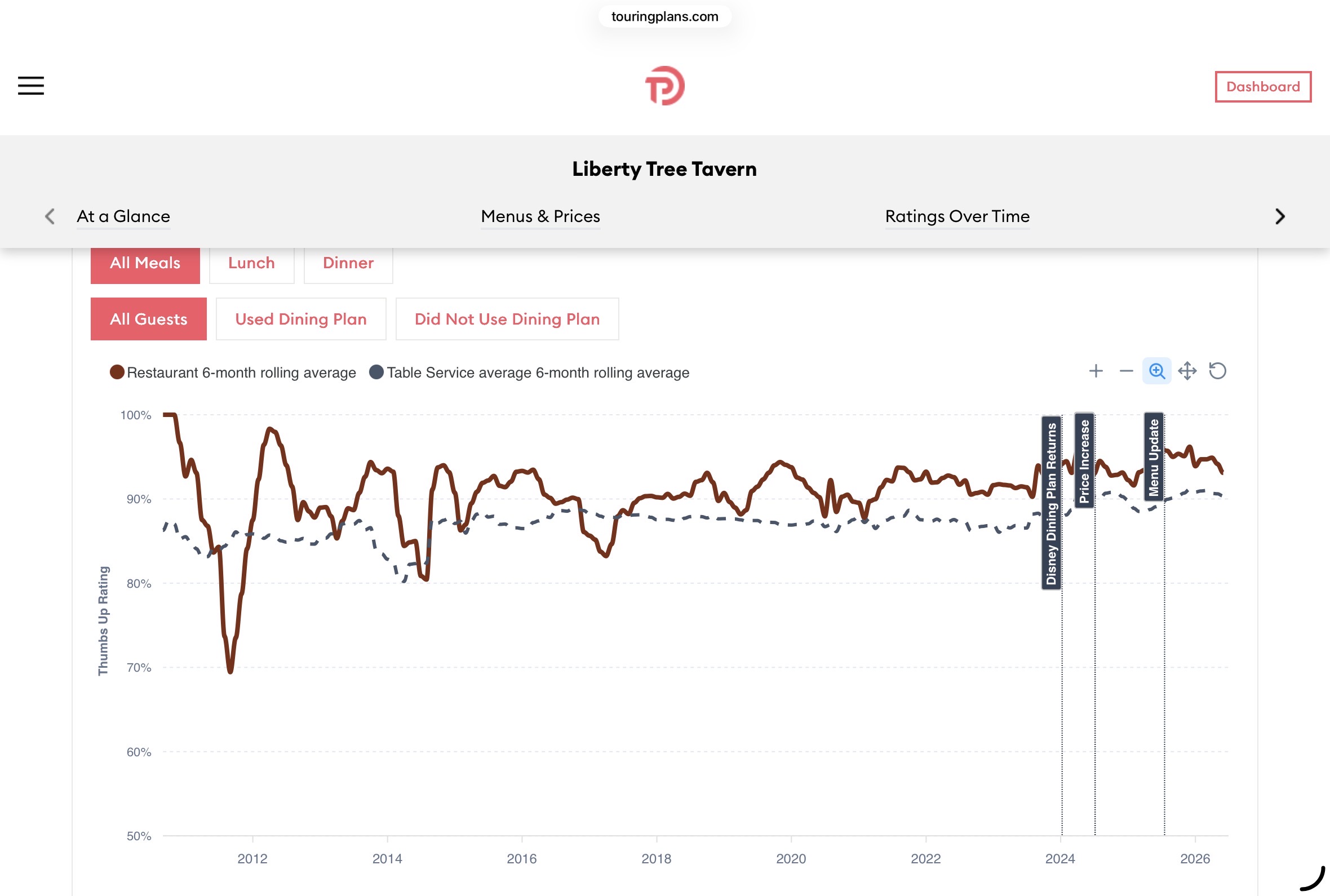
We’ve added charts to the site showing each restaurant’s satisfaction scores over time.

Here’s an example for Liberty Tree Tavern:

The charts includes:

  • Major timeline events, like menu updates, that may affect satisfaction
  • Filters for lunch and dinner, if the restaurant has different meal service
  • Filters for Disney Dining Plan use

The numbers are re-caculated weekly and automatically. We can update timeline events pretty easily, if you see something we’ve missed.

11 Likes

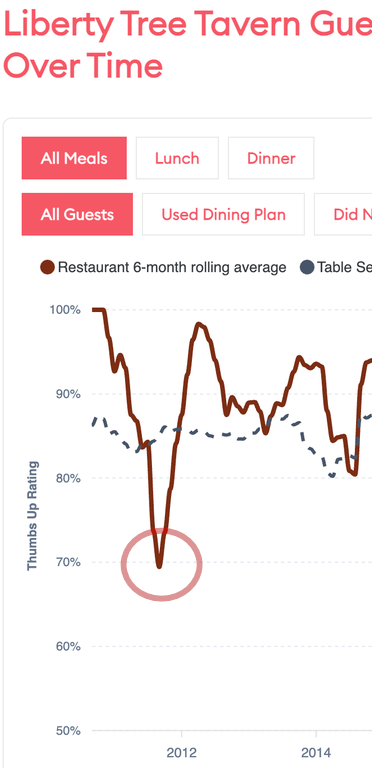
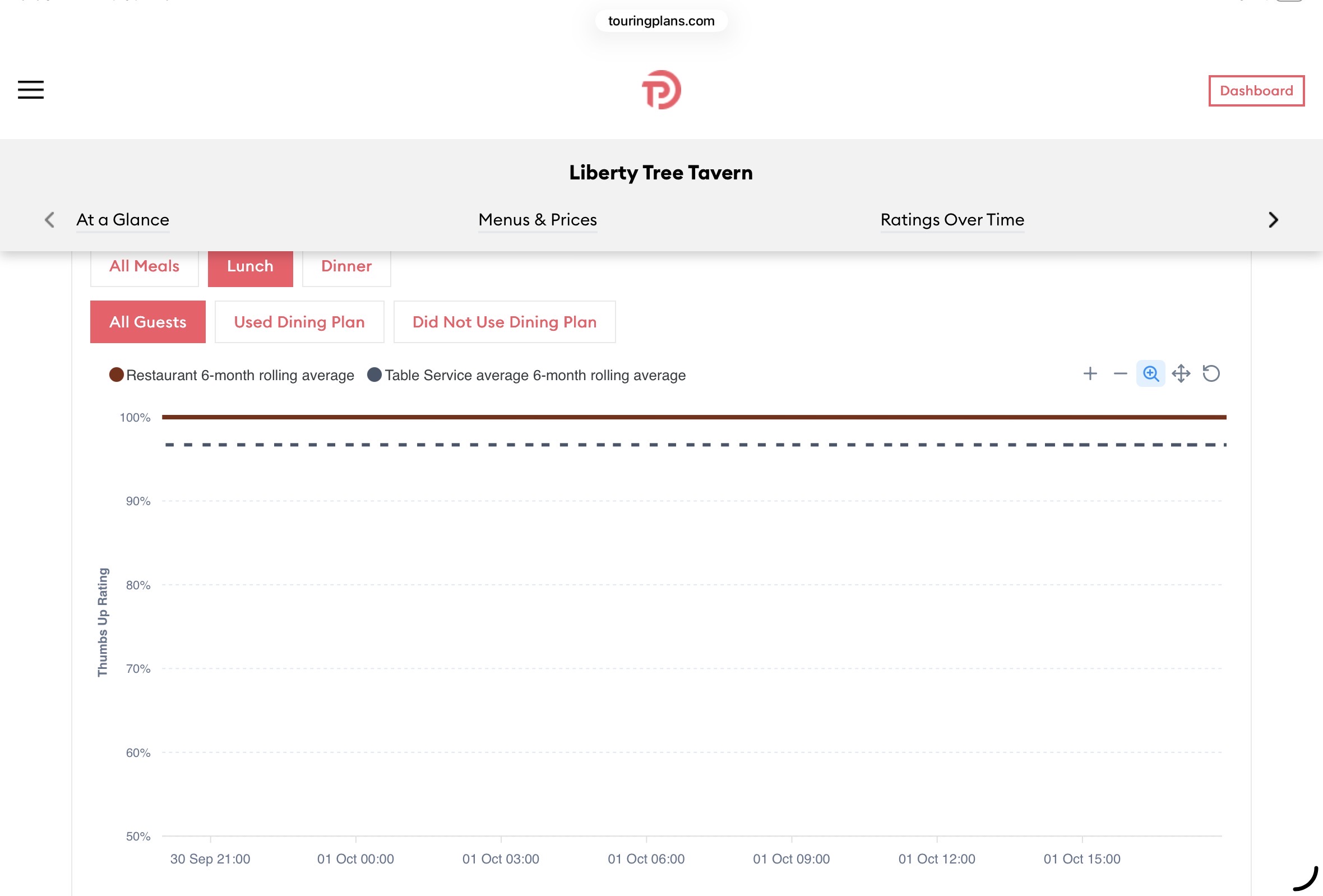
Thank you for this! I have a couple of questions, your screen shot shows all meals data goes back to 2012 but are the individual lunch/dinner tabs suppose to go back too? It may be my iPad , but when I try to go back on lunch, I repeatedly get this

Then it freezes on me. I then get a blank page. This issue could be my iPad? I hope someone else will test this.

I was trying to see if the surveys showed satisfaction changes after they dropped the à la cart menu.

I understand that the ratings are based on all reviews but how is a restaurant that has an overall 3 1/2 stars have a 94 rating and is “exceptional “?

Another example 94% much above average, 2 stars, walk to Riviera?

2 Likes

I can see the chart okay (for LTT at least)…but it looks like maybe you are zoomed in there! That would explain the graph looking like that, although not how you ended up zoomed in.

I also noticed that the percent rating is a “thumbs up” percentage, which isn’t the same as the survey “star” rating. I’m wondering what a thumbs up means. Is that a star rating of 3 and above or something???

ETA: Your Sebastian’s Bistro example, you are looking at the TP rating (“Our Overall Rating”) versus the ratings which guests gave them. I presume the “Thumbs up” rating will be based on the guest ratings, not the TP opinion rating.

1 Like

I thought (maybe incorrectly) that the stars and TP ratings are both based on guest surveys? Edited to add, if this is not true then I think some additional text could help users not have so many questions about these ratings.

I did not magnify the page and the + and - (and all other tools/tabs) are frozen for me when I try to get to an earlier date for lunch.

1 Like

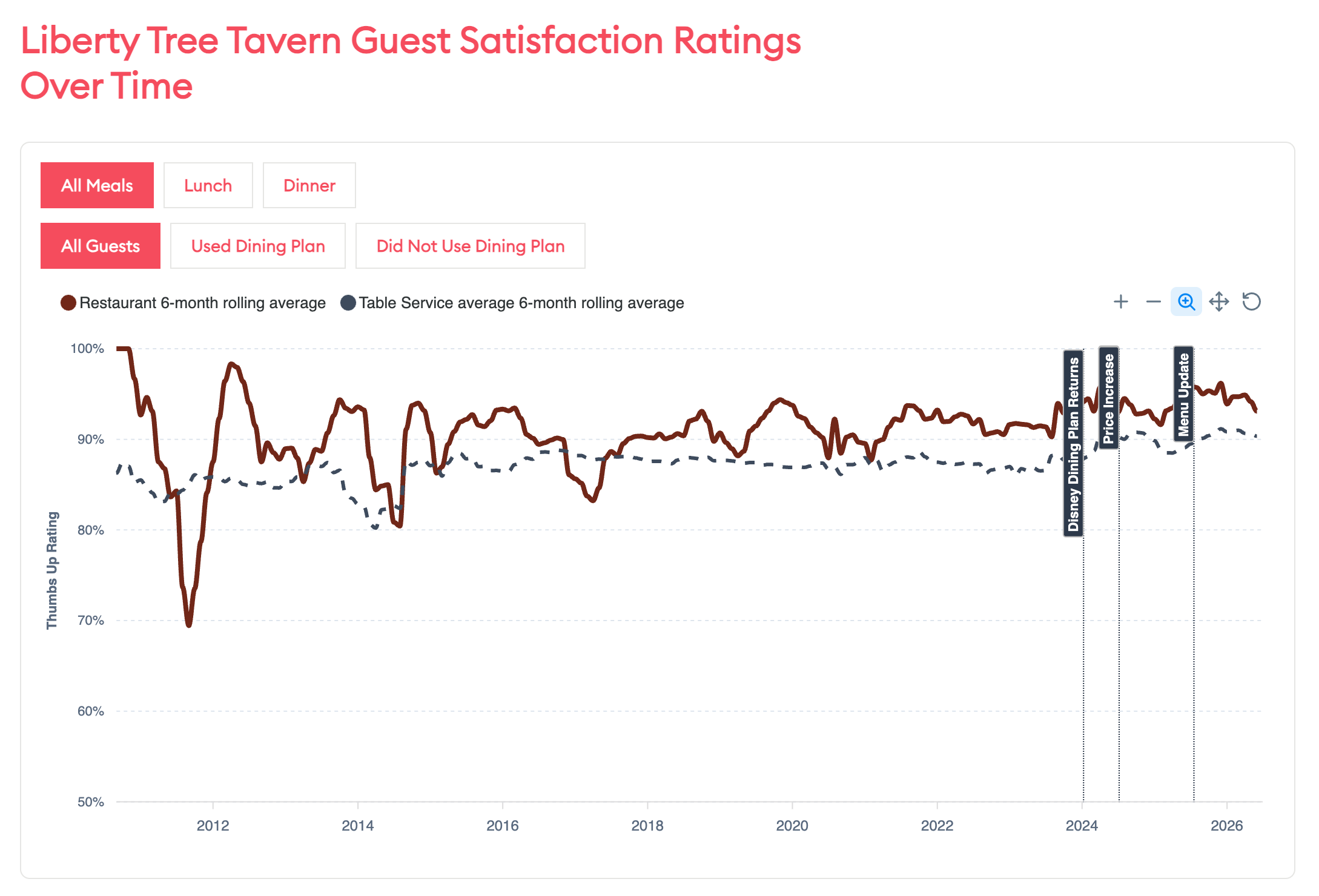
This is the history chart that displays before any filters

It does look like the magnifier is always highlighted?

2 Likes

Yes. That appears to be the default selected “tool”. Which means if you do any scrolling inside the chart (or whatever the equivalent is on a phone screen) it will zoom in or out.

1 Like

I will test with my phone but in my iPad (what I have been using) I am unable to shut that magnifier off on any screen.

Can you try with that link Len posted?

1 Like

I don’t think you can shut it off. It is more like the mode that the chart is operating in. So, for example, if you select the “panning” tool (
image
), the magnifier icon will stop being selected.

Thanks, I can change the mode that way but it gives me the exact same results. It might be a iPad/iPhone issue or my devices issue.

“The Hot Gravy Incident of 20 ought 11”?

7 Likes

The ill-advised switch to store-bought gravy???

6 Likes

What is the difference between Restaurant 6 month rolling average and Table service average 6 month rolling average? It seems like those are the same? (Unless the restaurant is partially quick service and partially table service?

I think “Restaurant” average is the particular restaurant in question, while “Table service” refers to all TS restaurants in WDW during that same time span. Like is LTT doing better than the overall satisfaction?
2 Likes

Ah, that makes sense…but might need to be spelled out a little more. I was thinking it was a split within the restaurant itself.

3 Likes

I’m actually a bit surprised that BOG is still holding its own. Last few times I’ve gone, I’ve been disappointed (the last two were not my idea).

I’m also a bit surprised that 'Ohana doesn’t have noodlegate marked.

1 Like

It’s “this restaurant, which is a table service restaurant” and “all table service restaurants, for comparison.”

4 Likes

I’ve changed the comparison text to say “6-month rolling average of all Table Service locations across property”.

That’ll be in the next release. Thanks for that!

6 Likes

For the LTT example, it goes back to before 2012…but if you select either Lunch or Dinner, it only goes back to 2023. That seems…odd.

1 Like

That’s much clearer, thanks!

1 Like

They might have only asked for guests to specify starting in 2023 so they only have generic data before that.

1 Like