New Hotel Room Finder: Testing Opportunity

Those of you who use the Room Finder a lot: we have a new version coming out and we’d like you to help test it. Keep reading if you’re interested.

Accessing The Test System

Here’s the Hotel Room Views page on our test server.

You might see this dialog box pop up:
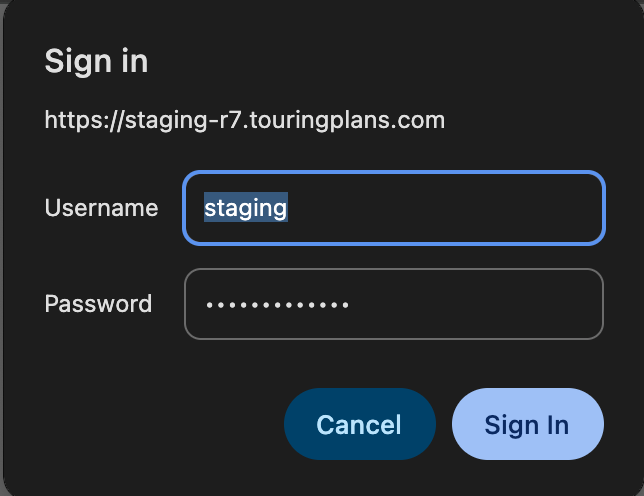
Use ‘staging’ and ‘swgalaxysedge’ there.

Testing A Hotel

Next, select a resort. Any resort should work, including DVC. I chose Animal Kingdom Lodge for this example.

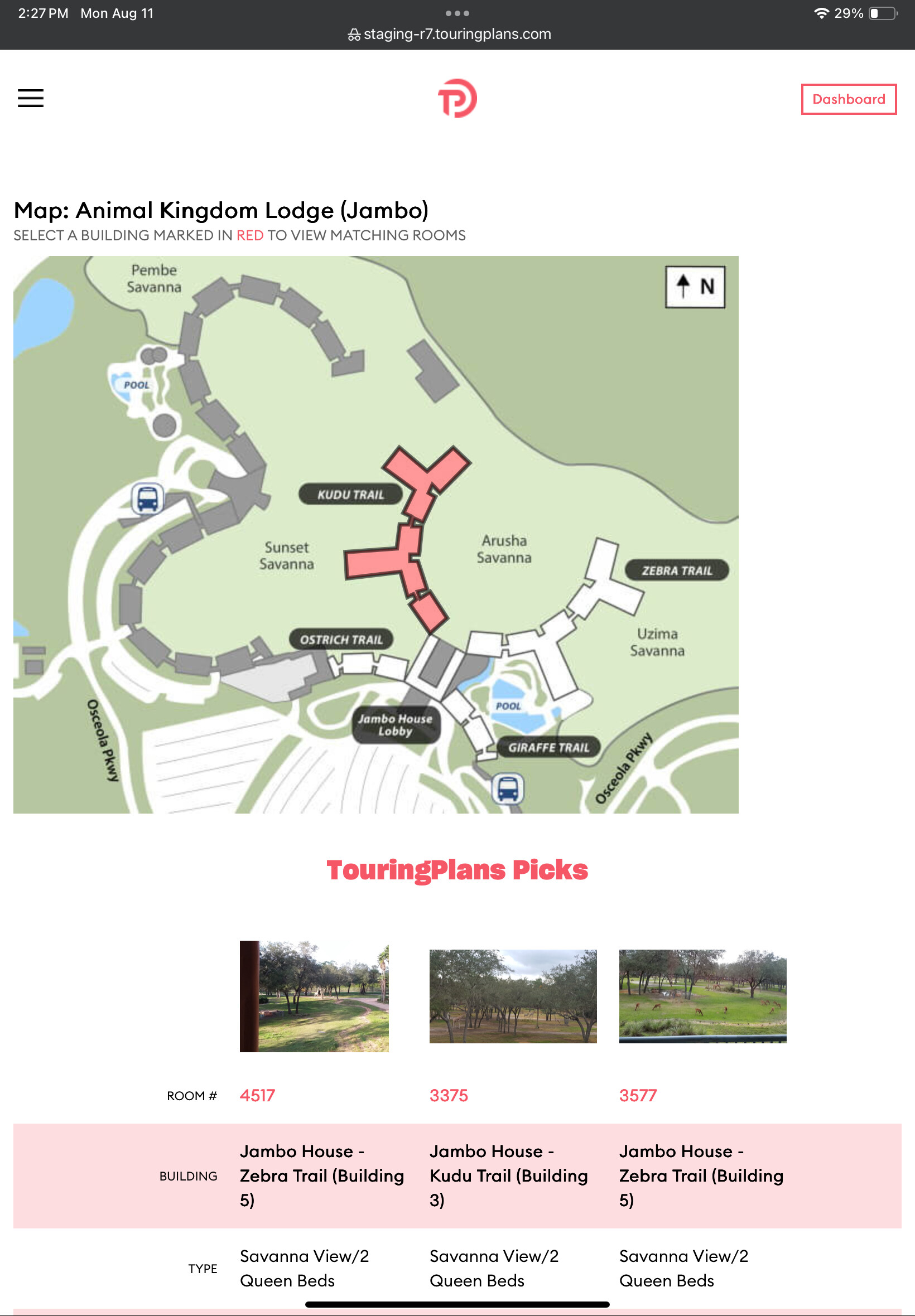
Here’s the new look for the Room Views:

:hotel:The first big changes are these::hotel:

  • Filters are applied as you select them. You no longer need to click a ‘Show Matching Rooms’ button.
  • The filters will automatically update to show you only the remaining valid options to choose.

We made these changes to save you time and avoid frustration. In the old version, it was possible to select filters that returned 0 matching rooms. And since we’ve added more filters, we didn’t want that to happen even more. Dynamic filters prevents that.

Changing a filter above another filter will cause all lower filters to change. For example, if you change the Room Type filter from “Resort View” to “Water View”, all of the filter options beow that will be updated to reflect only what’s available in “Water View” rooms. This is to ensure the only choices you see are the ones that make sense.

:love_hotel:Other changes we’ve made::love_hotel:

  • All 29,000+ hotel rooms are updated to match Disney’s room type descriptions and other data.

  • Added a new “Go back to building” link for resorts with multiple buildings. In the old version you had to go back to the resort itself.

  • “Connecting Rooms” is now a yes/no/any filter

  • All resorts have at least 50 “TouringPlans Picks” best rooms

And we’ve added these new filters:

  • Additional View - For broad categories like “Resort View”, this tells you a bit more about what part of the resort you’re going to see

  • Location Preference 1 - “Near Lobby”, “Near Elevator”, “Near Skyliner”, etc.

  • Location Preference 2 - If there are any other options like that, they’re listed here

  • Building Theme - From things like “Touchdown!” to “Giraffe Trail”, this is that.

  • Features - Things like “Shower Only”, “Corner Room”, and more

  • Pet-Friendly - For hotels with pet-friendly rooms, this is a yes/no/any drop-down

:writing_hand:Providing Feedback:writing_hand:

Post feedback in this thread, please.

The first thing I’m interested in is if something breaks. If that happens, let us know the steps needed to reproduce the problem.

After that I’m interested in whether the filter behavior makes sense. Specifically, are you able to find the rooms you want faster than before?

Thanks very much for your help!

11 Likes

LOVE this!

This is a huge undertaking - thanks for doing that!

This is nice! I had taken to just using my back button but would occasionally oops and click back to resort. I like back to building better!!

Batting 1000, my friend!

Will play with this and report back!

4 Likes

Just played around with Sports…

I can see rooms if I just select Preferred 1Q/1Q table bed, but if I select anything else - even Surf’s Up section, which is one of the Preferred sections - no rooms show.

1 Like

Do you need to define/clarify what is considered a “higher floor”?
Is it anything higher than the lowest possible floor?

For Beach Club Resort (hotel side) I select these filters:
Room Type - Water View (2 Queen Beds)
Walking Distance to Lobby - 3 mins or less
Floor - Higher Floor

I’m down to 36 rooms so I click on the building

It shows me the rooms on Floor 1 (which it shouldn’t because I selected "Higher Floor. I noticed that when I clicked on the building to see the 36 rooms, the Floor filter reverted back to “Any” so perhaps that’s why. (it also, frighteningly, says I now have 574 rooms that match my filters :grimacing: )

Anyway I proceed to choose floor 5 from the drop down of floors because I want a higher floor. There are zero rooms on that floor. I try floor 4, and also find no rooms. Floor 3 on my first pass through showed one single solitary room (though on this second pass to collect my “steps” it now shows 4) - which qualifies for the filters, but again is floor 3 high enough to be “higher”?

Floor 2 has a bunch and floor 1 has a bunch - but definitely not higher floor.

1 Like

@len, I have tried the link in Safari and private and I can’t connect

Ah, we’re rebooting the server. Give it 5 minutes.

3 Likes

Thanks! Can you try that again? We fixed a bug in the filters a few minutes ago. It seems to work for me now.

1 Like
  1. Choose Yacht Club
  2. Set Date = 12/7/25
  3. Set Room Type = Water View (2 Queens + 1 Daybed)
    (Note: item description overflows list box and obliterates drop down button)
  4. Select Building
    (Note: redundant since in this case there is only one building to choose from)

Date jumps back to today’s date

3 Likes

That’s an issue. Thanks!

1 Like

@OBNurseNH Would you mind trying that again? We fixed a bug with the filters.

1 Like

Ok, searching Preferred 1Q/1Q + table all 4 sections show.

Surf’s Up selected highlights those buildings, but still nothing within the building highlighted.

BUT if I take Surf’s Up out and just select NO for Connecting, those rooms show.

1 Like

OK, that’s a bug. Thanks!

2 Likes
  1. Choose Yacht Club
  2. Set Date = 12/7/25
  3. Set Room Type = Water View (2 Queens + 1 Daybed)
  4. Select Sound Level = Moderate

Sound Level list box goes blank and cannot be changed

Note: The selection is persistent and flows through to the next form when the building is selected

Searched Jambo 1 bedroom villa. Search wet went and I like the filters but it does bring up these TP picks:

None of these picks are 1 bedroom villas.

1 Like

Ahhh, we’ve never applied filters to the picks before. That’s a good point!

1 Like

This is great feeback so far. Thank you all!

1 Like

I love the new filters. Courtyard view makes it so easy to find the village green rooms. Thank you!

2 Likes

Sure, but later :grimacing: I’m OTD to the dentist right now :tooth:

Bookmark set for later on.

Thank you so much for doing this! Huge task.
AKL
Not a bug, per se, but if I choose ONLY Accessibility - Roll in Shower, then click on the Giraffe Trail, I get two rooms. One of which is 4007 which is Standard View, the photo is of 4001, also Standard View, but the photo clearly has a pool.

If I filter only by TP Picks Only and then click on the Zebra Trail, it gives the option to view rooms on Floor 1, but there are no TP Picks on Floor 1. Again, not a bug, but wouldn’t it make sense to not populate the floors with no matches?

Poly
Filtered by Room Type Resort View, Additional View Garden. Looking at Niue building rooms. When clicked Back to Niue it took me back the Poly with no filters.

Boardwalk Villas:
I chose
1 BR Villa - Garden or Pool View
Floor - Upper Floor
It then goes back to Any floor and gives me a choice of top floor
Touring Plans picks include the first, third and 5th floors.
I click on a building and it goes back to Any Floor.

2 Likes