I think so? Not sure I’m the best representative of the general public.  (I am usually on mobile, unless I need to write something longer than a couple of sentences).
I was puzzling over which rooms would have these (1 bedroom? But don’t those usually have twin pull-downs and not daybeds?) that I didn’t even notice the change to K and Q (like @Jeff_AZ).
How would this work for resorts with a mix - would you have separate lines for Resort View (2Q) and Resort View (2Q + 1 Daybed)?
I thought I saw something similar with clicking back to hotel on mobile, but I wasn’t able to reproduce it today.
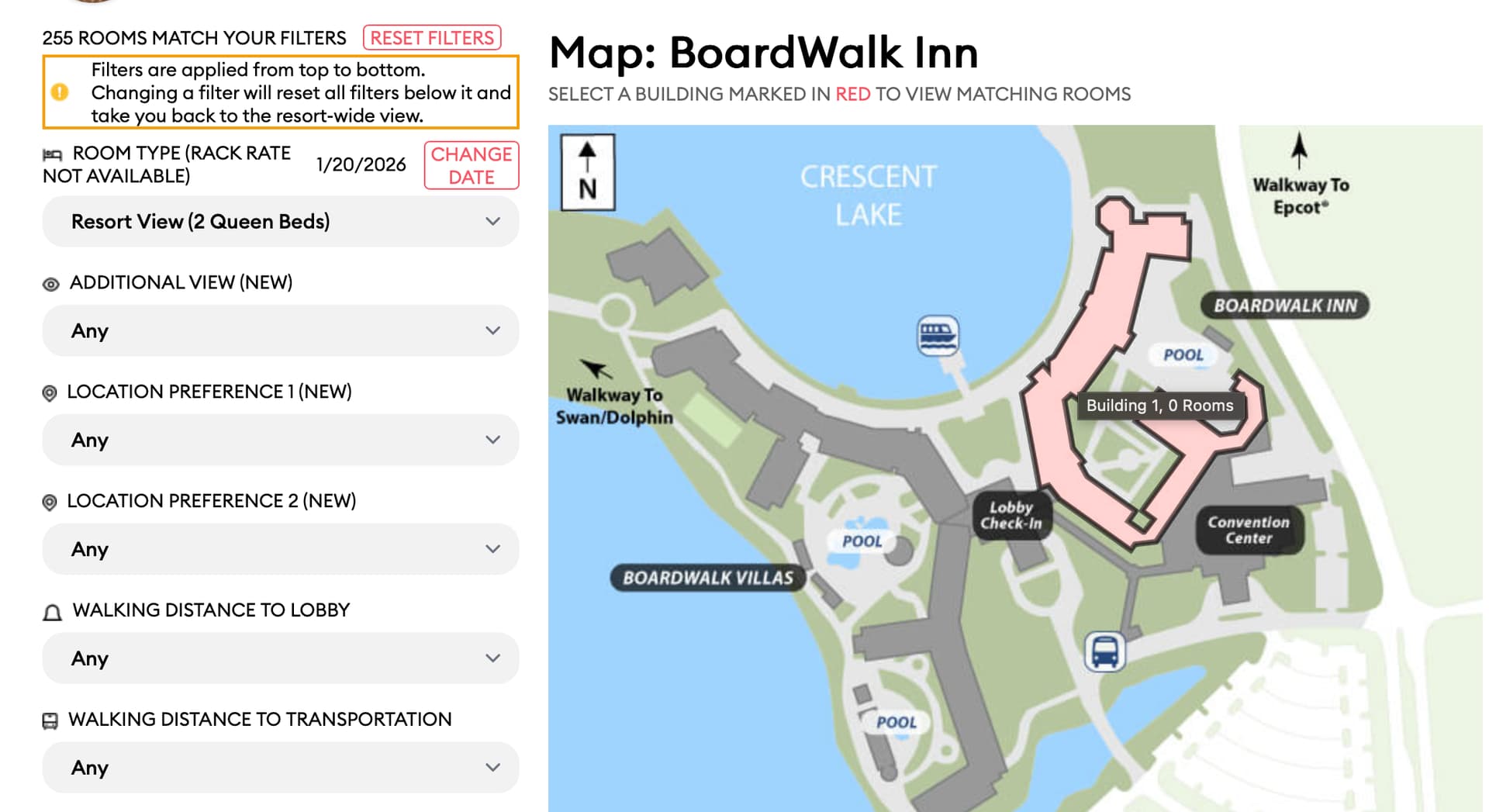
I was able to reproduce @JenniferB1975’s specific case on MacBook:
Select Hotel (in this case, Boardwalk Inn)
Select Room Type (in this case, Resort View 2 Queen Beds)
Mouseover tooltip shows the correct number of rooms:
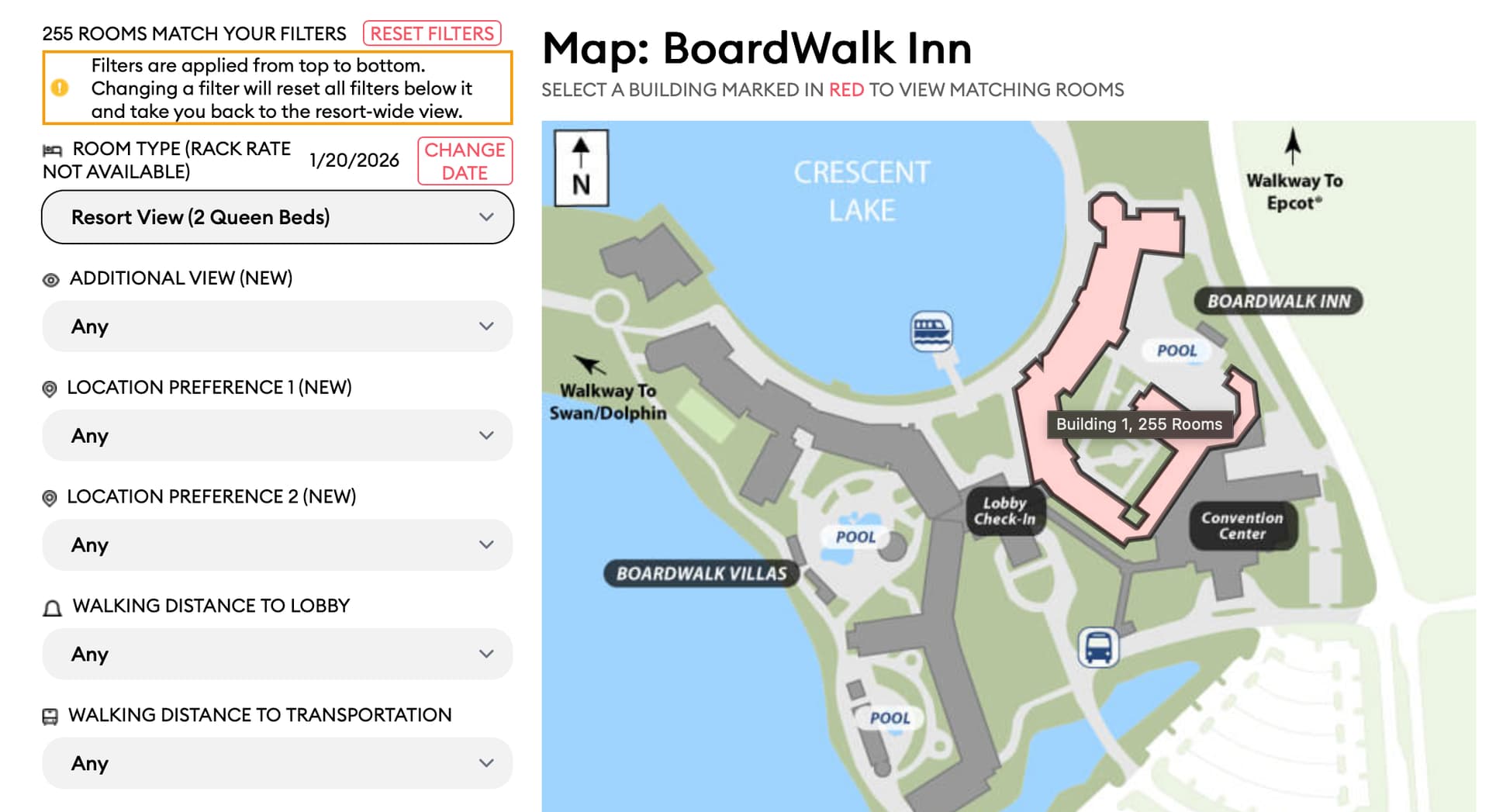
Click on red building.
Click on “Return to Hotel Map”
Mouseover tooltip shows 0 rooms:
I found another bed issue tonight looking at different rooms.
This is CCV room 4111
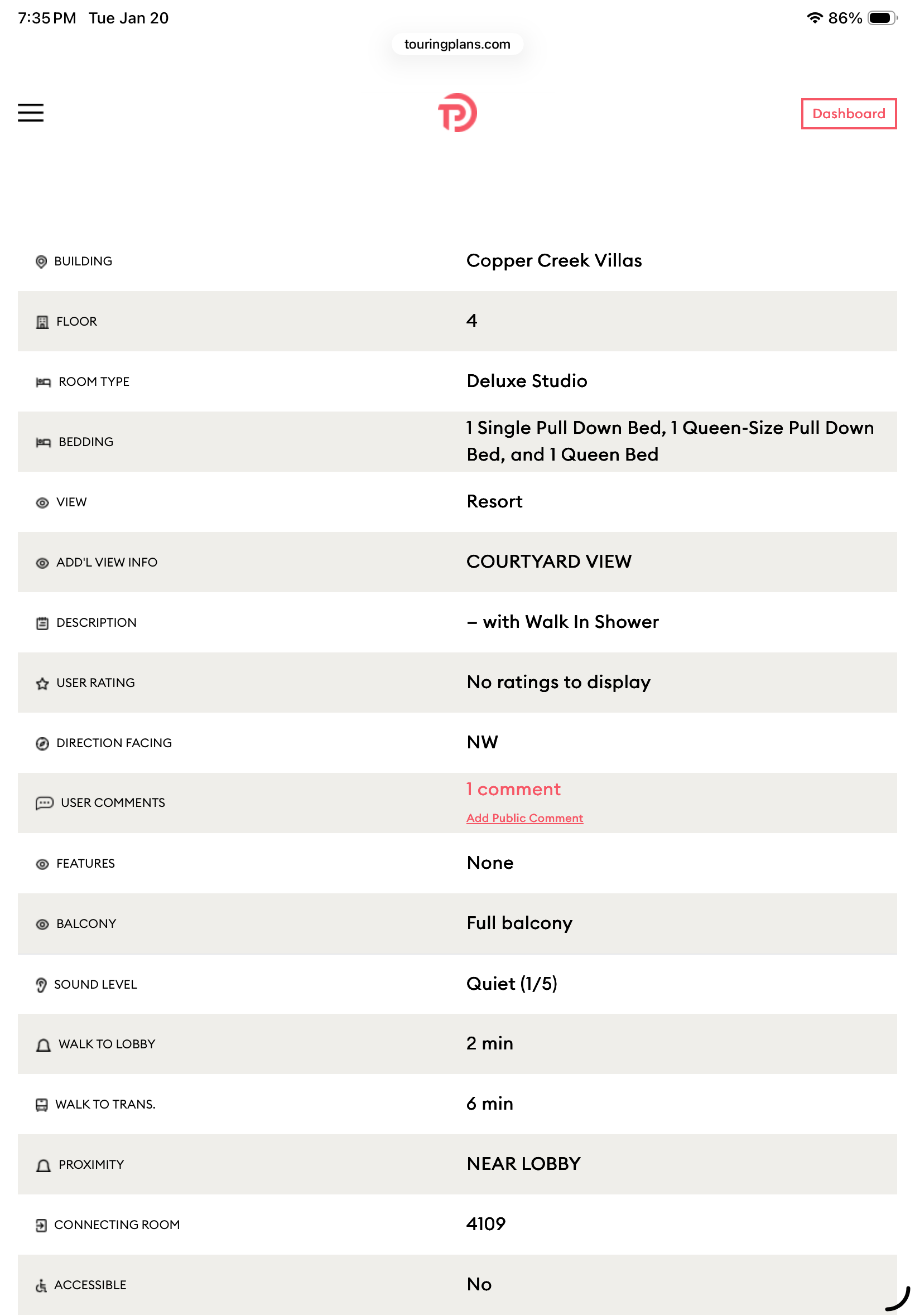
CCV studios only sleep four and the “1 single pull down bed” is a mistake.
Yeah, that’s what I’m thinking. We sort of do it now.
Argh. There’s an error in the data. I see it and I’ll get it fixed. Thanks!
I need to send that back to the folks that sent us this.
Moderately surprised it wasn’t us.
OK. We have this as a bug. It’ll probably be @david to work on it. He’s got some other stuff to get in front of y’all for input, first. Thank you!
I have never seen a room with a daybed. I think that term is being used, but meaning something altogether different from an actual daybed.
Yes, I have a fix for this, but it’s not live yet.
Well, at least I have one of the issues fixed, the one where the filter is “lost” if you change it while looking at a building rather than the whole hotel.
I’ll check on the room count thing described above.
Thank you for noticing that mouseover room count issue with applying filters, looking at a building, and then using the “back to hotel map” link. The filter was still applied properly when you got back to the map, but we were not calculating the matching rooms per building, so they all defaulted to zero.
It will be fixed at the latest when we roll out this new Room Finder code.
The Room Request / Dashboard changes that I mentioned went live this morning. Here’s the announcement:
If any of you has made a Room Request for a completed trip and has fresh memories (and hopefully a room number!) from that stay, we’d love it if you use our new Room Request feedback form to let us know how the request went.
In the future, we’ll prompt people a day or two after checking in. However, you can get to the request form by finding a completed trip with a completed room request on your Dashboard (you may need to click a button to review such ancient trips) and then clicking the SHOW REQUEST button. That page will have a short, four-prompt feedback form that you can fill out.
Thanks!
I just submitted feedback for my room request on my October trip. I still had the room number in my texts. 
I like this feature and hope it gives some worthwhile data for you!
I’ve been going back and submitting my feedback on past room requests. I make broad requests for buildings/areas rather than rooms in my notes and almost always have them met. I keep a running list of my room numbers from past trips.
My upcoming trip consists of 3 split stay resorts for myself, and then I have someone else joining for 2 of the resorts as well. I have tried listing them all under a single My Trip, but the room requests seem to only stay for one of the reservations at each resort (ie 1 of the 2 at AKL and 1 of the 2 at BCV). When I go back to request a room for the second, it will remove the 1st request after a few minutes.
Should I just make two trips so I don’t have overlapping dates/resorts?
I submitted this issue via Contact Us for you. Thanks for reporting a potential malfunction.