If you have a droid, I could use some help (Give your Droid personality. Without modifying anything)

TL;DR: I built an AI brain for all Droid Depot Droids.**
(bottom of the release notes (not the full page), in the “Assets” area)

For a while now I have been working on something that I’ve been extremely excited to share with everyone and I think it’s finally ready for final checks and I could use your help in testing.

Super Quick backstory: If you’ve bought/built a Droid at the Droid Depot, you likely loved the idea of owning your own [custom] droid and it was amazing for the time it was in Batuu when it felt alive and responsive. But once home, you realized you essentially bought a RC-car that chirps and so to the shelf or closet it went? Rarely, if ever, to be interacted with again.

What if that same behavior you experienced in Batuu could be at home? Wait, not only that – what if your droid acted like an actual DROID? So with that question in mind, I am thrilled to introduce the Kinetic Yammering and Behavioral Engine Routines project.

Or KYBER, for short.
Like the Kyber crystals that determine the color and sound of a lightsaber, KYBER alters the personality and responsiveness of a droid. And there’s zero modification to make to the droid. And it works with ALL Droid Depot droids.
ok… that was a little sales-pitch-y. Sorry.

What actually is “KYBER”?

In short: it allows you to talk with your droid and have it talk back to you (well, beep back at you). No controllers, no wake words, no command prompts.

Think of it like having a blind robo-dog.

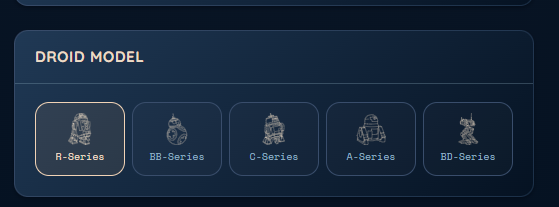
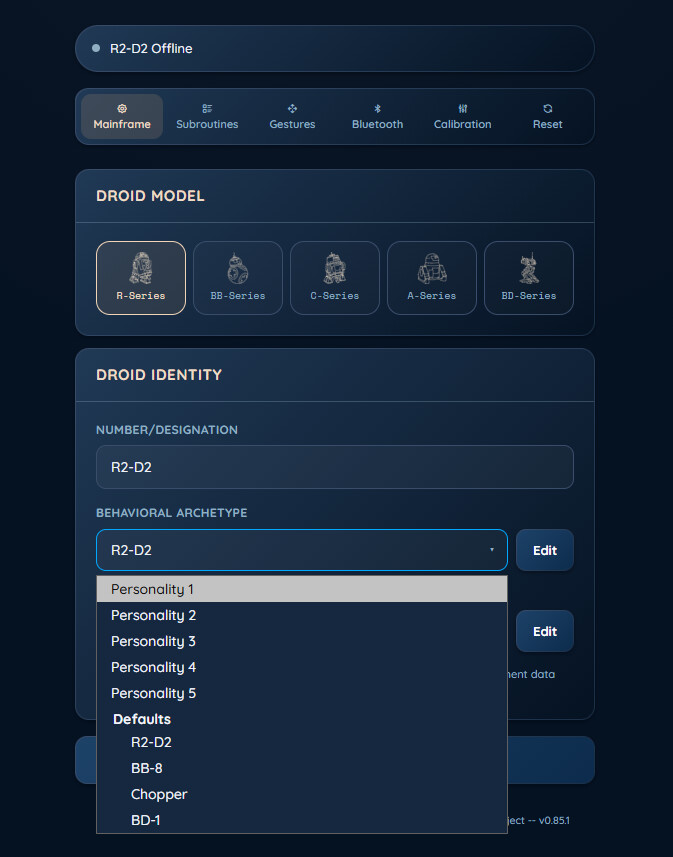
Whether you built a custom droid or bought a prebuilt one, KYBER leans into both. You choose which model of droid you’re running, and you set its personality using 5 sliders (with 4 pre-determined character profiles included), and you have the ability to tailor its chirps and responses to how you want it to react (which you likely need to do if you have a First Order chip installed, because it likely responds way different than the default droid)


What do i need you to do?

Just…talk to your droid. Run the installer, watch your droid no longer be a dummy-bot rc-car but rather an actual character.

And then report back if you run into any issues or if you have any feedback.

Couple of important notes

  1. Req Specs:
  • OS: A PC running Windows 10 or 11. (A Mac version is on the way, but it’ll be a little longer. I was too excited to share to wait for it.)
  • Storage: At least 5GB of free hard drive space.
  • Hardware: A microphone and Bluetooth 4.0 (or later) compatibility.
  • Network: An active network connection for the initial setup.
  1. A Critical Note on Privacy:
    KYBER runs a fully local language model right on your machine. Your voice and your conversations never leave your PC — nothing is sent to me, to any cloud service, or to any AI company, and nothing you say is ever saved to your disk. It’s just you and your droid.
  2. App & Controller Compatibility:
    While connected to KYBER, the droid will not be able to be used with the physical controller or the official Droid Depot app. That said, all stock droid functionality remains entirely intact. There are zero hardware or firmware changes being made to the droid. As soon as you disconnect KYBER, the physical controller and app will work perfectly again, and you can return it to its “RC-car-that-chirps” status whenever you want.

Where do I get it?

I’m hoping to eventually have it go up on the windows app store, but for now, you can find it in my fancy schmancy new GitHub
update 07/25/26 - i had to take down the build to adddress a bug. new one coming soon

Two things to expect to avoid freakouts.

  • Windows may throw up a blue “Windows protected your PC” pop-up. This is not a virus warning. It shows up for basically any installer that hasn’t been “code-signed” (a certificate that costs money, which a free hobby project like this ain’t gonna have). Just click More info → Run anyway. If your antivirus throws a fit too, same story, false alarm for the same reason.
  • The first launch grabs its brain. The very first time you open it, KYBER downloads its local AI (~5GB). One time only and it might take a few.

From there it walks you through connecting to the droid and giving it its persona, and then… go say hi to it.

Hit a snag? Something act weird? Droid do something unexpected (and/or hilarious)? Reply right here in the thread or use the feedback form on github. Screenshots, the exact error text, “it did this and I expected that” — all of it is helpful. That real-world feedback is exactly what I’m hoping for before this goes wider. Do keep in mind though that these droids are imprecise by default so if it overshoots or undershoots a motion, try to give it some leeway because I can only dial in their motions so much .

Thank you!!

8 Likes

Correct.

:open_mouth:

I can give it a whirl sometime this week!

5 Likes

Are you able to share any videos of your android responding to you after you’ve made this modification?

2 Likes

Not yet, I’m going to plan to have one up later this week. Though I was kinda on the fence about doing one because it will end up looking like someone is just off to the side controlling the droid.

But when i do, i’ll post it here. :slight_smile:

4 Likes

I am so impressed!!! I don’t have a droid, but maybe I should get one next time I’m there!

2 Likes

oh just a few quick after thoughts:

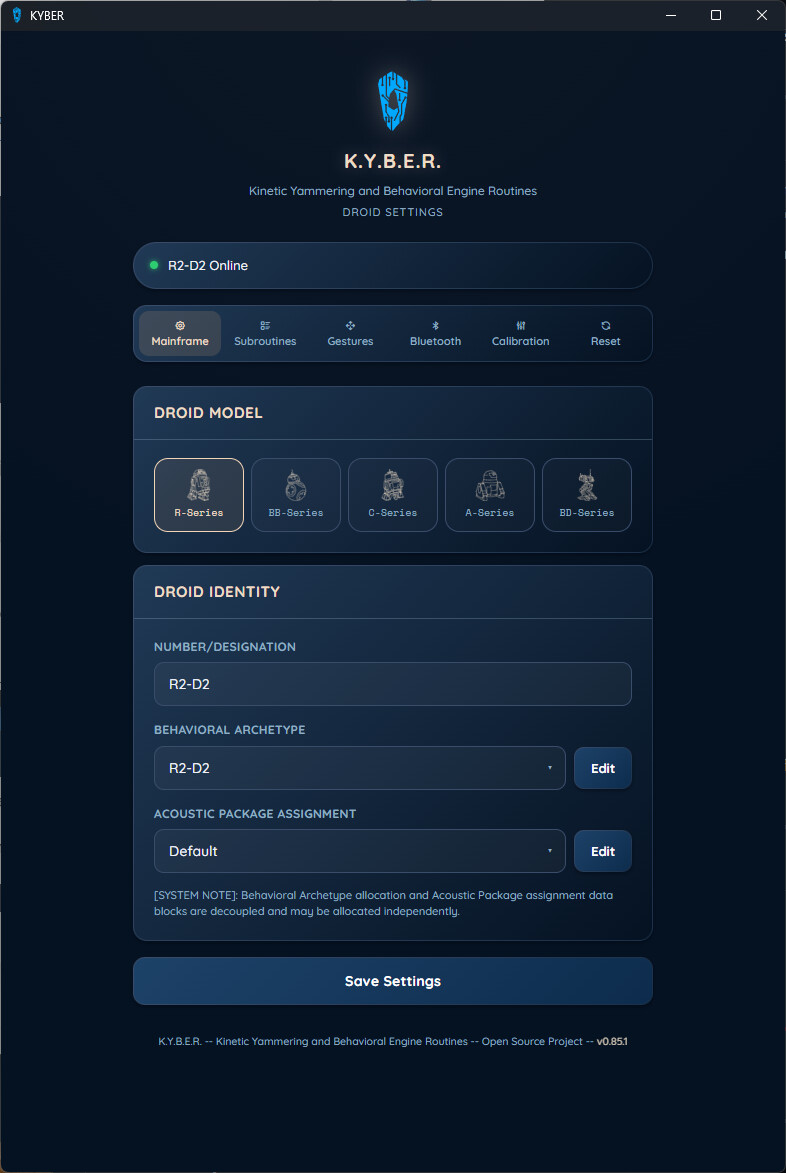
  1. KYBER will run in the windows tray once launched and will remain running until you quit it. And clicking on the icon will bring up its Mainframe (settings).

image

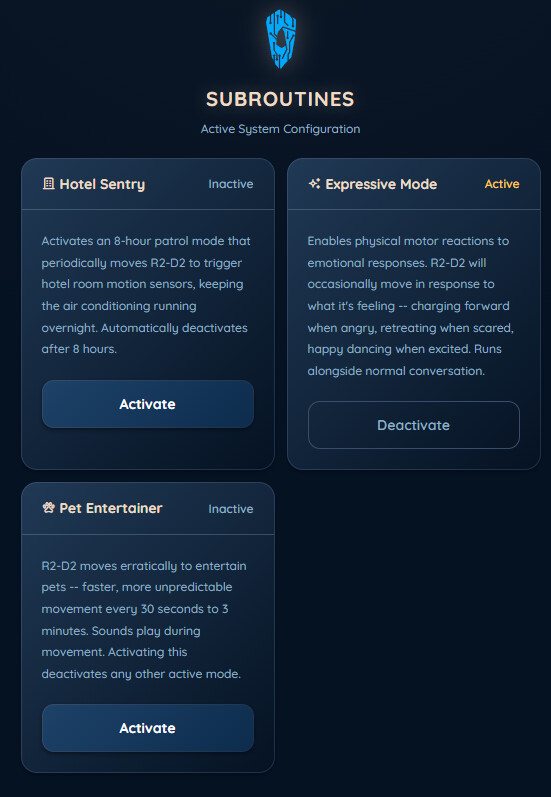
  1. While the droid is designed to be voice-interacted with, since not all mics are created equal, I put in the ability to activate/deactivate the “subroutines”.


    Hotel Sentry: designed to trip the motion sensor of the hotel room so the AC stays on all night.
    Expressive Mode: All the conversation but now the droid does “gestures”
    Pet Entertainer: Mostly designed for my parents’ cats. The droid will perform some movements at random times.

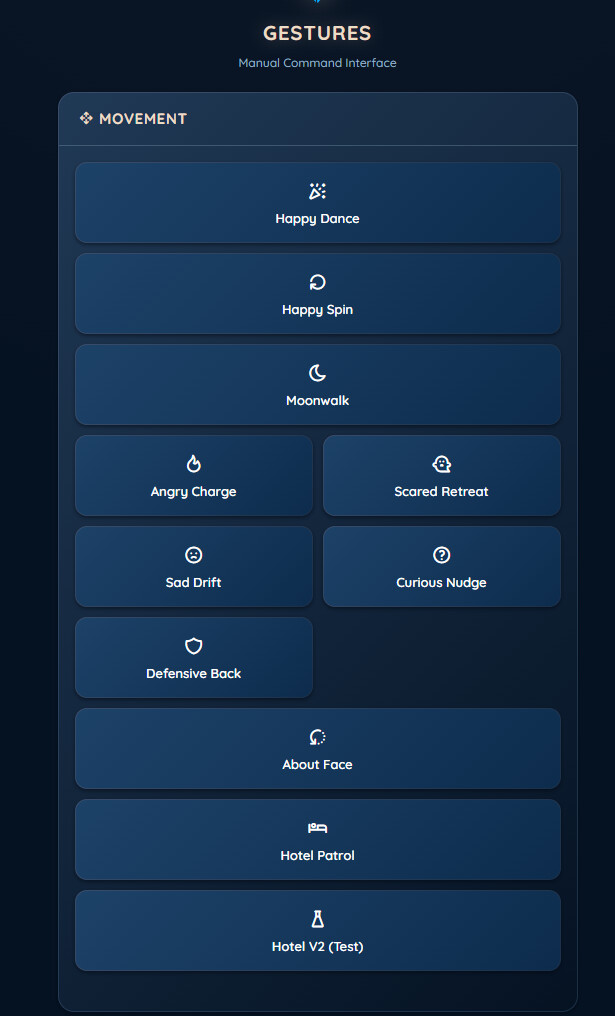
  2. Gestures are the a collection of movements i’ve programmed in (eventually I’m hoping to have moves you can define, the official app’s “dance” feature). These are basically everything the droid will perform at times based on its responses. If you want to preview the gesture manually, you can do so here.

  3. choosing the droid model isn’t arbitrary. Because of the different motivator mechanics of the droids, you need to specify what droid you’re running in order for KYBER to fire the gestures accurately. A R2 unit will behave different than a BD unit.


Ultimately, i’m also planning on a phone version to make it so you can take the droid back to Batuu and have it interact with the world while KYBER enabled. (again, this will be a little bit of time)

However, if you don’t feel like waiting for that, I actually have a raspberry pi version ready to go (designed to be ran on a Raspberry Pi Zero 2 W). It’s more involved to setup than the PC version (which is why I didn’t lead with it), but it’ll allow your droid to be truly mobile. If interested, let me know.

3 Likes

One question: WTH is a Razzberry Pi???

2 Likes

lol it’s like a tiny, high-quality-but-cheap*, computer board that was designed for projects like this. https://www.raspberrypi.com/

*well, normally cheap. Since there’s a shortage right now they can be somewhat redonkulously expensive.

3 Likes

OK cool. I definitely don’t have one of those and don’t plan on getting one. Anyway, my favorite pie is blueberry pie.

3 Likes

Mine, too. :moose:

2 Likes

I would be more interested in this. I have a Raspberry Pi just sitting around collecting dust waiting for a purpose in life!!

2 Likes

Cool. You can find that stuff here: GitHub - Randall1028/KYBER_Pi: Give your Droid Depot droid a real, AI-powered personality. Without modifying anything. (Pi) · GitHub

The pi version has a lot of backend differences to the PC one, but the core functionality is the same. Primarily, it uses cloud-based API. While the PC runs everything locally, this will need an internet connection. You’ll also have to source a LLM and STT API of your choosing (I liked Gemini (there’s a free tier) and a Groq/Whisper (also free).

I don’t know what pi you have, but the Zero 2W was what I designed it for and I don’t think it’ll run on anything below it (I’m not very familiar with the pi board specs and what’s good and what’s not. I was pretty much focused on just getting the app to work and figured I would work out the board-compatibility issues later)

1 Like

Mine is a Pi 4 I believe. It may be too old.

ETA: Looking at specs, actually the Pi 4 is more powerful than the Zero 2w, so maybe it would work.

Actually you should be good to go. It’s a more powerful board than the Zero 2W it seems.

edit: ah i see you just edited. Yup, you should be fine

1 Like

This sounds pretty cool. I probably won’t have time in the short term, but maybe come August or September I could try to get it set up! Could be fun.. I actually work in the field of robotics now (although not in this sense) so it could be an interesting “pet” project.

2 Likes

Nice. No rush. Hopefully by then the Phone app will be live. The Pi version was relegated to “mobile prototype” status anyway.

2 Likes

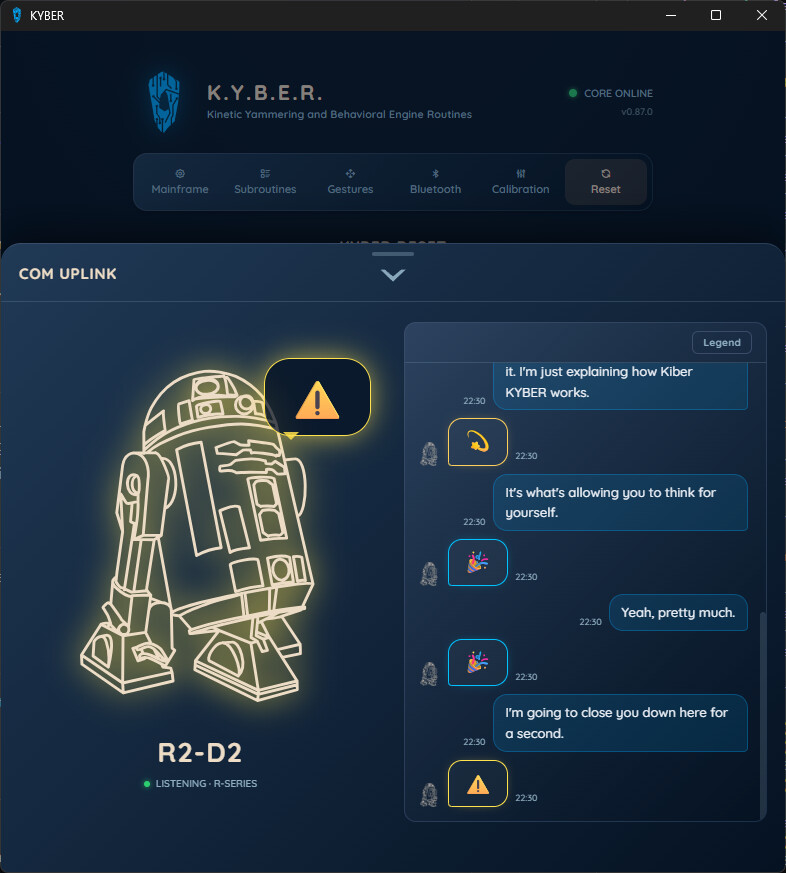
New feature added. Com Uplink. A rolling chat that shows you what the droid heard and its reaction.

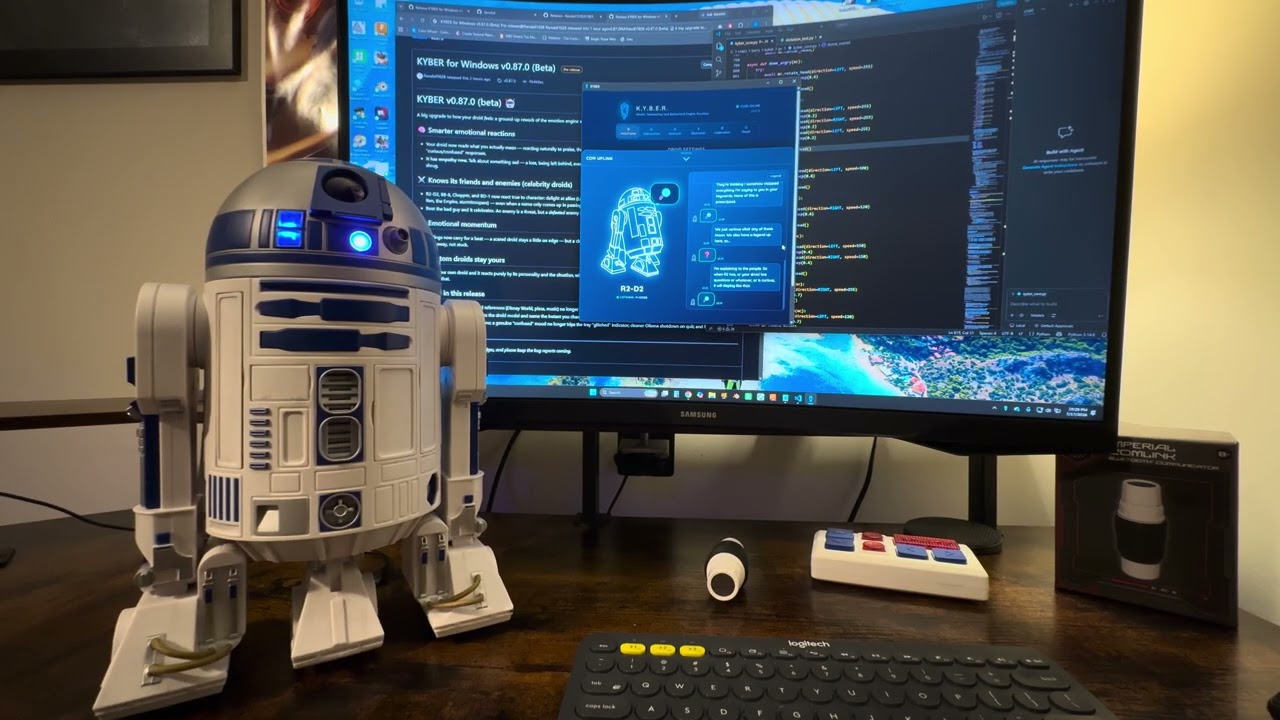
As promised, a video of interactions. Forgive the lack of production quality, camera lens is busted and I struggled with what to say.

6 Likes

Have not forgotten about this. Hoping to try it out tonight!

2 Likes

Omg this is awesome! The video where he’s talking back to you - outstanding! I love how he expresses emotion!

5 Likes

Problem: cannot find droid remotes! Ack!

1 Like