The updated forums have several issues and keeps sporadically glitching out. Like, sometimes I come back to the site on my phone and elements are overlapping each other or have turned ginormous.
Creating this thread for reporting issues.
The updated forums have several issues and keeps sporadically glitching out. Like, sometimes I come back to the site on my phone and elements are overlapping each other or have turned ginormous.
Creating this thread for reporting issues.
I reported a few issues in the daily thread a couple days ago, but I’ll re-iterate here.
First, the layout is slightly off. There is this thin gray border around the area where the list of topics shows up, which looks like it is supposed to be white maybe? Or not there at all? Unsure…but visually, it is “off.”
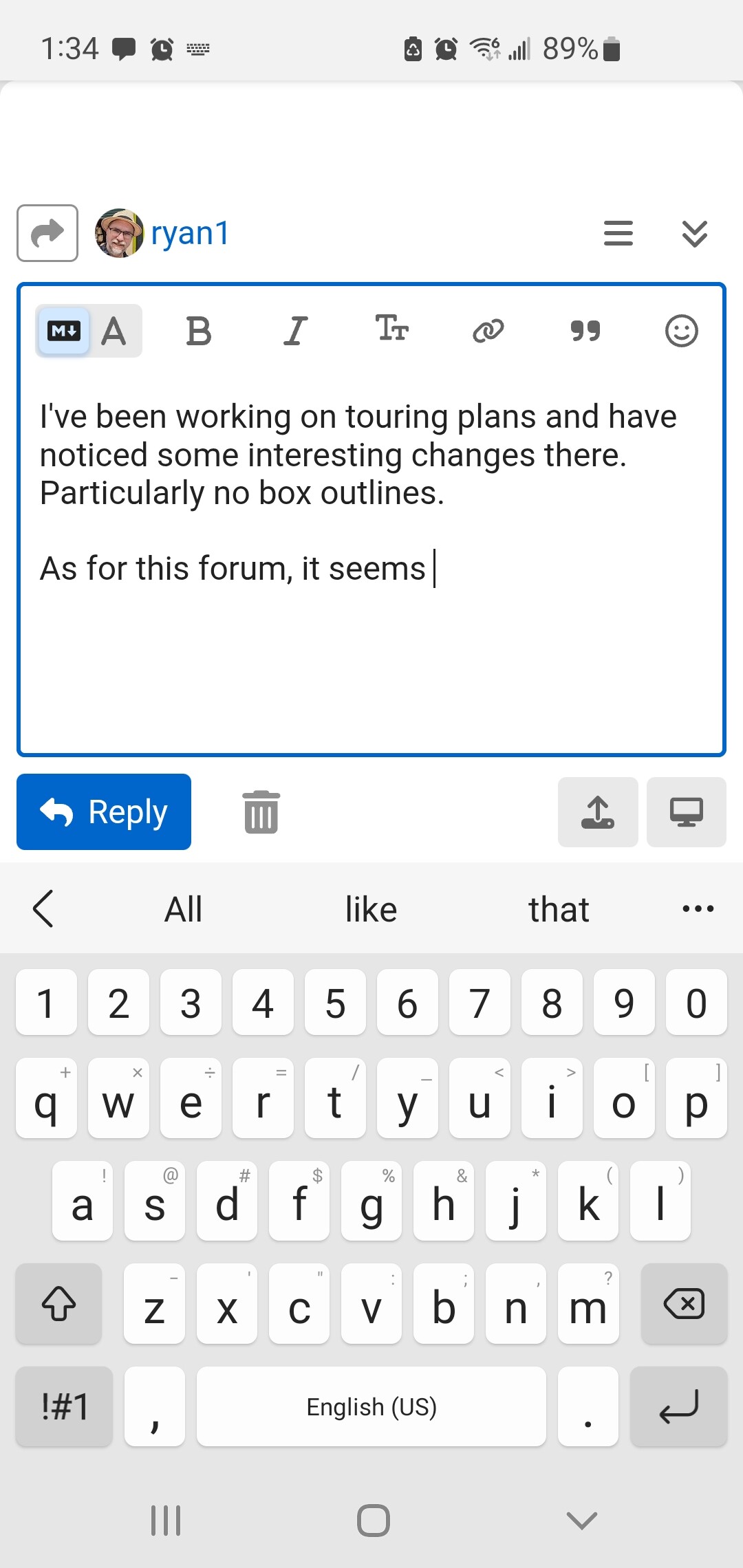
Second, the post editor box (on the phone, not via the web) takes up the entire screen, even if you close the keyboard, making it impossible to see the thread you are replying to (which is rather important!).
Third, the post button has a little pencil icon that is almost impossible to see in the blue box. As a result, I wasn’t initially sure what the blue box was actually there for. If I zoomed in really close, I could make out the gray icon…but the contrast is so close to the blue, it is nearly impossible to distinguish. My theory is this is tied to the first issue…where the icon is actual transparent, and supposed to be showing the background color perhaps…but the background color is no longer light/white? Not sure…just a guess.
Fourth, there seems to be large swaths of just empty space in places…near top of the screen/thread…but not always. It is like something is supposed to be there, but is just missing, visually.
Another one is if I hit the plus sign in the editor the tray with options slides up…but I can’t get it to go away. The only way I found is to drag from the top of the screen and have it reload the page.
Pretty sure there’s nothing we can do here, I’m afraid. The forum software is not really controlled by TP admins at all. It’s why the “dashboard” link at the top is just a basic text link and not a nice button aesthetically placed somewhere.
There’s extremely limited ability to control theming, and that’s about it. You’d likely have more luck going to the forum’s website and posting the bugs on their forum.
Agreed! This is the most problem some for me.
So this is a change not with TP but with the software TP uses?
yes
I suspect that the update to the new version of the software necessitates some configuration changes. Anyhow, I’m not a paying customer for the software itself, TP is. Even if I posted on some forum (wherever that is) reporting my issues, I couldn’t tell them anything about how it is all configured.
I’ve been working on touring plans and have noticed some interesting changes there.
Particularly no box outlines.
As for this forum, it seems mostly the same.
I’m having an issue where the Reply button is not visible in the edit window, and I can’t scroll down to make it appear. The only way I can do so is to close the editor window using the little double down arrow in the top right corner, then scroll down and reopen it, at which point I can finally see the Reply button.
This problem has been inconsistently occurring for a while but now it seems to happen almost every time.
ETA: this is using mobile mode on an iPhone.
I have been trying to gather screen shots of my issues on iPads and iPhone. I have had that same reply issue for a long time. I didn’t know the editor button was there. I have had to either cut the whole post out and then quit the forum, or quit and reopen in drafts. I recently have also had an issue on ,my iPad where I cannot see the post of the box, so I cannot see what I am typing. @missoverexcited taught me if you change from portrait to landscape and back again, sometimes it helps.
Can you try a different browser?
It’s Safari - the primary browser on an iPhone. I could use a different one but I’m reporting the issue because the app should work on the browser more than half of people use.
Len asked for us to submit the issue to Touring Plans directly since it most likely is a forum issue and they can work with the company.
Awesome will do - thanks!
At risk of sounding completely clueless - where should I do this?
I have been dealing quietly with lots of compose glitches on iPhone/Safari (they are so prevalent for me, I figured someone must know about them already, and I switch to my laptop for longer posts), but after @len said over 50% of visitors are mobile in the room requests thread, I thought maybe I should put some screenshots together and report.
But if this isn’t the right place, then where is? 
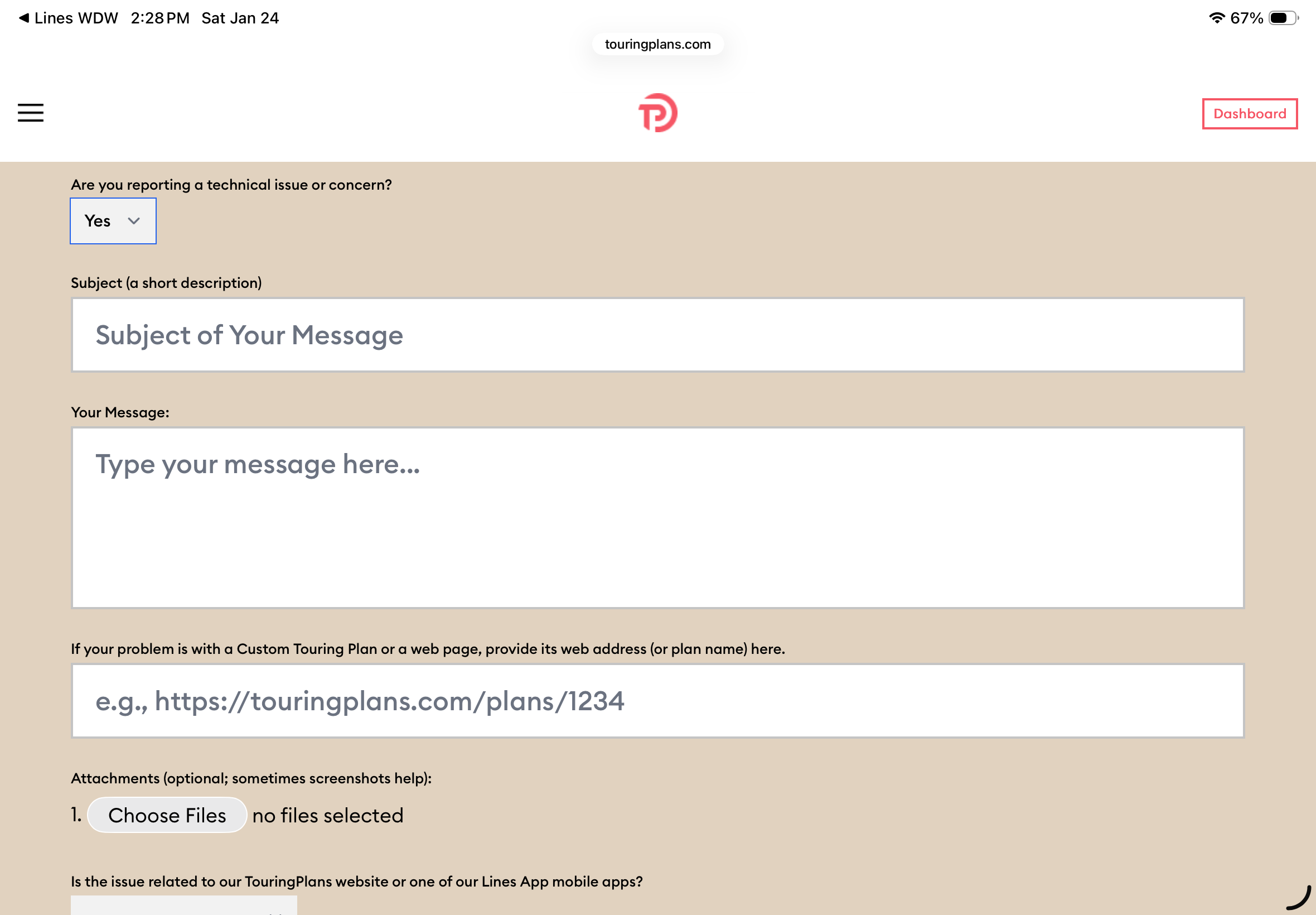
Can sent support requests through the contact page, found on the bottom of the main site pages:
Should definitely report any weirdness to them, but like Randall said above, the forum is a hosted Discourse platform and not much they can do about that software’s bugs. But TP should know what’s happening to users so they can throw support requests up to their hosting company if needed. 
Thanks! Yes, that’s completely why I’ve held off until now.
That feedback link doesn’t allow adding screenshots etc - wondering if I should post those here and then link them to these comments? (I guess that’s kind of a rhetorical question, and I may as well just do it.)
I think that’s a good idea. If you let them know they’ll check here.
Edited: if you start the report, and submit “technical issue) (drop down)
The additional boxes appear to attach screen shots.
Awesome, thank you!