Okay. Here we go.
Start by going to the homepage for the forum. In the upper lefthand corner find your My Dashboard button
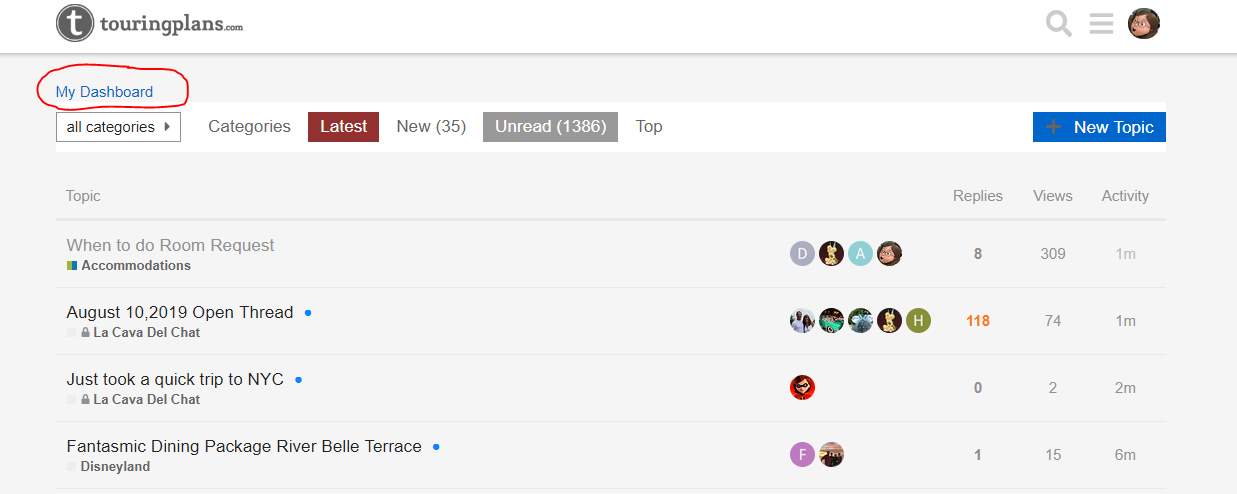
Click on that button and it will take you to your Dashboard, where all of your trips and other stuff is stored for your account:

Scroll down until on the left hand side of the screen you see the “Add Trip” button. Click that

Fill in all of the information for your trip - dates, hotel, and anything else you want to include
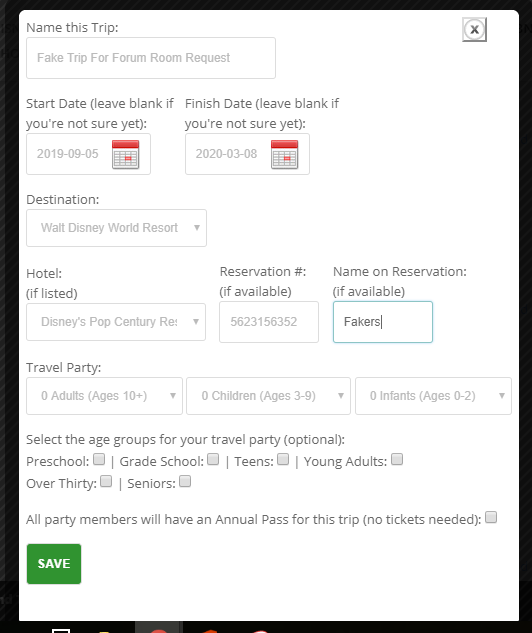
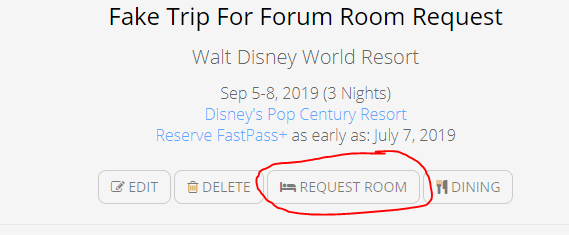
After you’ve filled all of that in you’ll be taken back to your Dashboard. Now find the “request room” button
Clicking that will take you to the map of the resort you have identified in your trip details. In this case, I’m pretending to stay at Pop Century

Here you can choose the details for what you want in a room. The filters are highlighted in yellow. It is best to request only the room category you have paid for. The other filters are personal discretion and preference. Choose the things you want and then click the “show rooms” button.

Once you’ve set your filters the map will reload and the buildings where those kinds of rooms are located will be highlighted. Click on any one of the highlighted buildings
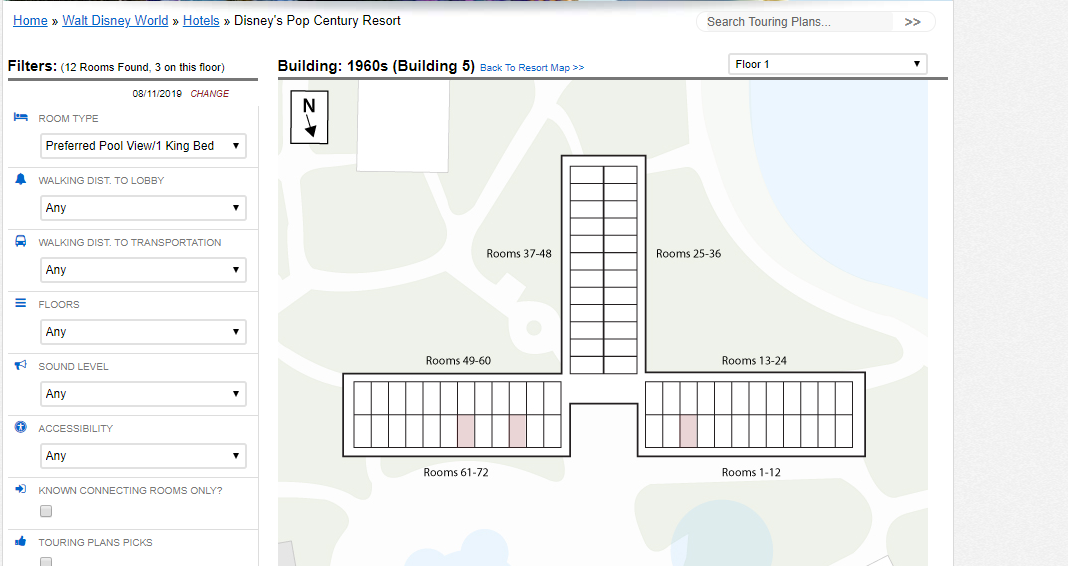
Now you can see the rooms that fit your preferences within that building, highlighted in red. You can click on any of these rooms and see what the view is like from that room (or one that is nearby)

Once you’ve found a room whose view you like most, click the CLICK HERE button and that will be recorded as your room of choice. You’ll be taken back to your Dashboard where now it shows the room you have selected.

You’re ALMOST done – but not quite! Don’t forget that now that you’ve selected your room, you need to configure the fax that will be sent. Click the “Configure Fax” button

You’ll be taken to the fax form. Fill this out completely - it is very important to have the reservation number and the last name on the reservation or it won’t work out.
At the bottom of the form is the box that says “For our upcoming stay we’d like to request this type of room.” The box below it is free text. Remove all that junk that’s in there and put in the room number you’re requesting, and perhaps a few other like it. Then in the box below that, you can write other stuff. I find it helpful to write which floor or wing you’d like to be in, as it helps direct the room assignment folks a little bit more clearly:
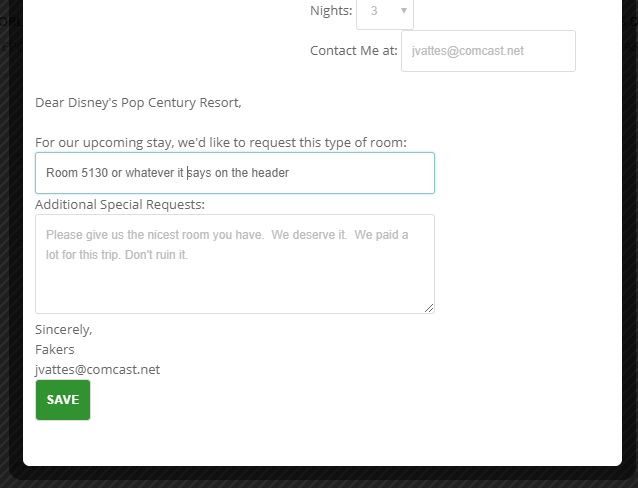
Click the save button and you’ll come back to your Dashboard. Your room request fax is all set to go, and TouringPlans will send it 5 days before the start of your vacation! They will email you to let you know the fax was sent.
Hope this is helpful to you! Please let me know if you have more questions!